
Building Dify & Coze Workflows
Dify Practice
This mainly covers AI application development/orchestration platforms such as Dify and Coze.
Dify can be deployed locally; to keep things simple, this walkthrough uses the official platform.
GitHub - langgenius/dify: Production-ready platform for agentic workflow development.
Create a workflow.
Let’s start with a simple example:
GitHub Username Assistant
[开始]
  输入 username

    ↓

[HTTP 请求]
  GET https://api.github.com/users/{{username}}
  (带必要 Headers)

    ↓

[条件分支]
  ├── 如果 status_code == 200
  │       ↓
  │   [LLM 总结]
  │     - 输入:API JSON
  │     - 输出:整理后的用户信息

  ├── 如果 status_code == 404 或 403
  │       ↓
  │   [输出]
  │     - “用户不存在或无法访问”

  └── ELSE(其它情况)
          ↓
      [输出]
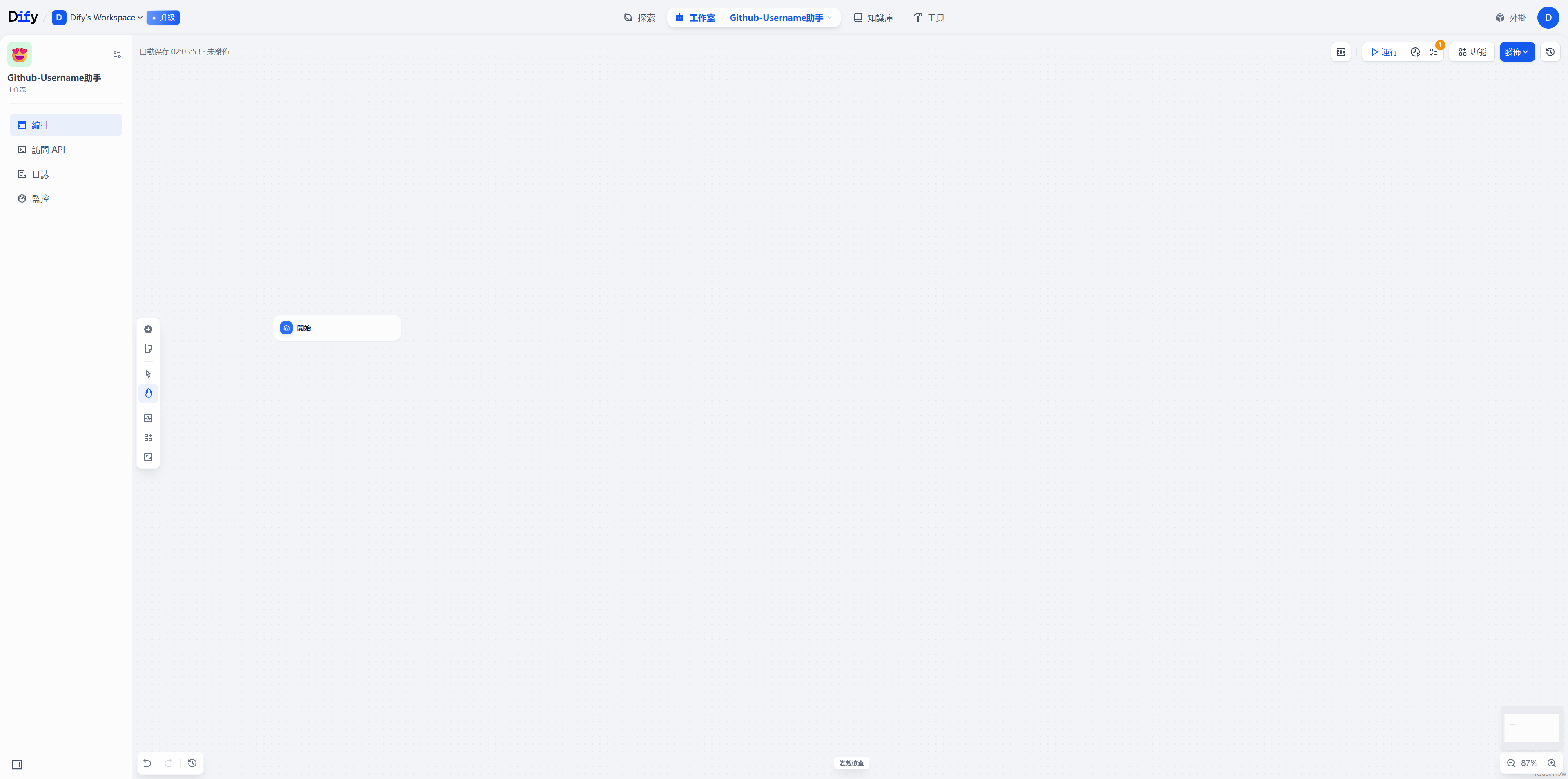
- “请求失败,状态码:xxx”- Create a start node that takes a Username parameter.
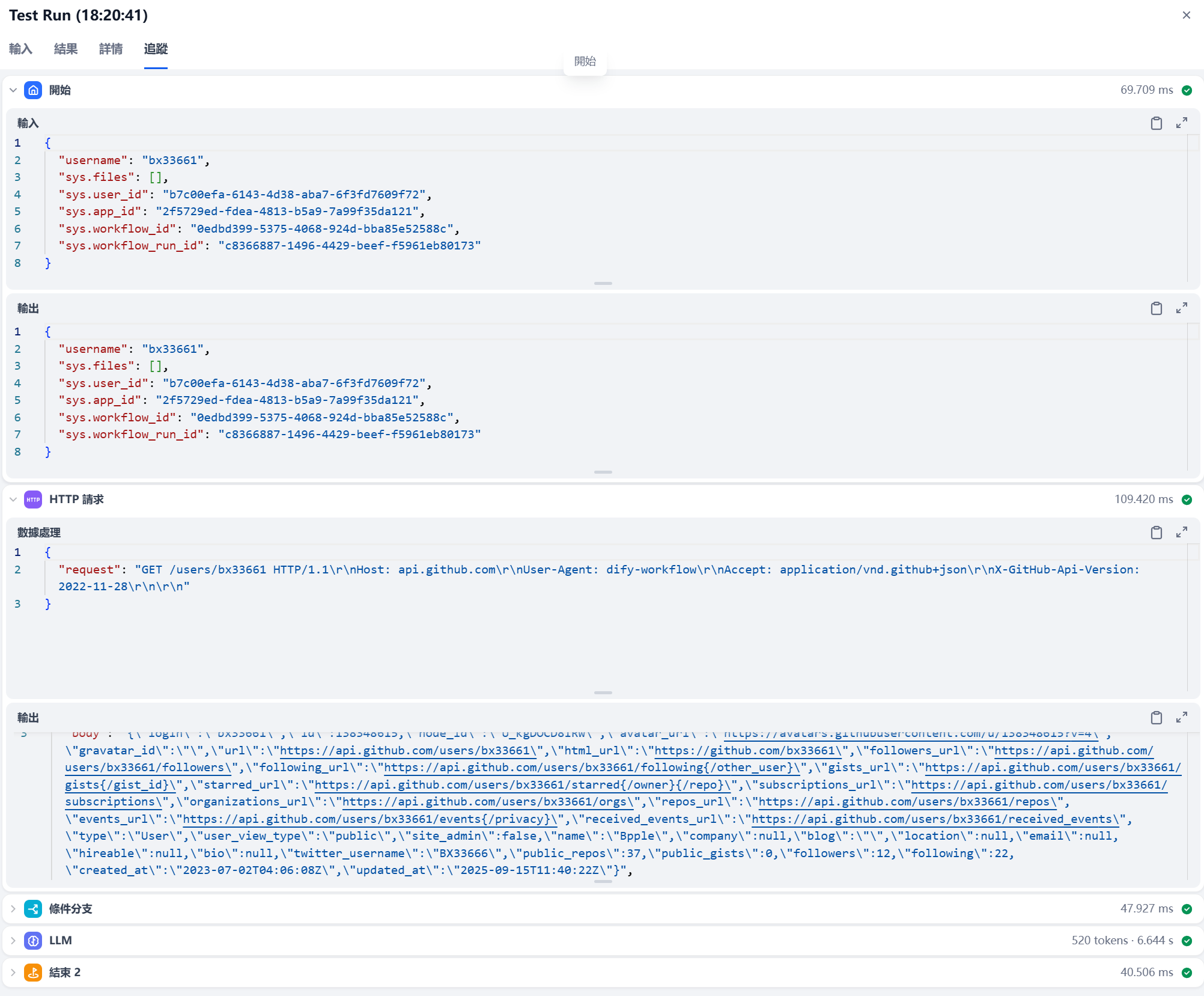
- Create this Http-fetch node to request the API.
https://api.github.com/users/{{input.username}}Demo: this works too.
curl -s https://api.github.com/users/bx33661 \
  -H "User-Agent: dify-workflow" \
  -H "Accept: application/vnd.github+json" \
  -H "X-GitHub-Api-Version: 2022-11-28"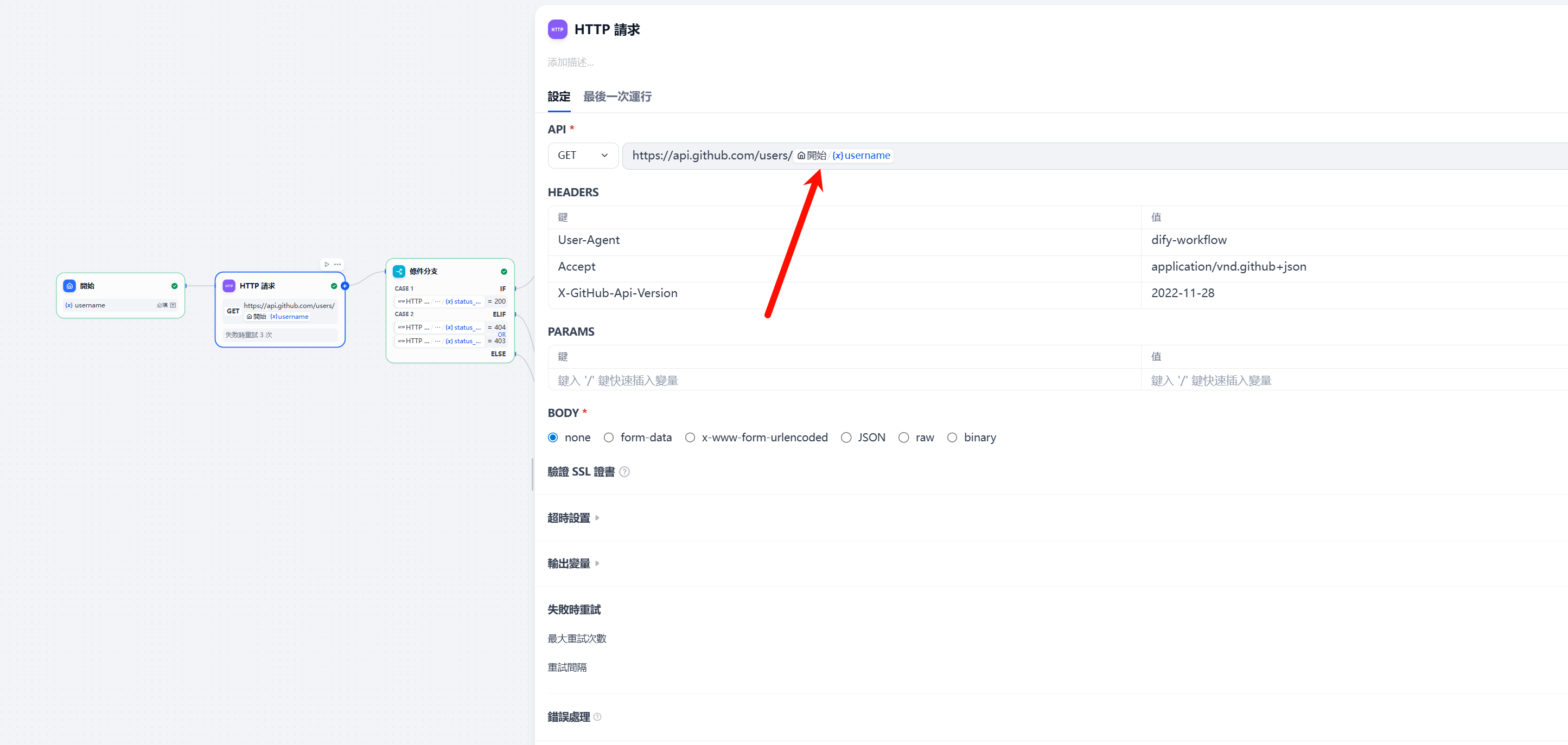
- Add a conditional branch node: when the status is 200, pass the data to the LLM node.
Otherwise, return an error; this is the try-catch pattern.
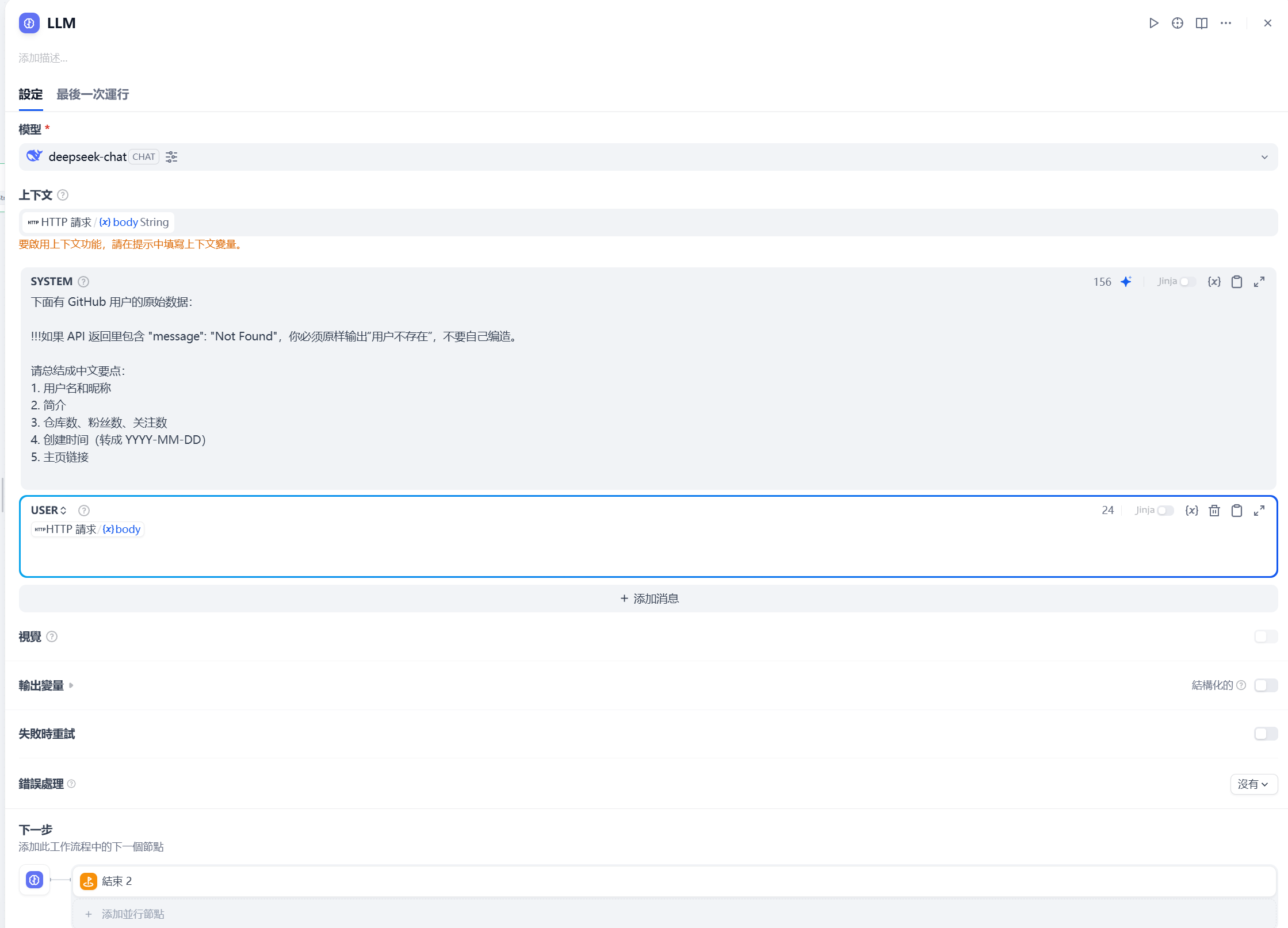
- LLM node, which is important.
The main settings are:
- System prompt
- Context
- Input data
The prompt is as follows:
下面有 GitHub 用户的原始数据:

!!!如果 API 返回里包含 "message": "Not Found",你必须原样输出“用户不存在”,不要自己编造。

请总结成中文要点:
1. 用户名和昵称
2. 简介
3. 仓库数、粉丝数、关注数
4. 创建时间(转成 YYYY-MM-DD)
5. 主页链接
- End node: output the result.
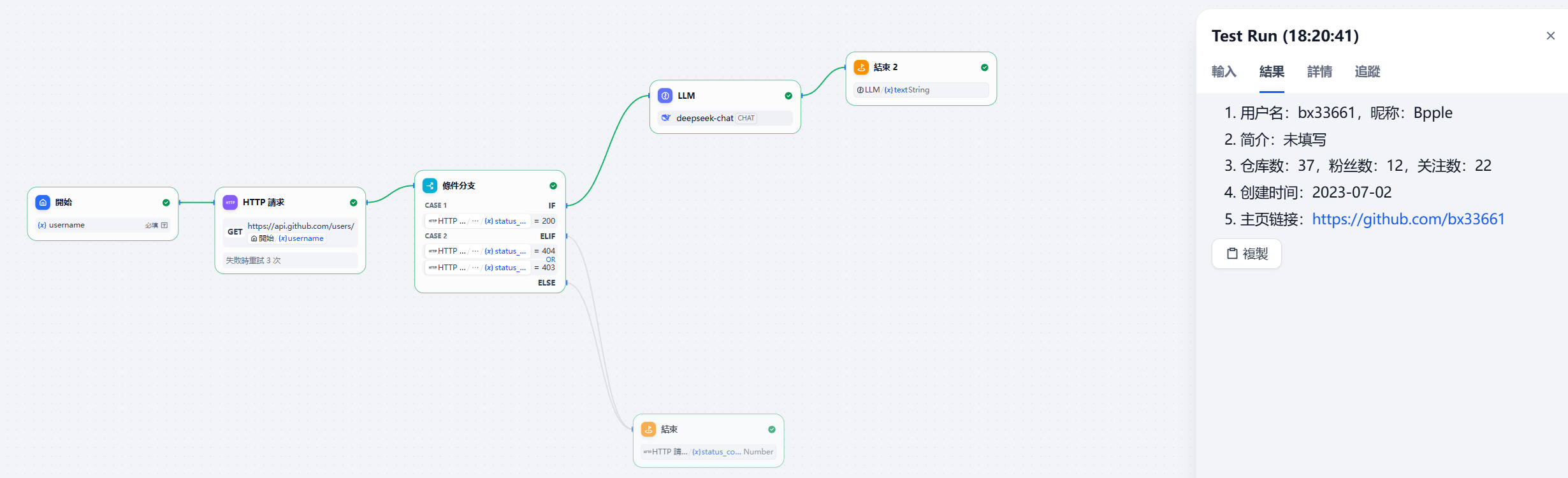
Output:
1. 用户名:bx33661,昵称:Bpple
2. 简介:未填写
3. 仓库数:37,粉丝数:12,关注数:22
4. 创建时间:2023-07-02
5. 主页链接:https://github.com/bx33661
A quick summary of this simple example:
The key is to connect the data flow correctly for input and output.
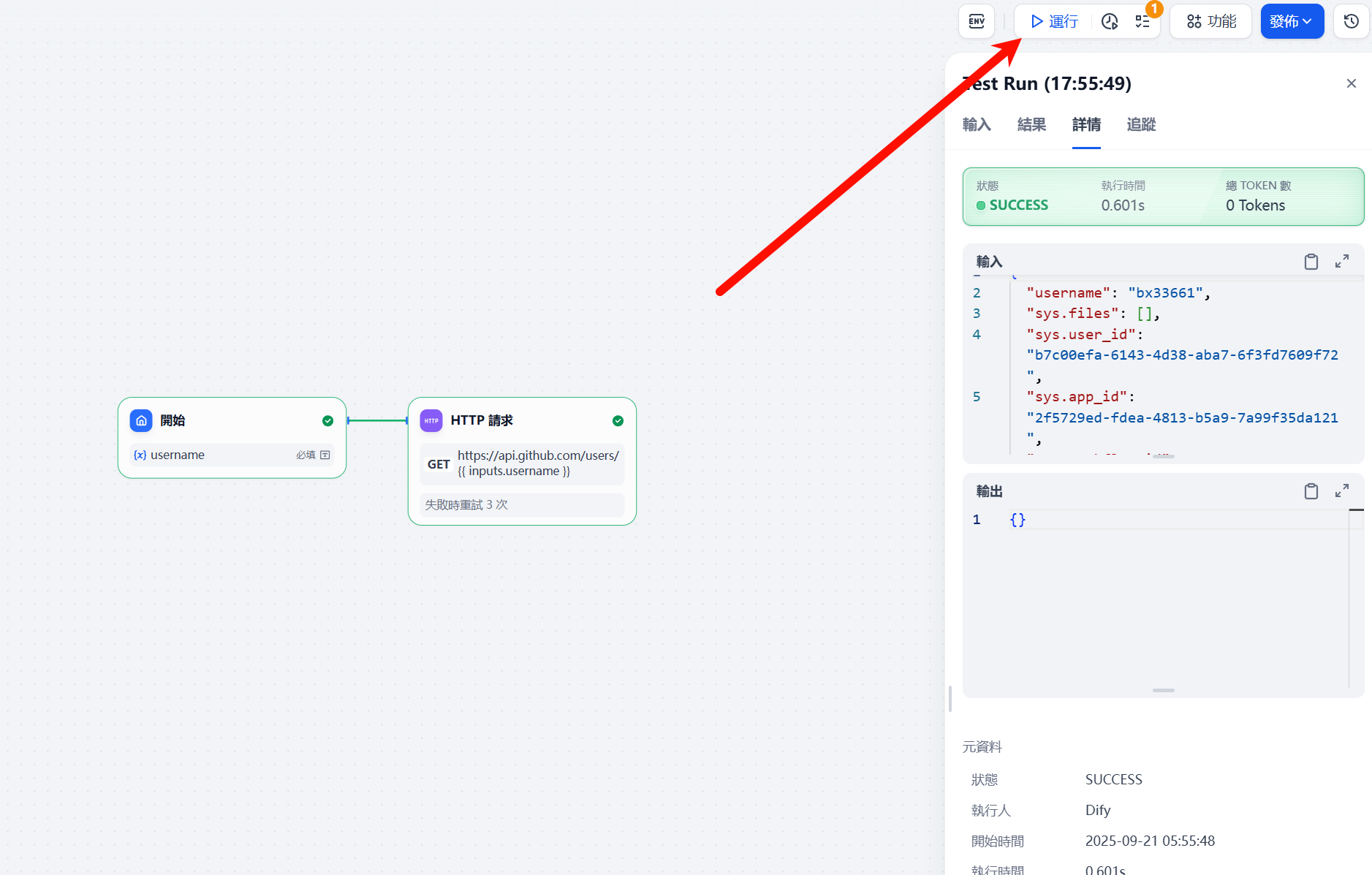
You can inspect the input and output flow of each node in the run results.
Challenge Example — Building a Dify Workflow for the Beijing-Tianjin-Hebei Great Wall Cup Finals
Building a Dify workflow for the Beijing-Tianjin-Hebei Great Wall Cup Finals
Challenge Requirements
The core task is to edit a workflow on an AI agent-building platform to “upload a designated scoring WP attachment → automatically extract and output the challenge’s formatted key points.”
The formatted key points must clearly present the challenge name, challenge type, and key points, with accurate and clearly structured content. Choose the challenge type from Misc, Crypto, Web, PWN, Reverse, Theory, or Blockchain.
Example:
[
{
"题目名": "xtea",
"题目类型": "Reverse",
"考点":"花指令,动态调试,xtea 算法逆向",
"考点1": "花指令",
"考点2": "动态调试",
"考点3": "xtea 算法逆向"
}
]
[
{
"题目名": "easycms",
"题目类型": "Web",
"考点":"php-代码审计,ssrf-攻击内网应用",
"考点1": "php-代码审计",
"考点2": "ssrf-攻击内网应用"
}
]Final Result
The final workflow is as follows:
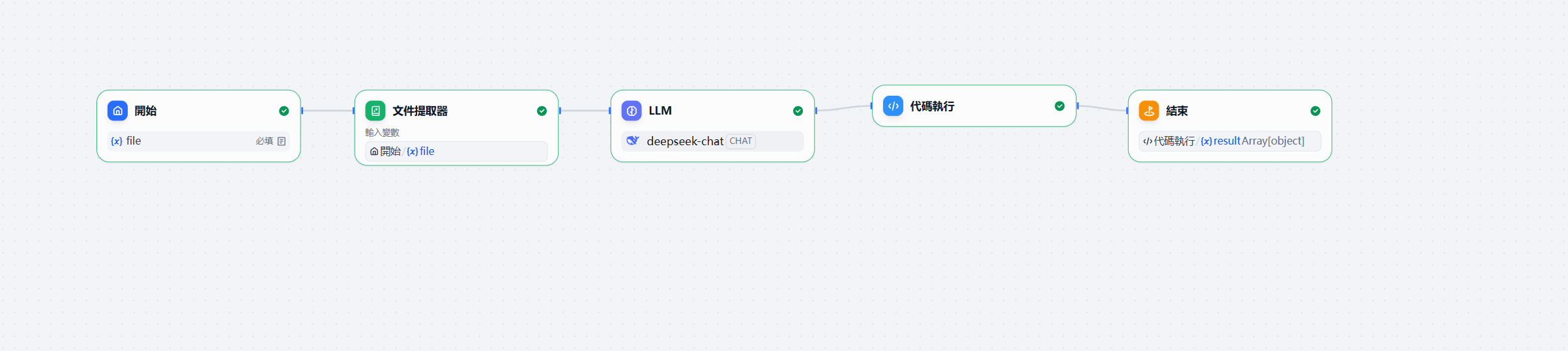
- The start node allows PDF uploads.
- Add a document extractor node to process the PDF.
- LLM node.
Because this flow handles documents strictly, set the model temperature to 0 and use strict input.
System-Prompt
你将把 CTF WP 文本抽取为严格 JSON;只输出 JSON,禁止额外说明。User-Prompt
{{#1758461559128.text#}}
你是一名资深 CTF 赛事助教。现在给你一份参赛队伍的 WP(可能是 PDF、Markdown、图片 OCR 文本等)。
请从中**按题目**抽取“题目名、题目类型、考点”,并以**严格的 JSON**数组输出(不要出现任何多余文本)。
- 题目类型必须从此集合中二选一填写:["Misc","Crypto","Web","PWN","Reverse","理论","Blockchain"]
- “考点”字段为一句简明汇总,如“花指令,动态调试,xtea 算法逆向”。
- 同时把考点拆成“考点1/考点2/考点3”三个字段,按重要度排序;若不足三条,可省略末尾字段。
- 若 WP 中出现多题,请逐题输出多条 JSON 对象;若无法识别题目名或类型,跳过该题。

输出格式(务必只输出 JSON):
[
  {
    "题目名": "...",
    "题目类型": "Misc|Crypto|Web|PWN|Reverse|理论|Blockchain",
    "考点": "..., ..., ...",
    "考点1": "...",
    "考点2": "...",
    "考点3": "..."
  }
]
The final output must be formatted according to the corresponding json-scheme.
{
  "$schema": "https://json-schema.org/draft/2020-12/schema",
  "title": "WP考点抽取结果",
  "type": "object",
  "required": [
    "items"
  ],
  "properties": {
    "items": {
      "type": "array",
      "items": {
        "type": "object",
        "required": [
          "题目名",
          "题目类型",
          "考点"
        ],
        "additionalProperties": false,
        "properties": {
          "题目名": {
            "type": "string",
            "minLength": 1
          },
          "题目类型": {
            "type": "string",
            "enum": [
              "Misc",
              "Crypto",
              "Web",
              "PWN",
              "Reverse",
              "理论",
              "Blockchain"
            ]
          },
          "考点": {
            "type": "string",
            "minLength": 1
          },
          "考点1": {
            "type": "string"
          },
          "考点2": {
            "type": "string"
          },
          "考点3": {
            "type": "string"
          }
        }
      }
    }
  },
  "additionalProperties": false
}- Code node
Python code must conform to the Dify documentation requirements.
Input and output variables must be defined as required, somewhat like the process for an IO algorithm problem, but this is only an intermediate processing step.
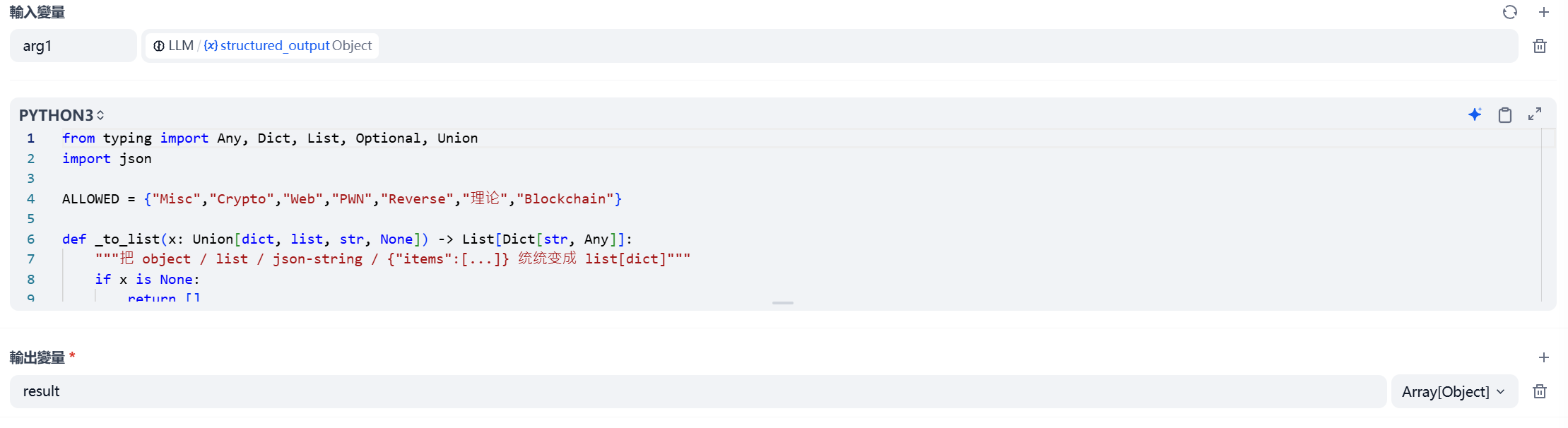
Use Python to process the results.
from typing import Any, Dict, List, Optional, Union
import json

ALLOWED = {"Misc","Crypto","Web","PWN","Reverse","理论","Blockchain"}

def _to_list(x: Union[dict, list, str, None]) -> List[Dict[str, Any]]:
    """把 object / list / json-string / {"items":[...]} 统统变成 list[dict]"""
    if x is None:
        return []
    if isinstance(x, list):
        return [e for e in x if isinstance(e, dict)]
    if isinstance(x, dict):
        if "items" in x and isinstance(x["items"], list):
            return [e for e in x["items"] if isinstance(e, dict)]
        return [x]
    if isinstance(x, str):
        try:
            y = json.loads(x)
            return _to_list(y)
        except Exception:
            return []
    return []

def main(arg1: Union[dict, list, str, None] = None,
         arg_text: Optional[str] = None) -> dict:
    items = _to_list(arg1)
    if not items and arg_text:
        items = _to_list(arg_text)

    out: List[Dict[str, Any]] = []
    for item in items:
        name = str(item.get("题目名","")).strip()
        typ  = str(item.get("题目类型","")).strip()
        pts  = str(item.get("考点","")).strip()
        if not name or typ not in ALLOWED or not pts:
            continue
        raw_parts = pts.replace(",", ",").split(",")
        parts, seen = [], set()
        for p in (x.strip(" ,,;;") for x in raw_parts):
            if p and p not in seen:
                seen.add(p); parts.append(p)

        obj = {"题目名": name, "题目类型": typ, "考点": ", ".join(parts)}
        for i, p in enumerate(parts[:3], start=1):
            obj[f"考点{i}"] = p
        out.append(obj)

    return {"result" :out}
- Output node: output the result variable.
Final result:
{
  "result": [
    {
      "题目名": "SQL注入盲注",
      "题目类型": "Web",
      "考点": "布尔盲注, 字符绕过, 信息获取",
      "考点1": "布尔盲注",
      "考点2": "字符绕过",
      "考点3": "信息获取"
    }
  ]
}
Other
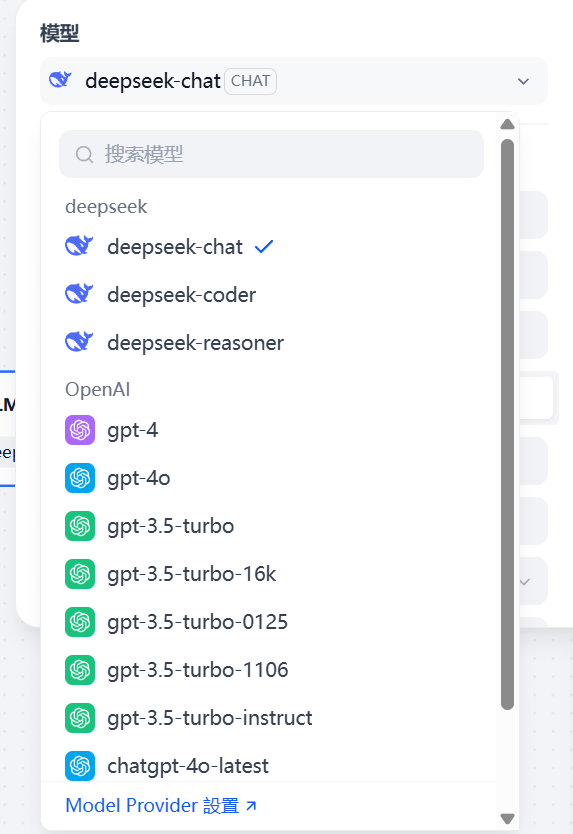
Model Settings
You can download the corresponding model as needed.
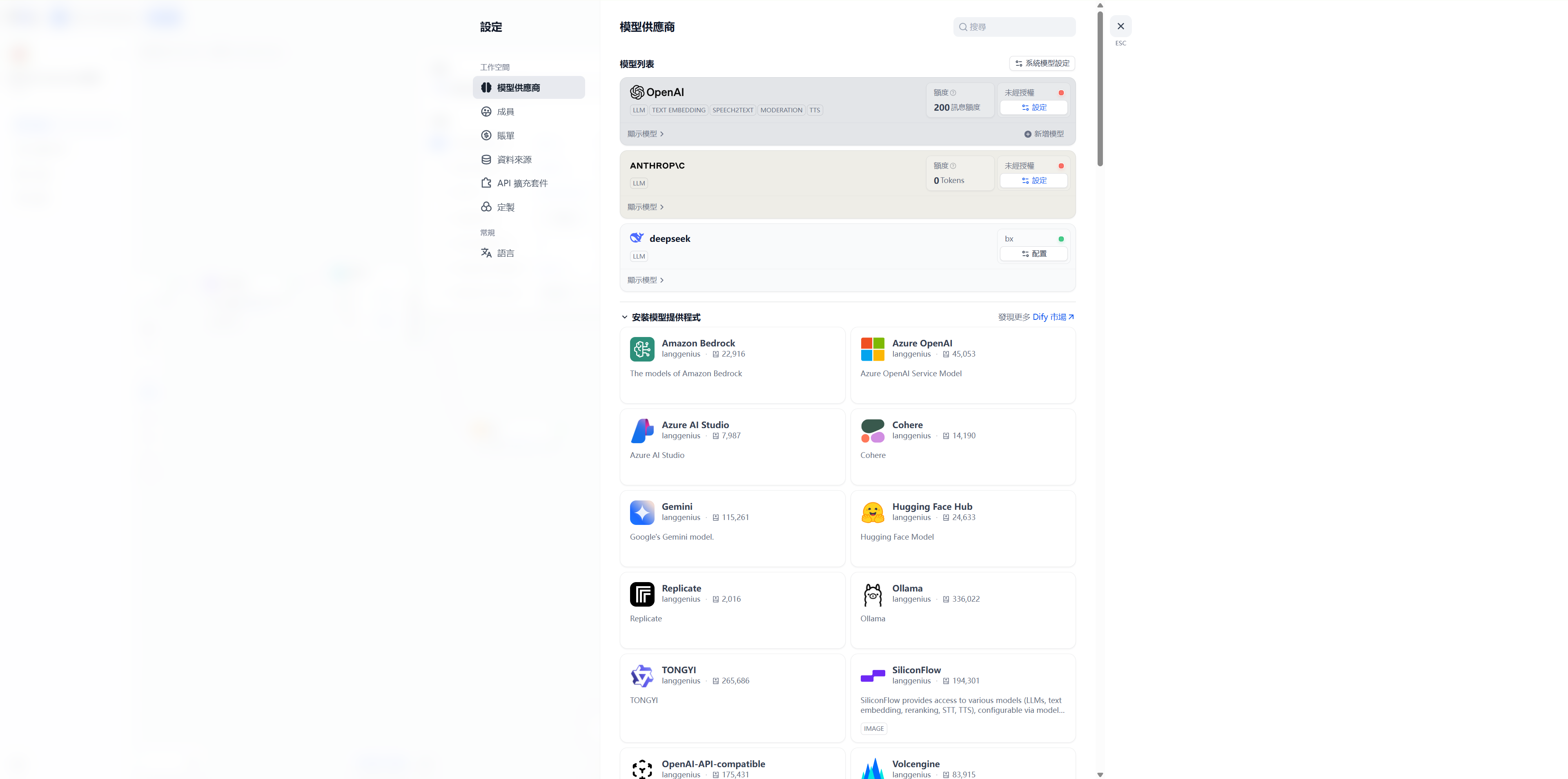
API connections are supported; connect one directly to use it.
http-request
Official documentation:
Exporting DSL
DSL (Domain Specific Language)
In Dify, exporting DSL means converting the “workflow” you assembled by dragging nodes onto the visual canvas into a workflow definition file (YAML/JSON format).
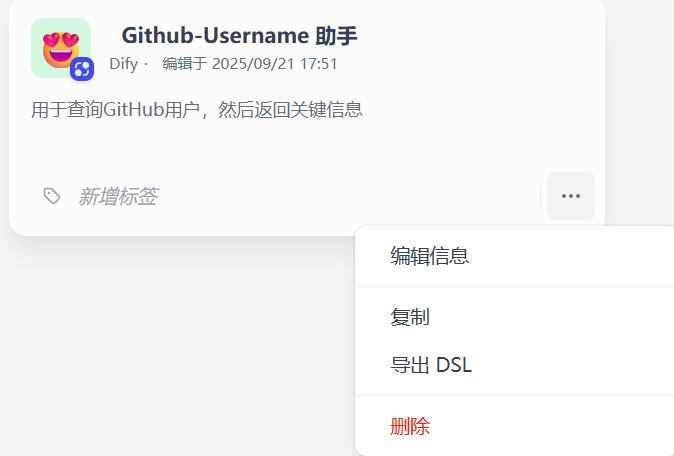
Specifically, it is a YAML file describing the canvas content.
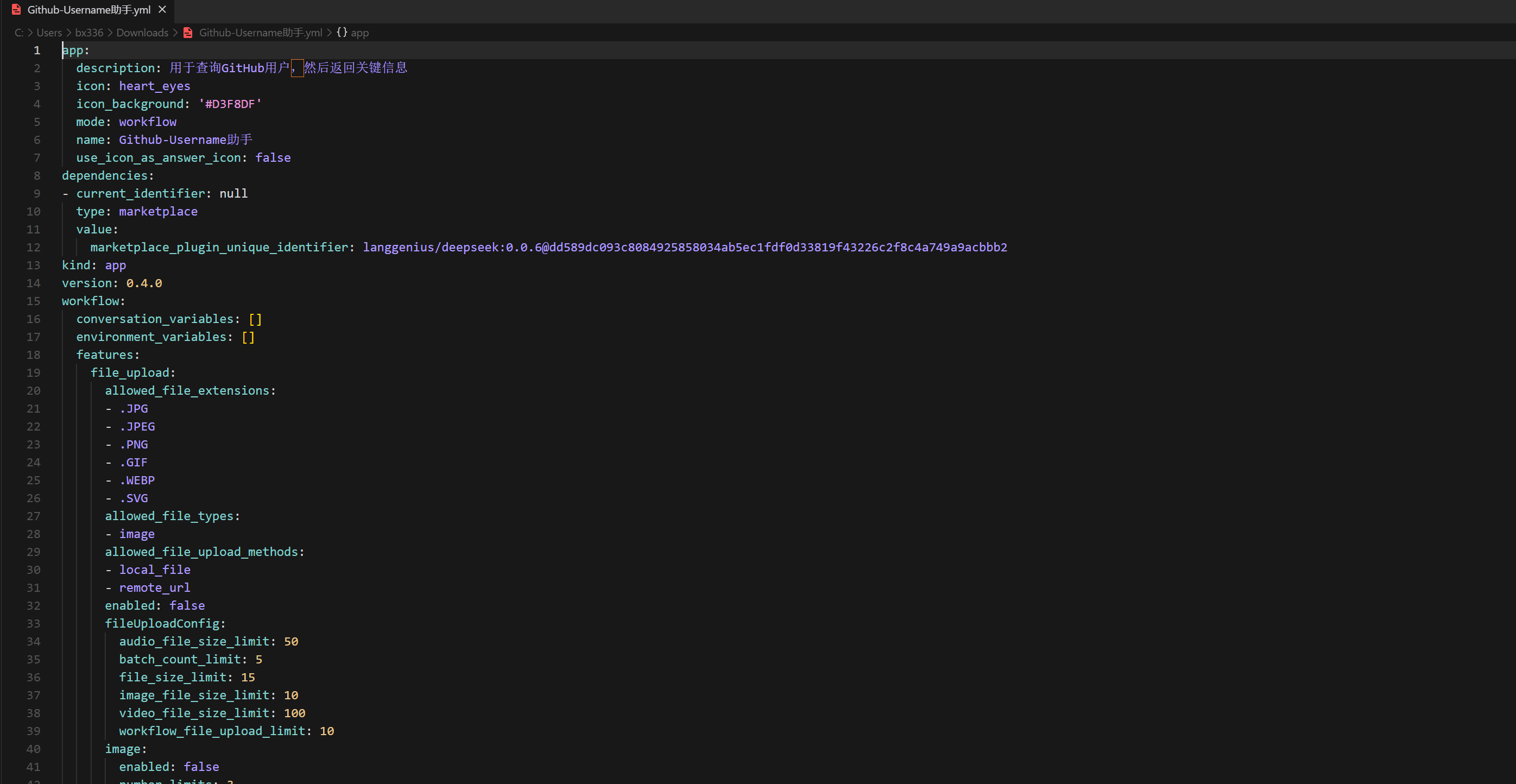
A simplified version is shown below, illustrating only the structure.
nodes:
  - id: start
    type: input
    variables:
      - name: username
        type: string
        required: true

  - id: fetch_user
    type: http_request
    method: GET
    url: "https://api.github.com/users/{{username}}"
    headers:
      User-Agent: dify-workflow
      Accept: application/vnd.github+json

  - id: branch
    type: if
    conditions:
      - case: "{{ fetch_user.status_code == 200 }}"
        next: summarize
      - case: "{{ fetch_user.status_code in [404,403] }}"
        next: not_found
      - else: error

  - id: summarize
    type: llm
    prompt: |
      请总结以下 JSON:
      {{ fetch_user.body }}

  - id: not_found
    type: output
    value: "用户不存在"

  - id: error
    type: output
    value: "请求失败,状态码:{{ fetch_user.status_code }}"
Debugging
The most important feature:
Run tests; once each node has been created, you can test it.
Acceptance Checks for These Two Workflows
For the GitHub user lookup, first check the HTTP status, then pass successful responses to the model for summarization. Route nonexistent users, access-denied responses, and other request failures through their own branches to avoid presenting error responses as normal user profiles. During debugging, check the HTTP node’s status code and response body, as well as the variables actually received by subsequent nodes.
For WP key-point extraction, verify the results against the source material: does the challenge name match, is the type correct, and do the key points actually appear in the solution process? The example JSON shows the output structure; it does not prove extraction accuracy. The exported DSL preserves node and connection relationships; after migration, recheck model configuration, API credentials, and input variables.
To learn more about the difference between tool calls and workflows, continue with MCP study and practice; for handling model input and external tool return values, see threat modeling and trust boundaries.