
P2P & BT Torrents
Created: September 9, 2025, 14:41

The focus is learning these four core processes:
- Peer Discovery → Typical technologies include DHT / Tracker / Gossip
- Peer Connection → NAT traversal, TCP/UDP
- Resource Lookup → DHT, torrent piece map
- Data Exchange → Piece transfer, hash verification, Tit-for-Tat
Preliminary Concepts
DHT Network
DHT stands for Distributed Hash Table; DHT is the key to making the BT network fully decentralized.
An informal explanation:
In the BT network, it is a decentralized “protocol for finding people.”
- Tracker = central address book (somewhat centralized)
- DHT = distributed address book for the whole network (fully decentralized)
Here is an explanation of how it works:
- Nodes join the network
- Every BT client (qBittorrent, Transmission, etc.) runs a DHT node.
- A node has an ID (usually a random number).
- Resource identification (Info Hash)
- Each torrent has a unique
Info Hash(SHA-1 hash value). - To download a resource, you look it up using this hash.
- Each torrent has a unique
- Kademlia algorithm (common implementation)
- The DHT protocol used by BT is usually Kademlia.
- It organizes all nodes into a “distributed hash table.”
- When you ask about an Info Hash, messages hop through the network and gradually find who is seeding/downloading that resource.
- Return a node list
- Ultimately, you get a set of nodes’ IP:Port values and can connect to them directly to download.
Tracker
It is a tracking server. In the official explanation: It is a server running on the internet, specifically responsible for helping Peers (nodes) in the BT network discover one another.
The important point is that a Tracker does not store files; it stores which peers have which parts of a file.
This explanation is also apt:
When you load .torrent or a magnet link, the client will:
-
Get the Tracker address from the torrent file / magnet link.
-
Send a request to the Tracker:
我有 info_hash=xxxx 的资源,告诉我还有哪些人也在分享? -
The Tracker replies:
有这几个 IP:Port 节点 → 去找他们下载吧
Even without a Tracker, downloads are theoretically possible by querying through the DHT network.
Its biggest benefit is speed: it helps us find more peers faster.
PT
PT = Private Tracker.
In one sentence: PT is a “membership-based BT network” that uses rules to maintain high-quality resources and long-term activity.
A more formal explanation:
PT = Private Tracker.
It is a “semi-closed ecosystem” for BitTorrent, unlike public BT networks (Public Tracker + DHT).
In a PT network:
- Downloads must use a specified Tracker and require an account (and an invitation code).
- DHT, PEX (peer exchange), and public Trackers are prohibited → only the Tracker may distribute Peer lists.
- This ensures downloads take place only within a specific community.
NAT and Traversal
We first need to understand and study what NAT is in computer networks.
NAT is short for Network Address Translation.
Imagine a company or an apartment building as an analogy:
- Internal network (LAN): like many employees in a company or residents in an apartment building, each with an internal extension or room number (a private IP address, such as
192.168.1.101). These numbers are valid only internally; outsiders do not know them. - External network (internet): the world outside the company or apartment building.
- NAT device (usually a router): the receptionist. The receptionist has a public switchboard phone number or street address (the public IP address).
As you can see, NAT mainly helps save many IP addresses. This creates the two isolated environments and concepts of intranet and internet.
My understanding of NAT traversal:
After learning about NAT, we see a problem: devices behind NAT can access the public internet from inside without much difficulty, but it is relatively hard for the public internet to access us. That is where NAT traversal is needed.
The difficulty of “punching through,” or traversing NAT, depends on how “strict” the NAT is. There are many NAT types; here are a few:
Collected from the internet
- Full-cone NAT: easiest to traverse; anyone outside can connect if they know the IP:Port.
- Restricted-cone NAT: the external party must first have been “contacted” by the internal party.
- Port-restricted-cone NAT: stricter; the IP+Port must match exactly to communicate.
- Symmetric NAT: hardest to traverse because the mapped port changes with the destination.
After understanding NAT, we need to learn about traversal methods.
(1) UPnP / NAT-PMP
- The client negotiates directly with the router and requests a port mapping to itself.
- Common on home routers, but usually disabled on corporate/campus networks.
(2) TCP/UDP Hole Punching
- The two parties first exchange their public IP:Port values through an “intermediary server” (for example, a BT Tracker or DHT node).
- Then both parties simultaneously initiate connection requests to each other (UDP/TCP).
- NAT treats these as “related connections,” thereby establishing the path.
- UDP is more likely to succeed; TCP hole punching is more complex.
(3) Relay
- If a direct connection cannot be established (for example, through symmetric NAT), an intermediary server forwards the traffic.
- BT networks commonly use relay nodes/supernodes to help.
This reminds me of proxy forwarding during intranet penetration testing.
Both solve the problem of “external systems being unable to access an intranet directly.”
- Proxy forwarding mainly uses a tunnel to connect networks: deploy a “jump host” or “forwarder” on a controlled machine to carry traffic from the public internet into the intranet.
This feels closer to the relay concept.
Setting Up an Experiment
Seed a torrent
.torrent file
Here is an experiment: I will create a torrent from one of my old images.
The Torrent software used here is Transmission Qt Client.
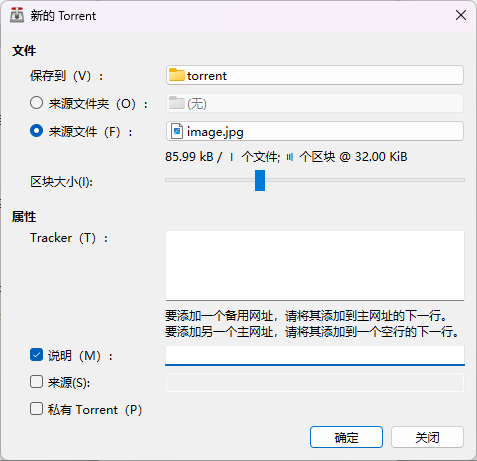
I added these Trackers:
udp://tracker.opentrackr.org:1337/announce
udp://tracker.opentrackr.com:1337/announce
udp://tracker.dler.com:6969/announce
udp://tracker.internetwarriors.net:1337/announce
udp://tracker.moeking.me:6969/announce
and some other properties.
说明 (M):
可选,可以写一些备注

来源 (S):
一般不用填。它用于绑定 WebSeed(HTTP 下载源),下载客户端会额外从 HTTP 服务器补数据。

私有 Torrent (P):
默认不要勾。
这个是 PT(Private Tracker)站点用的,勾上就禁止 DHT/PEX,只能通过指定 Tracker 找人
Finally, a image.torrent was generated.
I still used Xunlei, although its reputation is poor.
Because I was the only one with this resource, it was relatively slow.
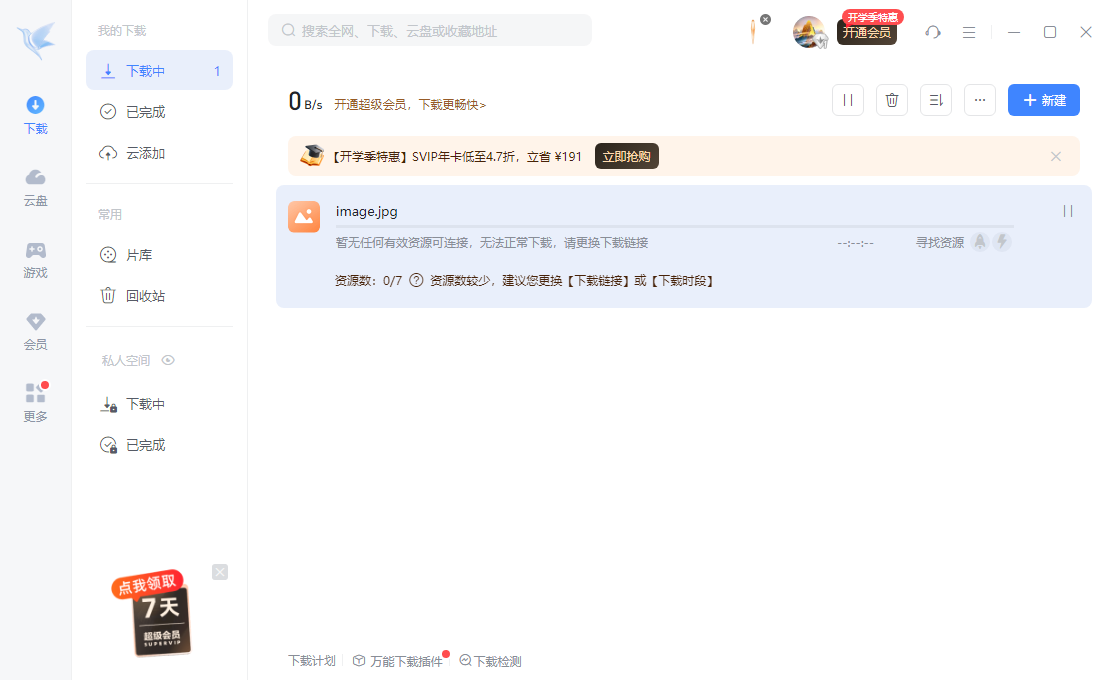
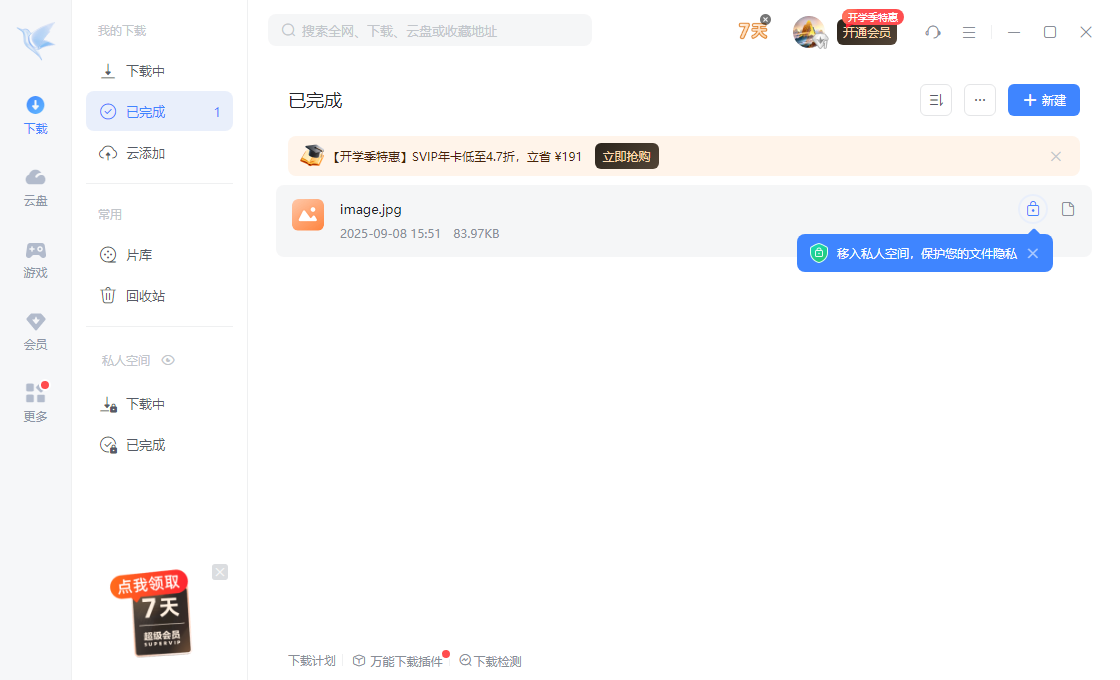
But the download still succeeded.
Torrent File
A BT torrent file (.torrent) is essentially a dictionary structure encoded in bencode.
Here is an example.
d
  8:announce
     42:udp://tracker.opentrackr.org:1337/announce
  13:announce-list
     ll42:udp://tracker.opentrackr.org:1337/announcee
     l42:udp://tracker.dler.com:6969/announcee
  7:comment
     11:Example file
  10:created by
     12:uTorrent 3.5.5
  13:creation date
     i1694275200e
  4:info
     d
       6:lengthi12345e
       4:name12:example.txt
       12:piece lengthi16384e
       6:pieces<hash1><hash2>...
     e
e
The format is quite clear. The specific rules are as follows:
A simple encoding format defined by the BT protocol for storing and transmitting data:
- String:
<长度>:<内容>- Example:
4:peer→ represents the string"peer"
- Example:
- Integer:
i<数字>e- Example:
i123e→ represents the integer123
- Example:
- List:
l<元素...>e- Example:
l4:spam4:eggse→ represents[ "spam", "eggs" ]
- Example:
- Dictionary:
d<键值对...>e(keys must be sorted lexicographically)-
Example:
d3:cow3:moo4:spam4:eggse→
{ "cow": "moo", "spam": "eggs" }
-
Magnet Links
The basic format of a magnet link is as follows:
magnet:?xt=urn:btih:<info_hash>&dn=<name>&tr=<tracker_url>&...magnet:?→ protocol header, indicating that this is a magnet link.xt=urn:btih:<hash>→ the most important part, where xt = eXact Topic and btih = BitTorrent Info Hash.btih= the hash value of the torrent file information (SHA-1, 20 bytes, usually 40 hexadecimal digits).- Knowing this hash is enough for a BT client to find the corresponding resource through DHT or a Tracker.
dn=<name>→ display name, an optional parameter for displaying the resource filename.tr=<tracker_url>→ Tracker server address; there can be multiple.- Other parameters include
xl(file size),as(backup download address),ws(web seed), and so on.
Differences between magnet links and BT torrents:
| Comparison | Torrent file (.torrent) | Magnet link |
|---|---|---|
| Stored content | Complete file metadata | Only key identifiers such as the file hash |
| How to obtain | First download the .torrent file | Use a link directly |
| Startup speed | Faster (information is already in the file) | Slower (metadata must be fetched from the network) |
| Sharing | File format, inconvenient to distribute directly | Text link, very easy to share |
| Dependency | Tracker or DHT | Mainly DHT (Tracker parameters can also be included) |
I used to wonder why some obscure magnet links download so slowly, but PikPak and Xunlei can download them so quickly.
Here is the explanation.
An answer found online:
Overall, the technical logic is:
- Download to the cloud first, then transfer/save it
- After you submit a magnet link/torrent/link, your computer does not pull the data directly from the BT network; PikPak’s servers download it first in their high-bandwidth data centers.
- They usually have very fast bandwidth and access to more Tracker/DHT peers, so they can quickly complete the download.
- Then you retrieve the file from PikPak’s cloud via “cloud drive download” or “online playback,” effectively using HTTP/HTTPS CDN acceleration.
- The speed of this step depends on your network quality to PikPak’s servers (usually much faster than BT peer-to-peer).
- CDN/multi-source acceleration
- PikPak caches popular resources on its own servers or CDN nodes.
- If someone has already cached a resource when you open it, it is almost an “instant download/playback.”
- This is entirely different from BT, where availability depends on seeders.
- Bypass the “cold start” problem
- With ordinary BT downloads, if nobody is seeding an obscure resource, the download will stall.
- PikPak’s server cluster usually seeds for long periods, ensuring the resource remains available.
- It may also use other sources (such as WebSeed or cloud-drive sharing) to add seeders.
- Optimize the transfer protocol
- Local downloads use ordinary HTTP/HTTPS, unaffected by BT’s upload/download reciprocity, NAT traversal, or Tracker latency.
- Put simply, you are not downloading BT; you are downloading a PikPak cloud-drive file.
That’s about it; I may add more later.
Where to Check First When a Download Stalls
These notes divide the BT process into peer discovery, connection establishment, resource lookup, and piece transfer. Troubleshooting can follow the same sequence: were Peers found, was a connection established, was metadata obtained, and are pieces being transferred continuously and passing verification? A magnet link stalled while obtaining metadata is in a different state from one that has obtained metadata but has no complete seeder.
The discussion of cloud transfers and cache acceleration here explains possible technical paths; it does not measure the node count, bandwidth, or caching policies of any specific product. Download speeds when a service already has a cached copy are also not directly comparable to the speed of the BT network itself.
For connection establishment, see TCP Protocol Study Notes; for the HTTP download phase after a cloud transfer, continue with Caching Mechanisms and Cache Poisoning.