Dify&Coze工作流搭建
Dify实践
主要是对于Dify 和 Coze 这种 AI 应用开发/编排平台
Dify是可以本地化部署的,这里为了简化使用官方平台
GitHub - langgenius/dify: Production-ready platform for agentic workflow development.
创建一个工作流
具体先来一个简单的示例
GitHubUsername助手
[开始]
  输入 username

    ↓

[HTTP 请求]
  GET https://api.github.com/users/{{username}}
  (带必要 Headers)

    ↓

[条件分支]
  ├── 如果 status_code == 200
  │       ↓
  │   [LLM 总结]
  │     - 输入:API JSON
  │     - 输出:整理后的用户信息

  ├── 如果 status_code == 404 或 403
  │       ↓
  │   [输出]
  │     - “用户不存在或无法访问”

  └── ELSE(其它情况)
          ↓
      [输出]
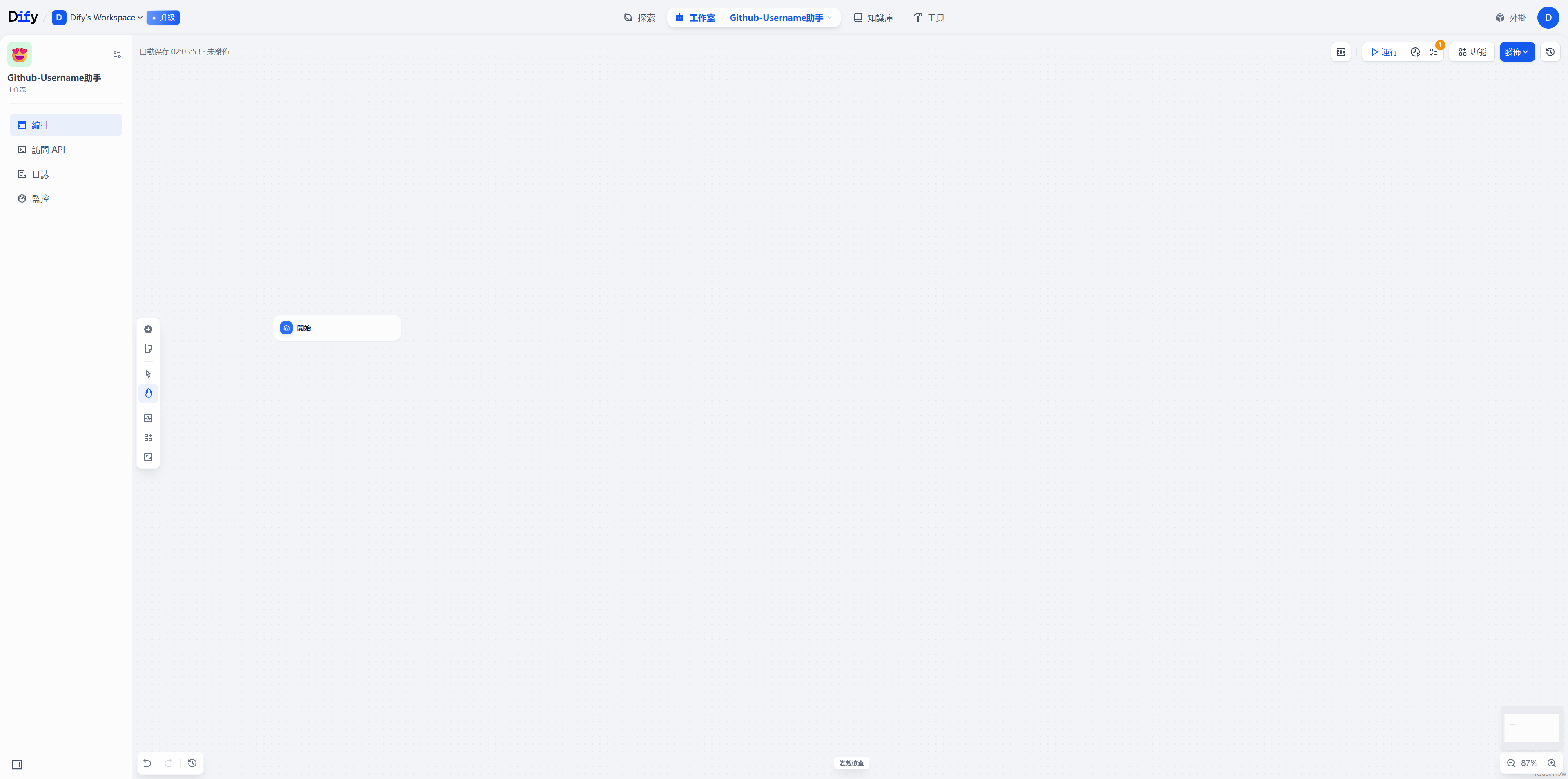
- “请求失败,状态码:xxx”- 创建其实节点,要求传入Username参数
- 创建这个Http-fetch节点,请求api
https://api.github.com/users/{{input.username}}demo:这里也可以
curl -s https://api.github.com/users/bx33661 \
  -H "User-Agent: dify-workflow" \
  -H "Accept: application/vnd.github+json" \
  -H "X-GitHub-Api-Version: 2022-11-28"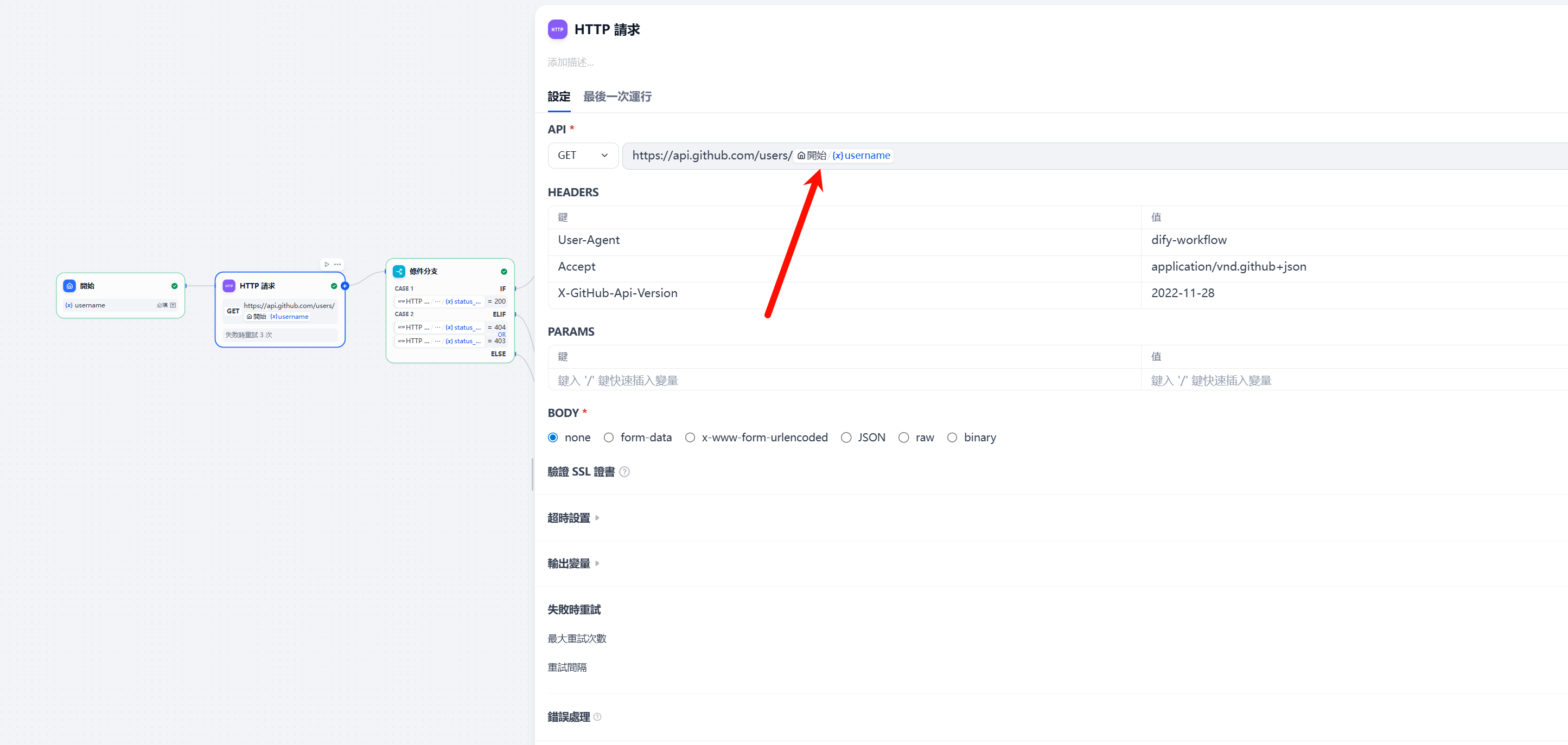
- 分支条件节点,满足200的去传数据给LLM节点
不满足的返回错误,就是一个try-catch 思想
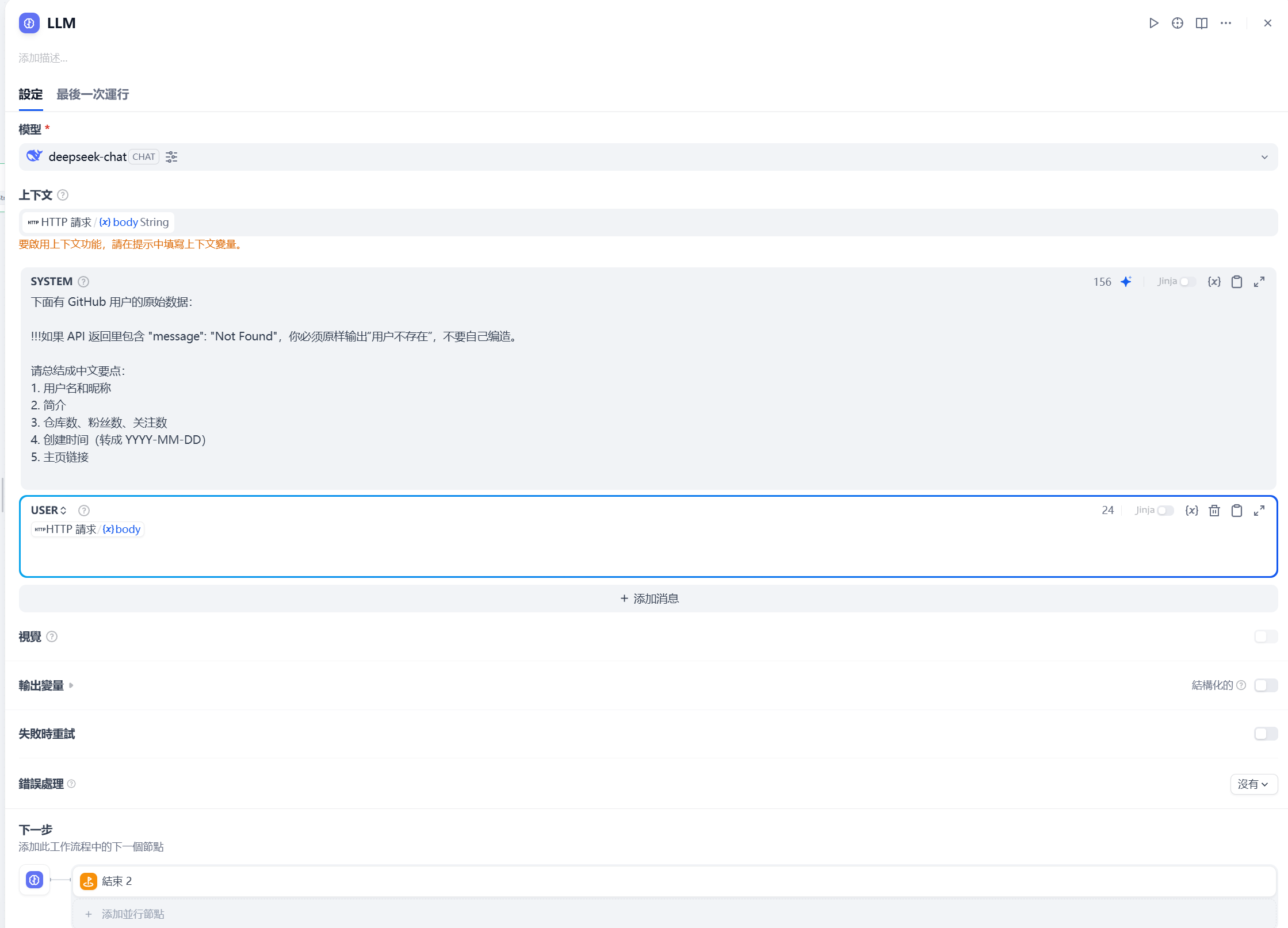
- LLM节点,这里很重要
主要就是设置
- 系统提示词
- 上下文内容
- 传入数据
这里提示词如下
下面有 GitHub 用户的原始数据:

!!!如果 API 返回里包含 "message": "Not Found",你必须原样输出“用户不存在”,不要自己编造。

请总结成中文要点:
1. 用户名和昵称
2. 简介
3. 仓库数、粉丝数、关注数
4. 创建时间(转成 YYYY-MM-DD)
5. 主页链接
- 结束节点,输出结果
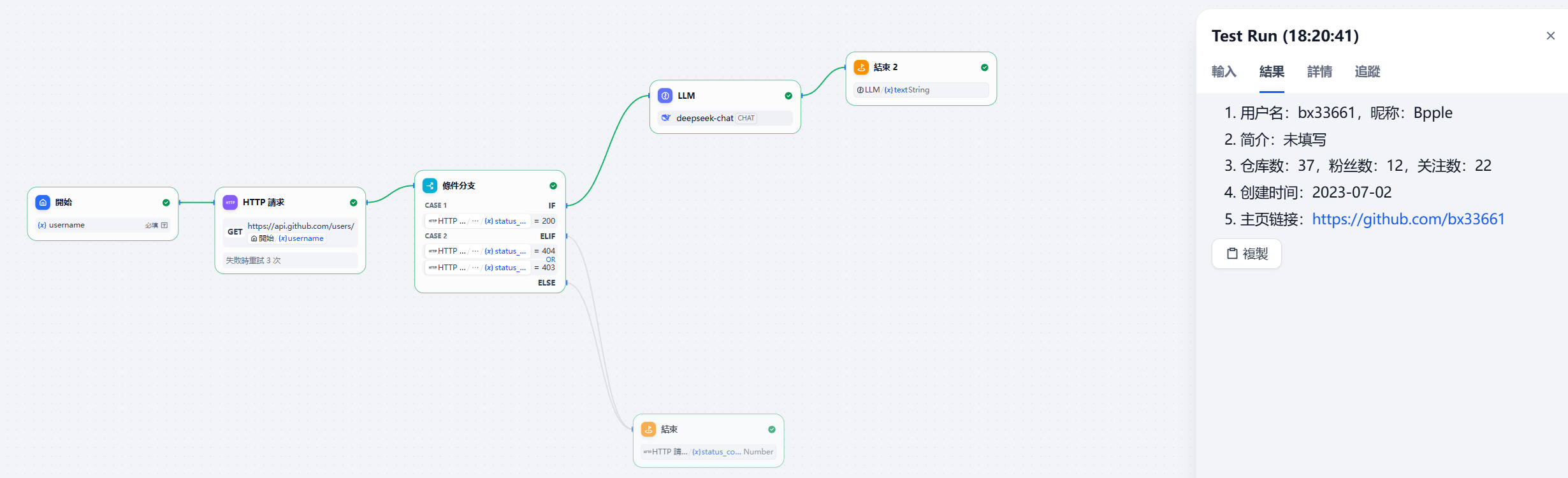
输出
1. 用户名:bx33661,昵称:Bpple
2. 简介:未填写
3. 仓库数:37,粉丝数:12,关注数:22
4. 创建时间:2023-07-02
5. 主页链接:https://github.com/bx33661
就拿这个简单的总结一下
关键就是对于数据流的接入和输出要连接好
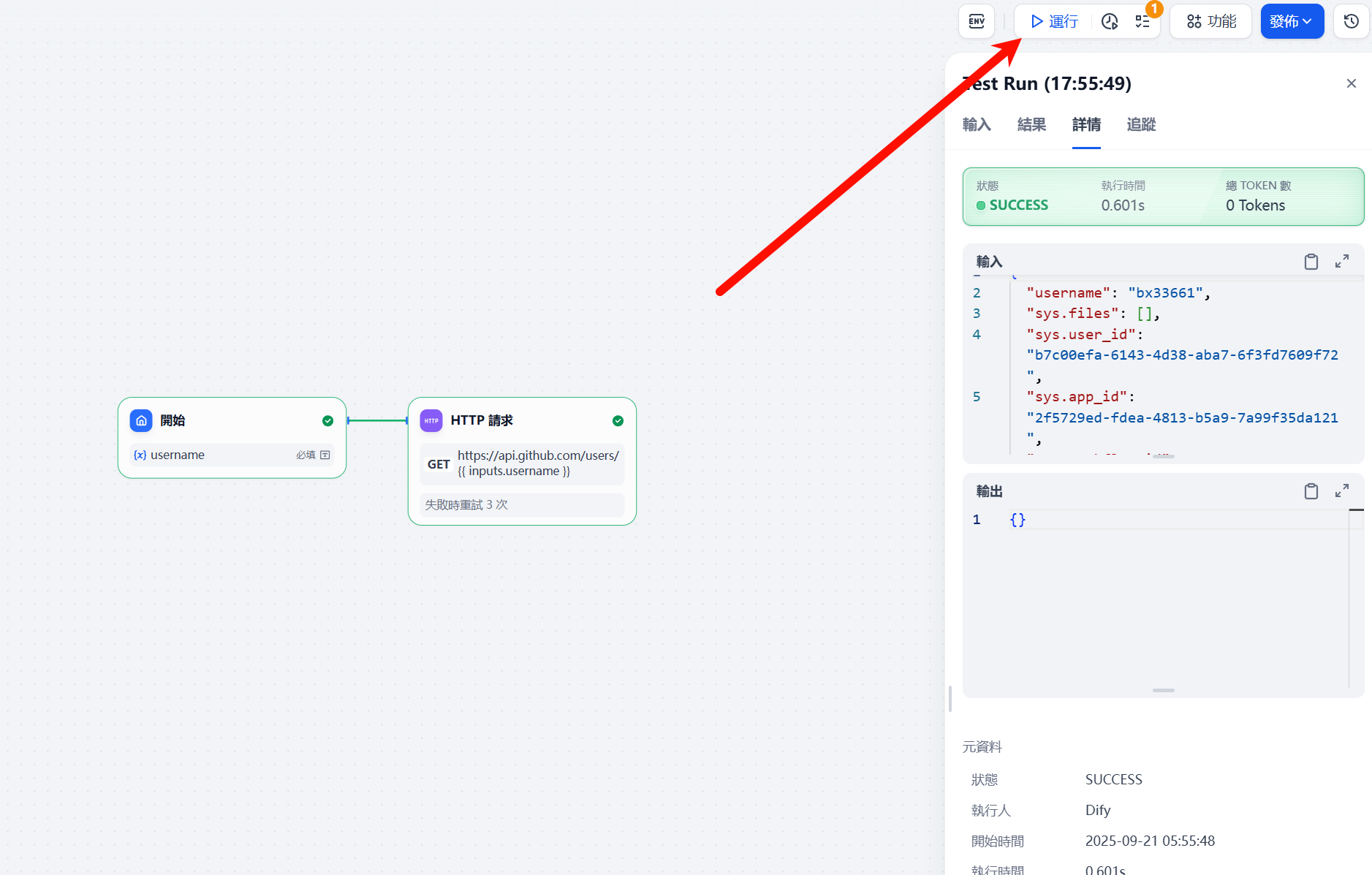
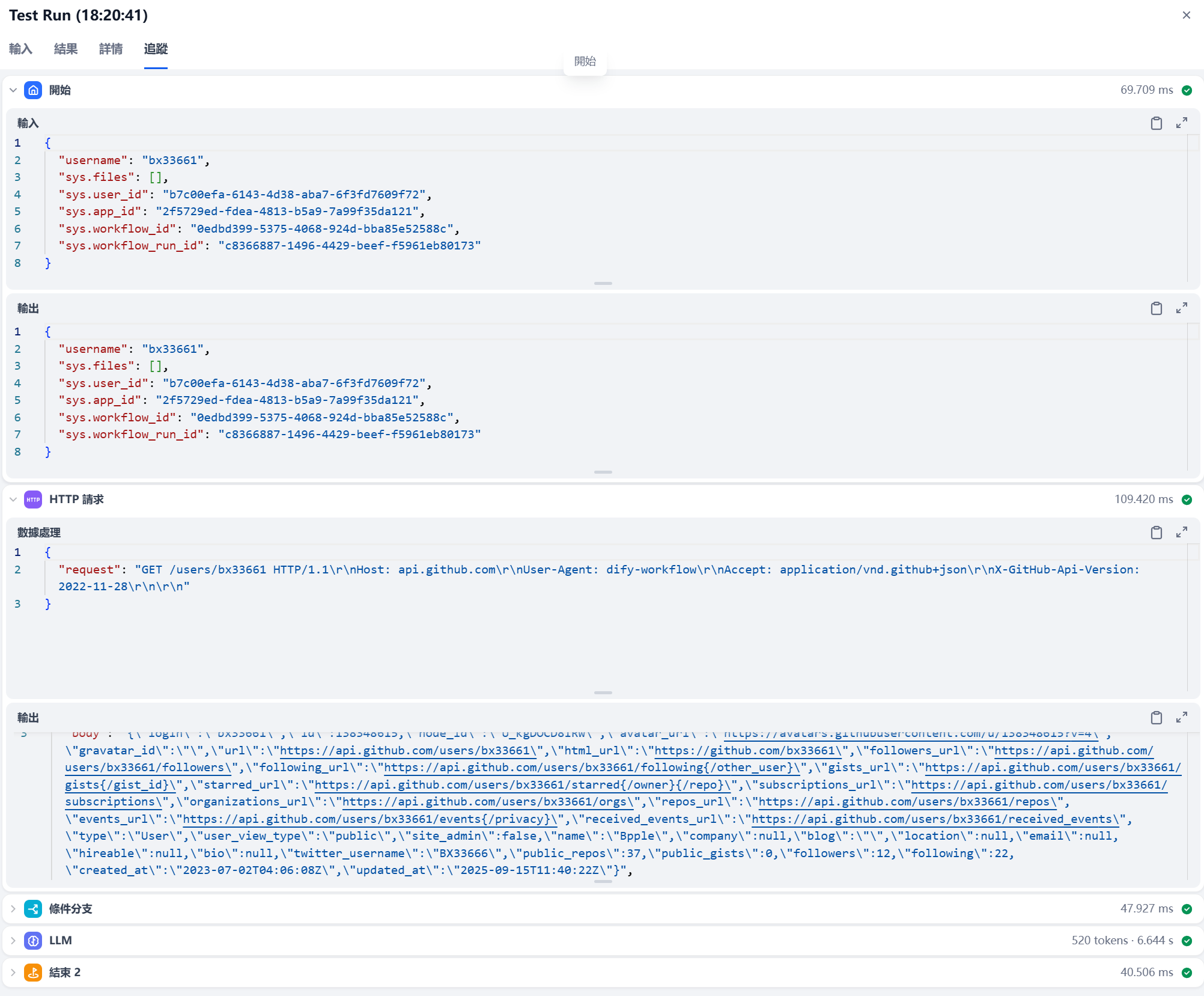
可以在运行结果这里,查看一下这个每个节点的输入输出流
题目示例-京津冀长城杯决赛Dify工作流搭建
京津冀长城杯决赛Dify工作流搭建
题目要求如下
核心任务是:在 AI 智能体搭建平台中编辑工作流,实现 “上传指定得分 WP 附件 → 自动提取并输出该题目的格式化考点”。
格式化考点要求:需清晰呈现题目名、题目类型、考点,确保内容准确、结构清晰,题目类型从Misc、Crypto、Web、PWN、Reverse、理论、Blockchain中选择。
示例:
[
{
"题目名": "xtea",
"题目类型": "Reverse",
"考点":"花指令,动态调试,xtea 算法逆向",
"考点1": "花指令",
"考点2": "动态调试",
"考点3": "xtea 算法逆向"
}
]
[
{
"题目名": "easycms",
"题目类型": "Web",
"考点":"php-代码审计,ssrf-攻击内网应用",
"考点1": "php-代码审计",
"考点2": "ssrf-攻击内网应用"
}
]最终效果
最终搭建效果如下
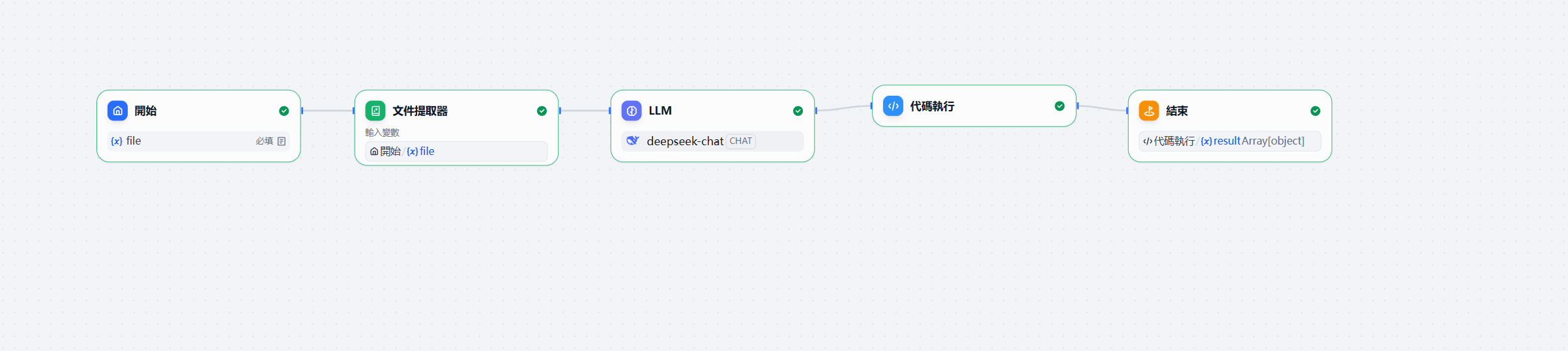
- 起始节点允许上传pdf文件
- 加一个文件提取器节点去处理这个pdf
- LLM节点
因为这个流是严格处理文档,所以把模型温度调到0,严格输入
System-Prompt
你将把 CTF WP 文本抽取为严格 JSON;只输出 JSON,禁止额外说明。User-Prompt
{{#1758461559128.text#}}
你是一名资深 CTF 赛事助教。现在给你一份参赛队伍的 WP(可能是 PDF、Markdown、图片 OCR 文本等)。
请从中**按题目**抽取“题目名、题目类型、考点”,并以**严格的 JSON**数组输出(不要出现任何多余文本)。
- 题目类型必须从此集合中二选一填写:["Misc","Crypto","Web","PWN","Reverse","理论","Blockchain"]
- “考点”字段为一句简明汇总,如“花指令,动态调试,xtea 算法逆向”。
- 同时把考点拆成“考点1/考点2/考点3”三个字段,按重要度排序;若不足三条,可省略末尾字段。
- 若 WP 中出现多题,请逐题输出多条 JSON 对象;若无法识别题目名或类型,跳过该题。

输出格式(务必只输出 JSON):
[
  {
    "题目名": "...",
    "题目类型": "Misc|Crypto|Web|PWN|Reverse|理论|Blockchain",
    "考点": "..., ..., ...",
    "考点1": "...",
    "考点2": "...",
    "考点3": "..."
  }
]
最后输出结果需要格式化,对应json-scheme
{
  "$schema": "https://json-schema.org/draft/2020-12/schema",
  "title": "WP考点抽取结果",
  "type": "object",
  "required": [
    "items"
  ],
  "properties": {
    "items": {
      "type": "array",
      "items": {
        "type": "object",
        "required": [
          "题目名",
          "题目类型",
          "考点"
        ],
        "additionalProperties": false,
        "properties": {
          "题目名": {
            "type": "string",
            "minLength": 1
          },
          "题目类型": {
            "type": "string",
            "enum": [
              "Misc",
              "Crypto",
              "Web",
              "PWN",
              "Reverse",
              "理论",
              "Blockchain"
            ]
          },
          "考点": {
            "type": "string",
            "minLength": 1
          },
          "考点1": {
            "type": "string"
          },
          "考点2": {
            "type": "string"
          },
          "考点3": {
            "type": "string"
          }
        }
      }
    }
  },
  "additionalProperties": false
}- Code节点
对于Python代码的编写需要符合这个dify文档规范
就是输入输出变量需要在规定定义,有点像这个做IO算法题的流程,只是一个中间处理
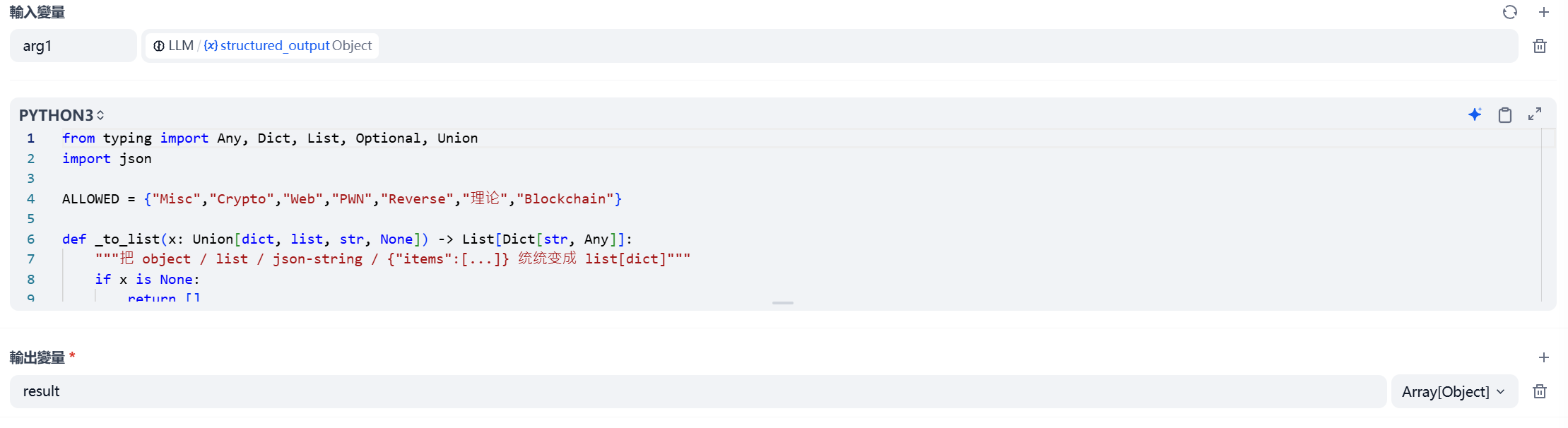
使用Python对结果进行处理
from typing import Any, Dict, List, Optional, Union
import json

ALLOWED = {"Misc","Crypto","Web","PWN","Reverse","理论","Blockchain"}

def _to_list(x: Union[dict, list, str, None]) -> List[Dict[str, Any]]:
    """把 object / list / json-string / {"items":[...]} 统统变成 list[dict]"""
    if x is None:
        return []
    if isinstance(x, list):
        return [e for e in x if isinstance(e, dict)]
    if isinstance(x, dict):
        if "items" in x and isinstance(x["items"], list):
            return [e for e in x["items"] if isinstance(e, dict)]
        return [x]
    if isinstance(x, str):
        try:
            y = json.loads(x)
            return _to_list(y)
        except Exception:
            return []
    return []

def main(arg1: Union[dict, list, str, None] = None,
         arg_text: Optional[str] = None) -> dict:
    items = _to_list(arg1)
    if not items and arg_text:
        items = _to_list(arg_text)

    out: List[Dict[str, Any]] = []
    for item in items:
        name = str(item.get("题目名","")).strip()
        typ  = str(item.get("题目类型","")).strip()
        pts  = str(item.get("考点","")).strip()
        if not name or typ not in ALLOWED or not pts:
            continue
        raw_parts = pts.replace(",", ",").split(",")
        parts, seen = [], set()
        for p in (x.strip(" ,,;;") for x in raw_parts):
            if p and p not in seen:
                seen.add(p); parts.append(p)

        obj = {"题目名": name, "题目类型": typ, "考点": ", ".join(parts)}
        for i, p in enumerate(parts[:3], start=1):
            obj[f"考点{i}"] = p
        out.append(obj)

    return {"result" :out}
- 输出节点,输出result变量
最后结果
{
  "result": [
    {
      "题目名": "SQL注入盲注",
      "题目类型": "Web",
      "考点": "布尔盲注, 字符绕过, 信息获取",
      "考点1": "布尔盲注",
      "考点2": "字符绕过",
      "考点3": "信息获取"
    }
  ]
}
其他
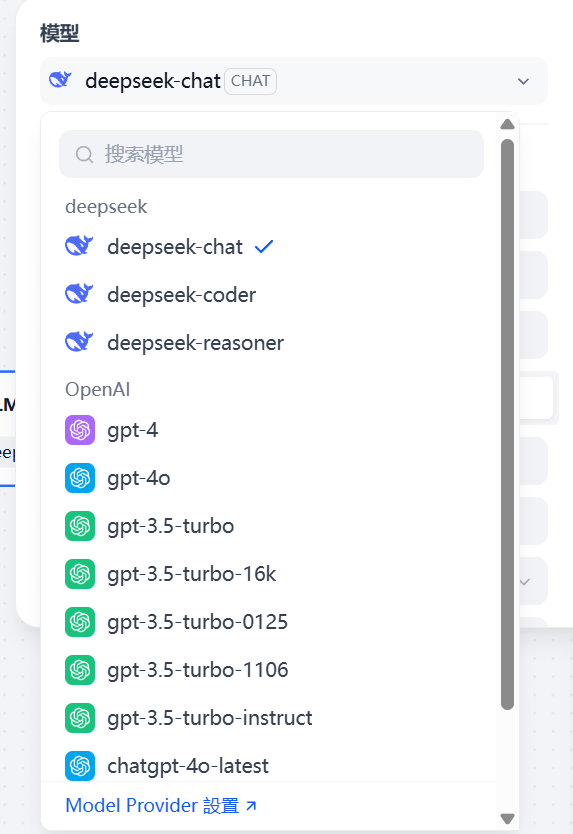
模型设置
可以根据需要下载对应模型
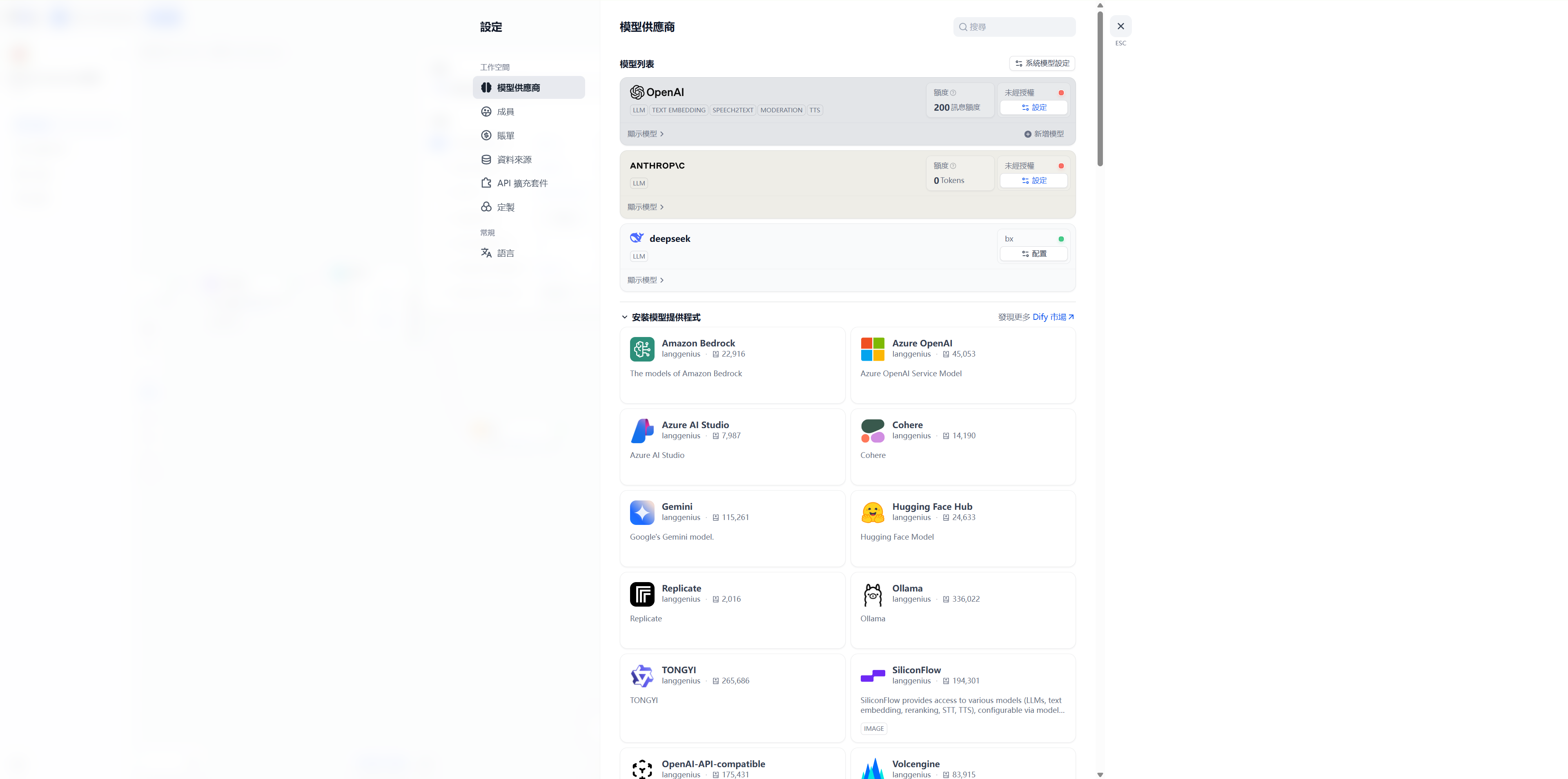
是支持接api,直接接上就可以使用
http-request
官方文档
导出DSL
DSL(Domain Specific Language,领域专用语言)
在 Dify 里 导出 DSL 的意思是:把你在可视化画布里“拖拽出来的工作流”转成一份 流程定义文件(YAML/JSON 格式)
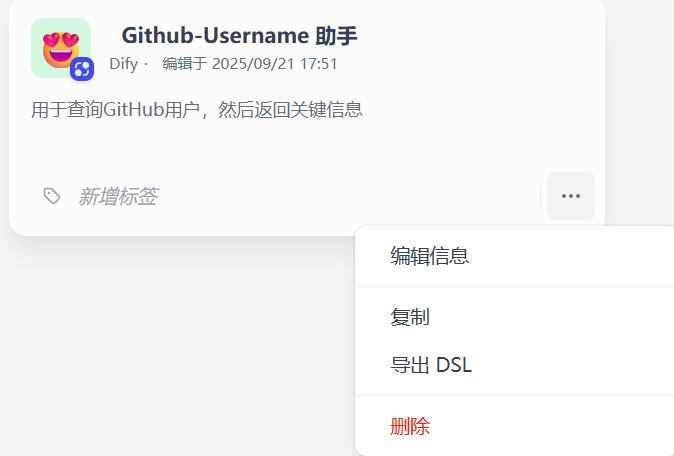
具体就是yaml文件,标记画布的具体内容
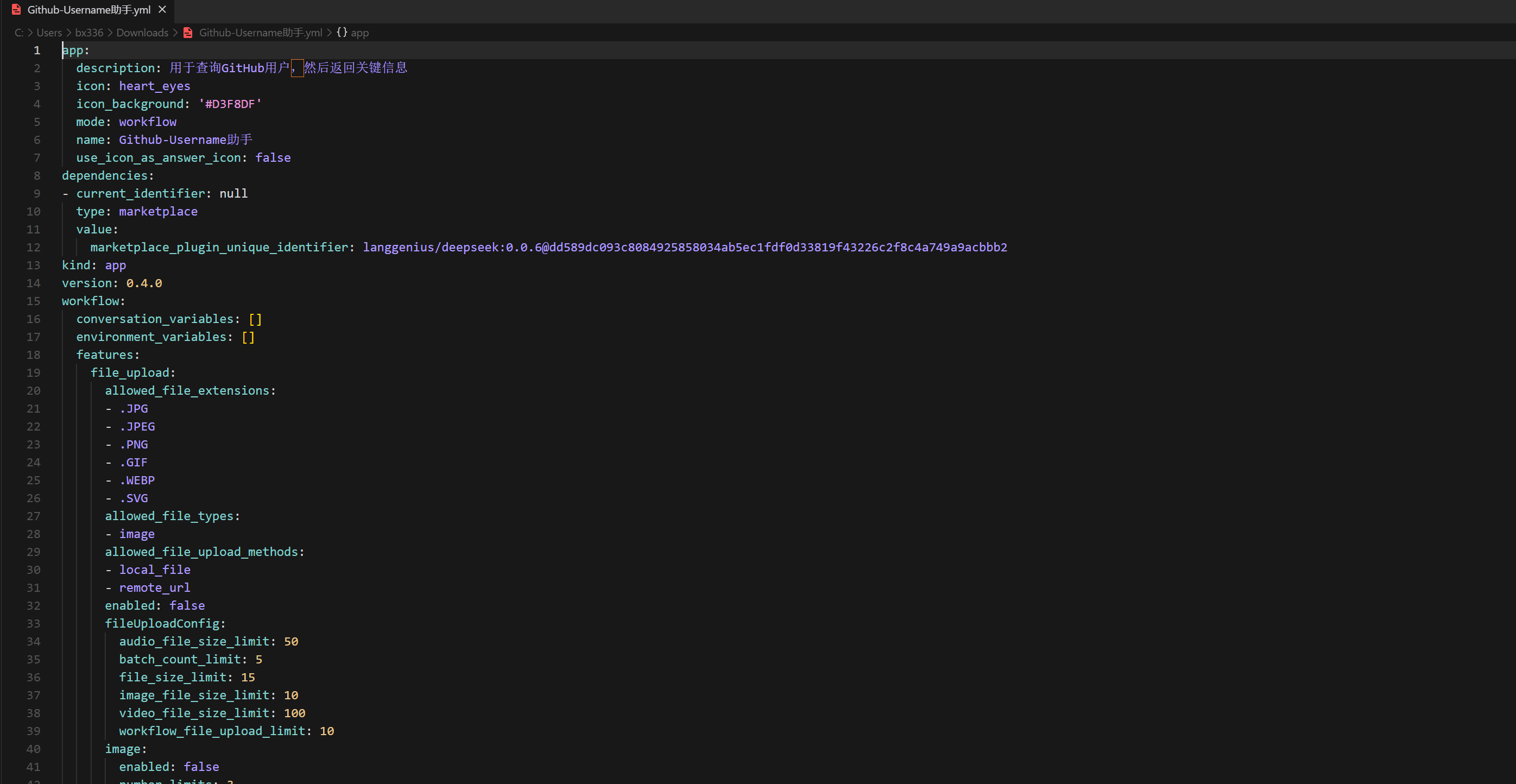
具体简化版如下,只展现一下具体结构
nodes:
  - id: start
    type: input
    variables:
      - name: username
        type: string
        required: true

  - id: fetch_user
    type: http_request
    method: GET
    url: "https://api.github.com/users/{{username}}"
    headers:
      User-Agent: dify-workflow
      Accept: application/vnd.github+json

  - id: branch
    type: if
    conditions:
      - case: "{{ fetch_user.status_code == 200 }}"
        next: summarize
      - case: "{{ fetch_user.status_code in [404,403] }}"
        next: not_found
      - else: error

  - id: summarize
    type: llm
    prompt: |
      请总结以下 JSON:
      {{ fetch_user.body }}

  - id: not_found
    type: output
    value: "用户不存在"

  - id: error
    type: output
    value: "请求失败,状态码:{{ fetch_user.status_code }}"
Debug
最关键的功能
运行测试,对于每个节点,建立后可以进行运行测试