
Some time ago, our team worked on an AI4CodeQL intelligent vulnerability-hunting project. Here I summarize several articles about CodeQL.
The first analyzes database creation and querying.
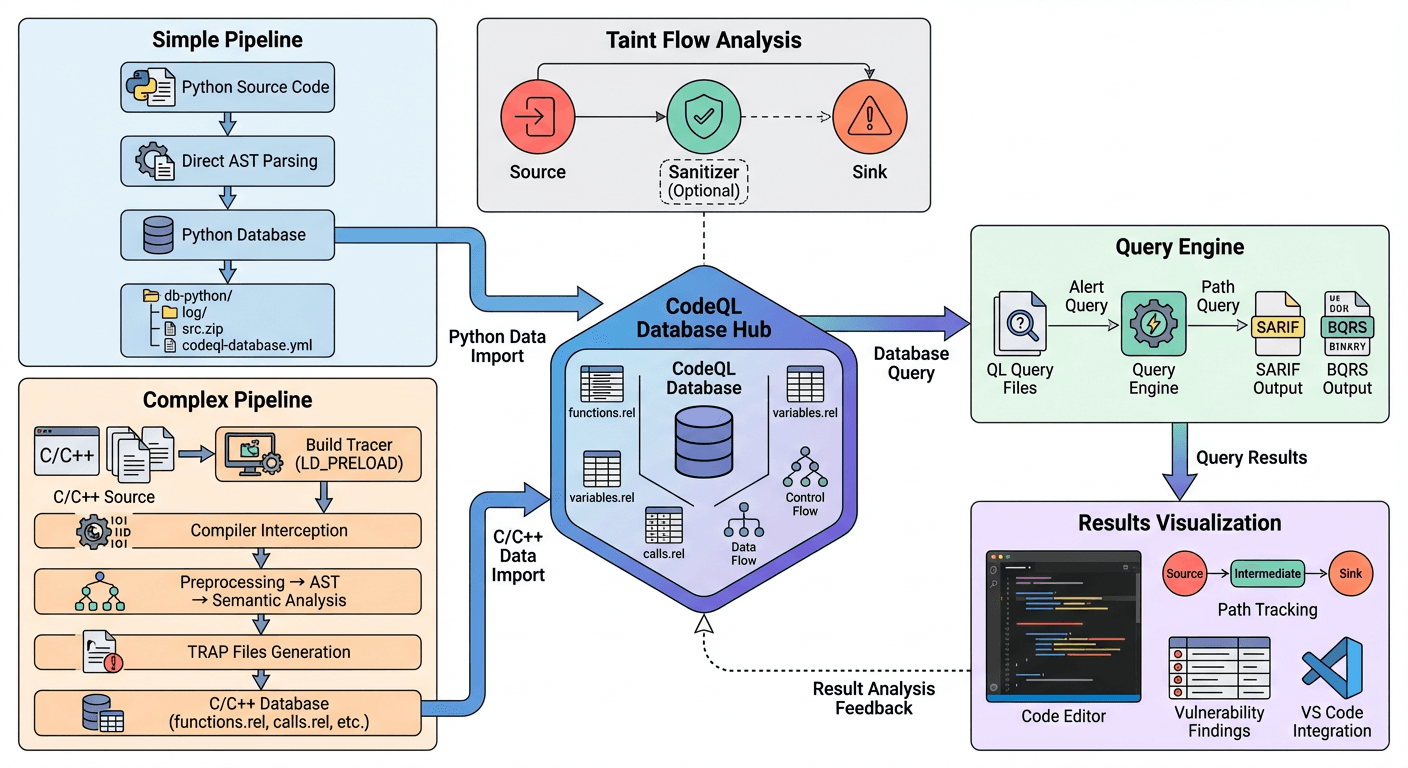
Static Taint Analysis (STA)
“Static Taint Analysis” (STA)
Source
As the name suggests, a “source” is external input—the starting point of a data flow in a program. For example, HttpServletRequest.getParameter(): the program obtains an HTTP GET parameter here, introducing external data. This is the Source point. The data may be used or processed later; in other words, the data flow starts here. Therefore, taint analysis also starts here.
In web environments, operations such as HTTP and cookies are considered Source points.
System environment variables such as System.getenv(“PATH”) and command-line arguments are also examples.
There are also protocol interactions in Android, for example…
Sink
A dangerous point: if a Source is where dangerous data enters, a Sink is where that dangerous data triggers an effect.
This can be understood simply. Here are two common vulnerability types.
In SQL injection:
We know that SQL injection occurs when user input is concatenated into an SQL statement, causing the database engine to mistakenly execute data as code.
In Java code, common Sink points are where the database engine executes SQL queries.
For example:
java.sql.Statement.executeQuery(String sql)
java.sql.Statement.execute(String sql)
Correspondingly, in PHP the code forms look like this:
mysqli_query()
PDO::query()
Another type is:
In command injection:
The principle of Command Injection is widely known:
When our data flows to an operating-system command execution function, it may reach dangerous functions such as these:
Java: Runtime.getRuntime().exec(String command)
Python: os.system(), subprocess.call() (if shell=True)
Node.js: child_process.exec()
These are potential taint-triggering points and should be treated as Sink points.
Another point to note:
The same function can be a Sink for different vulnerability types:
new File(userInput): ifuserInputis a filename, it is a path-traversal Sink.- If the system parses the file contents, for example as XML, it may be an XXE Sink.
Sanitizer
This translates as “sanitizer.”
A useful analogy: if the Source is a “virus” and the Sink is a “susceptible organ,” the Sanitizer is a “mask” or “vaccine.”
Sanitizers work through two mechanisms.
The first cleans data; essentially, it modifies the data.
For example, HTML entity encoding helps defend against attacks such as XSS:
Convert <script> into <script>. The browser displays it but does not execute it.
Common functions: htmlspecialchars() (PHP), DOMPurify.sanitize() (JS), StringEscapeUtils.escapeHtml4() (Java).
SQL escaping can also defend against SQL injection. For example, convert a single quote ' to \' or ''.
The second mechanism is validation: logically avoiding dangerous data.
For example, use a type check and skip the value if it is not numeric:
if (StringUtils.isNumeric(input)) { ... }Other approaches include processing data with allowlists and blocklists.
allow:
	a,b,c
not allow:
	d,e,f
We can return to CodeQL to see how these concepts are applied. Here is the Path Query QL statement for CVE-2025-54802.
/**
 * @kind path-problem
 * @name CVE-2025-54802 (narrowed): pyLoad CNL addcrypted arbitrary file write
 * @description Tainted HTTP input in cnl_blueprint.addcrypted flowing into open(..., ...) filename (arbitrary file write).
 * @id python/cve-2025-54802/narrow
 * @severity high
 * @precision high
 * @tags security, taint, path-traversal, file-write
 */
import python
import semmle.python.dataflow.new.DataFlow
import semmle.python.dataflow.new.TaintTracking
import semmle.python.dataflow.new.RemoteFlowSources

/** ---------- Helpers ---------- */
predicate calleeIsGlobalName(DataFlow::CallCfgNode call, string nm) {
  call.getFunction().asCfgNode().getNode() instanceof Name and
  call.getFunction().asCfgNode().getNode().(Name).getId() = nm
}

/** limit to cnl_blueprint.py */
predicate inCnlBlueprint(DataFlow::Node n) {
  n.getLocation().getFile().getBaseName() = "cnl_blueprint.py"
}

/** limit to function addcrypted */
predicate inAddcrypted(DataFlow::Node n) {
  n.getEnclosingCallable().getScope().getName() = "addcrypted"
}

/** ---------- Config ---------- */
module CnlWriteConfig implements DataFlow::ConfigSig {
  /**
   * Sources: 仅追踪该文件/函数内的远程输入(Flask request.*)等
   */
  predicate isSource(DataFlow::Node source) {
    source instanceof RemoteFlowSource and
    inCnlBlueprint(source) and
    inAddcrypted(source)
  }

  /**
   * Sinks:
   *  - 情形 A: open(<tainted path>, ...) 的第 0 个参数(原先的 sink)
   *  - 情形 B: receiver of .write(...)(例如 fp.write(...)) —— 需要 isAdditionalFlowStep 将 open 的 filename taint 传播到 open 返回值/with-item
   */
  predicate isSink(DataFlow::Node sink) {
    (
      // A: open(...) 的第 0 参数
      exists(DataFlow::CallCfgNode call |
        calleeIsGlobalName(call, "open") and
        sink = call.getArg(0) and
        inCnlBlueprint(sink) and
        inAddcrypted(sink)
      )
    )
    or
    (
      // B: 成员调用 .write(...) 的 receiver 作为 sink
      // 这里用 CallCfgNode 来匹配成员调用(call.getFunction().asCfgNode().getNode() 为 Attribute)
      exists(DataFlow::CallCfgNode call |
        call.getFunction() instanceof DataFlow::AttrRead and
        // Attribute 节点的属性名为 "write"
        call.getFunction().(DataFlow::AttrRead).getAttributeName() = "write" and
        // 将 Attribute 的 qualifier(receiver)作为 sink 节点
        sink = call.getFunction().(DataFlow::AttrRead).getObject() and
        inCnlBlueprint(sink) and inAddcrypted(sink)
      )
    )
  }

  /**
   * isAdditionalFlowStep:
   * 把 open(...) 的 filename 参数传播到 open() 的调用表达式/返回值(call 节点),
   * 并处理 with-item 的情形(wi),以便 open 返回值在后续绑定到变量(如 fp)时能继承 taint。
   *
   * src 和 dst 都是 DataFlow::Node(可以是 CallCfgNode / WithItem /其它表达式节点)
   */
  predicate isAdditionalFlowStep(DataFlow::Node src, DataFlow::Node dst) {
    (
      // 情形 1: 普通 open(...) 调用:把 arg(0) -> call(call 表示调用表达式/返回值)
      exists(DataFlow::CallCfgNode call |
        calleeIsGlobalName(call, "open") and
        src = call.getArg(0) and
        dst = call and
        inCnlBlueprint(src) and inAddcrypted(src) and
        inCnlBlueprint(dst) and inAddcrypted(dst)
      )
    )
  }

  /**
   * 不设置净化器(为了命中未修补版本)
   */
  predicate isSanitizer(DataFlow::Node node) {
    none()
  }
}

module Flow = TaintTracking::Global<CnlWriteConfig>;
import Flow::PathGraph

from Flow::PathNode src, Flow::PathNode sink
where Flow::flowPath(src, sink)
select sink.getNode(), src, sink,
  "Untrusted data in cnl_blueprint.addcrypted flows into file write (open). Potential path traversal → arbitrary file write.",
  src, "source", sink, "sink"
We can see that these logical operations are defined to perform taint analysis.
isSource
isSink
isSanitizer
isAdditionalFlowStep
AdditionalFlowStep is logic for handling flow breaks.
Creating a QL Database
This section mainly discusses creating databases for Python and C projects. For more information, refer to the official documentation.
The general command structure:
codeql database create [--language=<lang>[,<lang>...]] [--github-auth-stdin] [--github-url=<url>] [--source-root=<dir>] [--threads=<num>] [--ram=<MB>] [--command=<command>] [--extractor-option=<extractor-option-name=value>] <options>... -- <database>Python
For Python projects:
Because Python is an interpreted language and does not require a compilation step, we can parse the source code directly.
Therefore, Python databases are relatively easy to create and do not place demanding requirements on the computer’s system or environment.
codeql database create python-database \
  --language=python \
  --source-root=/path/to/source

# 如果有依赖
codeql database create python-database \
  --language=python \
  --command="pip install -r requirements.txt" \
  --source-root=/path/to/source
For example:
codeql database create python-db --language=python --source-root=source_code/Shakal-NG-1.3.2/Shakal-NG-1.3.2 The final database structure is as follows.
python-database/
├── db-python/           # Python 特定的数据库文件
├── log/                 # 提取日志
├── src. zip              # 源代码副本
└── codeql-database.yml  # 数据库元数据
C/C++
C/C++ projects can be compared with Python projects.
C/C++ are compiled languages, and extracting the C/C++ abstract syntax tree (AST) is much more complex than for Python.
codeql database create cpp-database \
  --language=cpp \
  --command="make" \
  --source-root=/path/to/source
Here, I use AI to summarize the C/C++ creation process, which is quite complex and detailed.
用户命令:  codeql database create db --language=cpp --command="make"
    │
    ├─> [1] CodeQL CLI 启动
    │       ├─ 创建临时工作目录
    │       ├─ 初始化数据库结构
    │       └─ 加载 C/C++ extractor
    │
    ├─> [2] 启动 Build Tracer
    │       ├─ 注入进程拦截库 (LD_PRELOAD/DYLD_INSERT_LIBRARIES/Detours)
    │       ├─ 设置环境变量
    │       └─ 启动用户构建命令 ("make")
    │
    ├─> [3] 监控构建过程
    │       ├─ 拦截所有进程创建 (fork/exec/CreateProcess)
    │       ├─ 识别编译器调用
    │       │   ├─ 检查进程名称 (gcc/g++/clang/cl. exe)
    │       │   ├─ 解析编译命令行参数
    │       │   └─ 提取编译信息
    │       ├─ 记录每个编译调用
    │       │   ├─ 源文件路径
    │       │   ├─ 包含路径 (-I)
    │       │   ├─ 宏定义 (-D)
    │       │   ├─ 编译选项 (-std, -O, -W)
    │       │   └─ 输出文件 (-o)
    │       └─ 生成 compile_commands.json
    │
    ├─> [4] 代码提取 (每个源文件)
    │       ├─ 预处理
    │       │   ├─ 展开宏
    │       │   ├─ 处理 #include
    │       │   ├─ 处理条件编译 (#ifdef)
    │       │   └─ 生成预处理后的代码
    │       ├─ 解析 AST
    │       │   ├─ 词法分析
    │       │   ├─ 语法分析
    │       │   └─ 构建语法树
    │       ├─ 语义分析
    │       │   ├─ 类型检查
    │       │   ├─ 符号解析
    │       │   ├─ 重载解析
    │       │   └─ 模板实例化
    │       └─ 生成 TRAP 文件
    │           ├─ 函数定义
    │           ├─ 变量声明
    │           ├─ 类型信息
    │           ├─ 函数调用
    │           ├─ 控制流
    │           └─ 数据流
    │
    ├─> [5] 导入 TRAP 数据
    │       ├─ 合并所有 TRAP 文件
    │       ├─ 转换为关系数据库
    │       │   ├─ functions 表
    │       │   ├─ variables 表
    │       │   ├─ calls 表
    │       │   └─ ...  (其他表)
    │       └─ 建立索引
    │
    └─> [6] 完成
            ├─ 生成数据库元数据 (codeql-database. yml)
            ├─ 压缩源代码 (src.zip)
            └─ 数据库创建完成
We need to understand the TRAP file format.
This file is an intermediate file used by CodeQL.
The main flow is as follows.
代码 -> AST -> TRAP 文件 -> 关系数据库 -> CodeQL 查询The final C/C++ database structure:
cpp-database/
├── db-cpp/
│   ├── default/
│   │   ├── functions.rel      # 函数定义
│   │   ├── classes. rel        # 类和结构体
│   │   ├── variables.rel      # 变量
│   │   ├── pointers.rel       # 指针关系
│   │   ├── calls.rel          # 函数调用
│   │   ├── macros.rel          # 宏定义
│   │   └── templates.rel       # 模板实例化
├── log/
│   ├── build-tracer.log       # 构建追踪日志
│   └── database-create.log
├── src.zip
└── codeql-database. yml
For the frr project, we can see the command we ultimately used to create the database on Linux.
codeql database create frr-codeql-db \
  --language=cpp \
  --command="make -j4"
Here, j4 means compiling with four threads (jobs).
For some older C projects, it is recommended to first build a project-specific Docker environment and then run the creation process.
build-mode Modes
Pay particular attention to the build-mode parameter. The official documentation specifies which languages each mode supports.
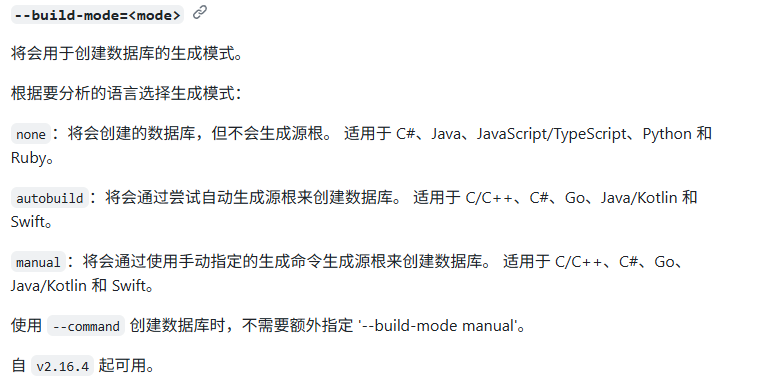
--build-mode=<mode>
将会用于创建数据库的生成模式。
根据要分析的语言选择生成模式:
none:将会创建的数据库,但不会生成源根。 适用于 C#、Java、JavaScript/TypeScript、Python 和 Ruby。
autobuild:将会通过尝试自动生成源根来创建数据库。 适用于 C/C++、C#、Go、Java/Kotlin 和 Swift。
manual:将会通过使用手动指定的生成命令生成源根来创建数据库。 适用于 C/C++、C#、Go、Java/Kotlin 和 Swift。
使用 --command 创建数据库时,不需要额外指定 '--build-mode manual'
For the none mode:
CodeQL does not attempt to build our code; in particular, it “does not generate a source root.”
Java/C# may analyze only source files in this mode, without a complete compilation.
For AutoBuild mode:
It attempts to automatically detect how your project is built.
For example, it looks for pom.xml, build.gradle, Makefile, go.mod, and so on,
and automatically runs build commands to extract information.
Log Files
Log files contain detailed records of the process.
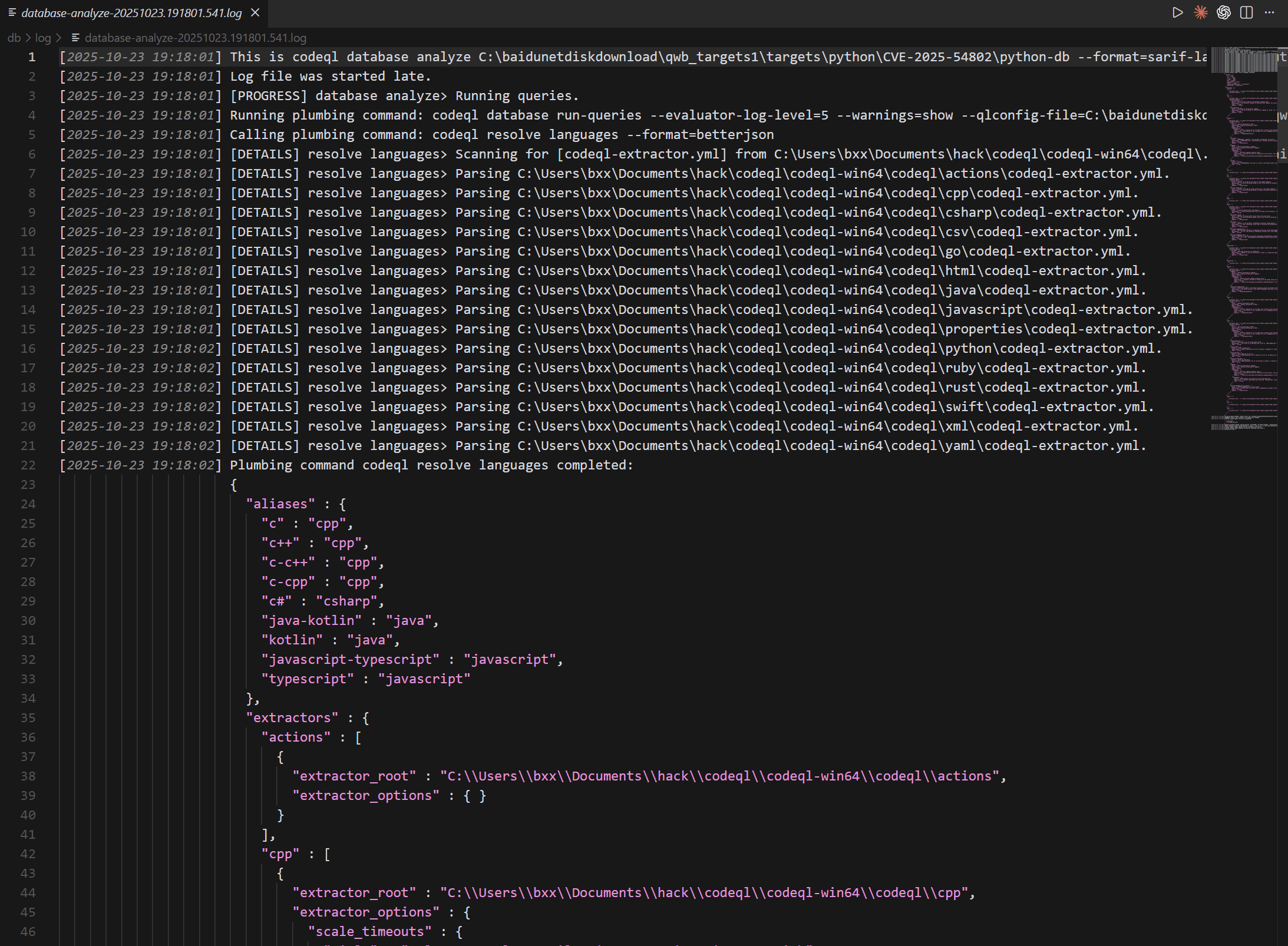
However, the VS Code extension generally parses the output log automatically and points out errors.
Running QL Queries
QL queries are mainly divided into two types:
- Alert query: directly identifies a specific problem at a code location, such as “there is a null-pointer risk here.”
- Path query: analyzes how information flows through code, such as the path from input (source) to a dangerous operation (sink), helping trace data flow.
Running from the Command Line
First, make sure the standard libraries are available, and download or update the query database.
codeql pack download codeql/python-queriesRun the query.
codeql database analyze C:\baidunetdiskdownload\qwb_targets1\targets\python\CVE-2022-22817\source_code\analysis codeql/python-queries --format=sarif-latest --output=results.sarifThe result is output as a SARIF file.
SARIF stands for Static Analysis Results Interchange Format.
It is a JSON-based standard format (with the extension
.sarifor.sarif.json) used to represent static-analysis tool scan results in a unified way.
The basic format is as follows.
{
  "version": "2.1.0",
  "$schema": "https://json.schemastore.org/sarif-2.1.0.json",
  "runs": [
    {
      "tool": {
        "driver": {
          "name": "CodeQL",
          "informationUri": "https://codeql.github.com",
          "rules": [
            {
              "id": "js/incomplete-sanitization",
              "shortDescription": { "text": "Incomplete input sanitization" },
              "helpUri": "https://codeql.github.com/docs/..."
            }
          ]
        }
      },
      "results": [
        {
          "ruleId": "js/incomplete-sanitization",
          "message": { "text": "Unsanitized user input flows into a SQL query." },
          "locations": [
            {
              "physicalLocation": {
                "artifactLocation": { "uri": "src/db/query.js" },
                "region": { "startLine": 42 }
              }
            }
          ],
          "level": "error"
        }
      ]
    }
  ]
}
VS Code can preview SARIF files using this extension.
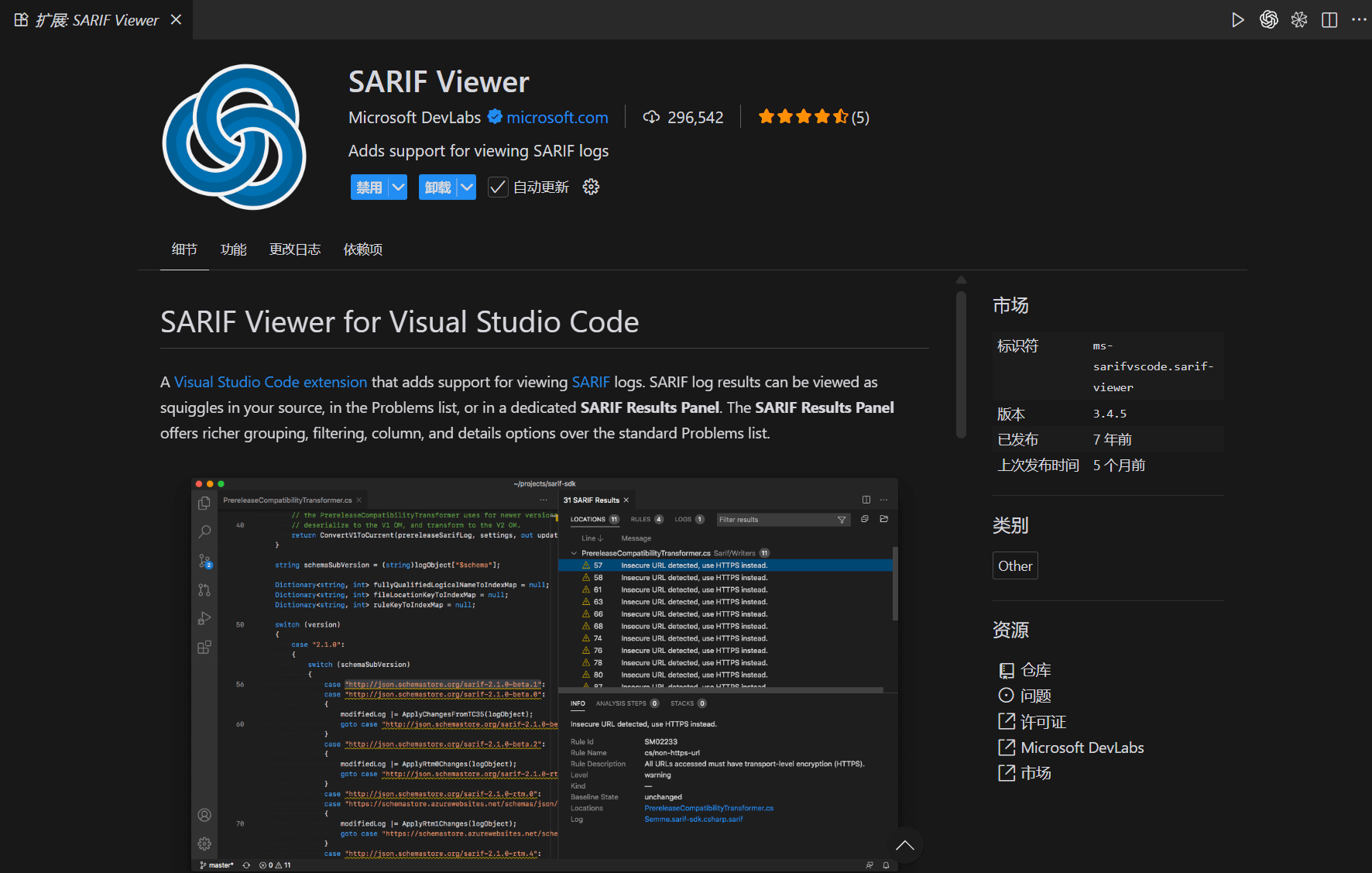
The result looks like this.

Because paths are difficult to extract from SARIF files during script processing, our team created a path extraction script.
https://gist.github.com/bx33661/1640f3e39ab1a81c423a59ecc67b0cf1
The extraction result is as follows.
{
  "dataFlowPath": [
    {
      "threadFlows": [
        {
          "steps": [
            {
              "stepNumber": 1,
              "location": {
                "file": "backend/app.py",
                "startLine": 587,
                "startColumn": 12,
                "endColumn": 24,
                "description": "ControlFlowNode for Attribute",
                "nodeType": "Source"
              }
            },
            {
              "stepNumber": 2,
              "location": {
                "file": "backend/app.py",
                "startLine": 587,
                "startColumn": 5,
                "endColumn": 9,
                "description": "ControlFlowNode for data",
                "nodeType": "Intermediate"
              }
            },
            {
              "stepNumber": 3,
              "location": {
                "file": "backend/app.py",
                "startLine": 593,
                "startColumn": 22,
                "endColumn": 26,
                "description": "ControlFlowNode for data",
                "nodeType": "Intermediate"
              }
            },
            {
              "stepNumber": 4,
              "location": {
                "file": "backend/app.py",
                "startLine": 593,
                "startColumn": 22,
                "endColumn": 54,
                "description": "ControlFlowNode for Attribute()",
                "nodeType": "Intermediate"
              }
            },
            {
              "stepNumber": 5,
              "location": {
                "file": "backend/app.py",
                "startLine": 593,
                "startColumn": 5,
                "endColumn": 19,
                "description": "ControlFlowNode for experiment_dir",
                "nodeType": "Intermediate"
              }
            },
            {
              "stepNumber": 6,
              "location": {
                "file": "backend/app.py",
                "startLine": 632,
                "startColumn": 13,
                "endColumn": 31,
                "description": "ControlFlowNode for abs_experiment_dir",
                "nodeType": "Intermediate"
              }
            },
            {
              "stepNumber": 7,
              "location": {
                "file": "backend/app.py",
                "startLine": 639,
                "startColumn": 13,
                "endColumn": 28,
                "description": "ControlFlowNode for experiment_file",
                "nodeType": "Intermediate"
              }
            },
            {
              "stepNumber": 8,
              "location": {
                "file": "backend/app.py",
                "startLine": 640,
                "startColumn": 35,
                "endColumn": 50,
                "description": "ControlFlowNode for experiment_file",
                "nodeType": "Sink"
              }
            }
          ]
        }
      ]
    }
  ]
}
Query results can also be output as a BQRS file, the binary storage format for CodeQL query results.
codeql query run \
    --database=my-database \
    --output=results.bqrs \
    query.ql
The command line supports decoding BQRS files into JSON and CSV.
# CSV
codeql bqrs decode \
    --format=csv \
    --output=results.csv \
    results.bqrs

#  JSON
codeql bqrs decode \
    --format=json \
    --output=results.json \
    results.bqrs

# 查看 BQRS 信息
codeql bqrs info results.bqrs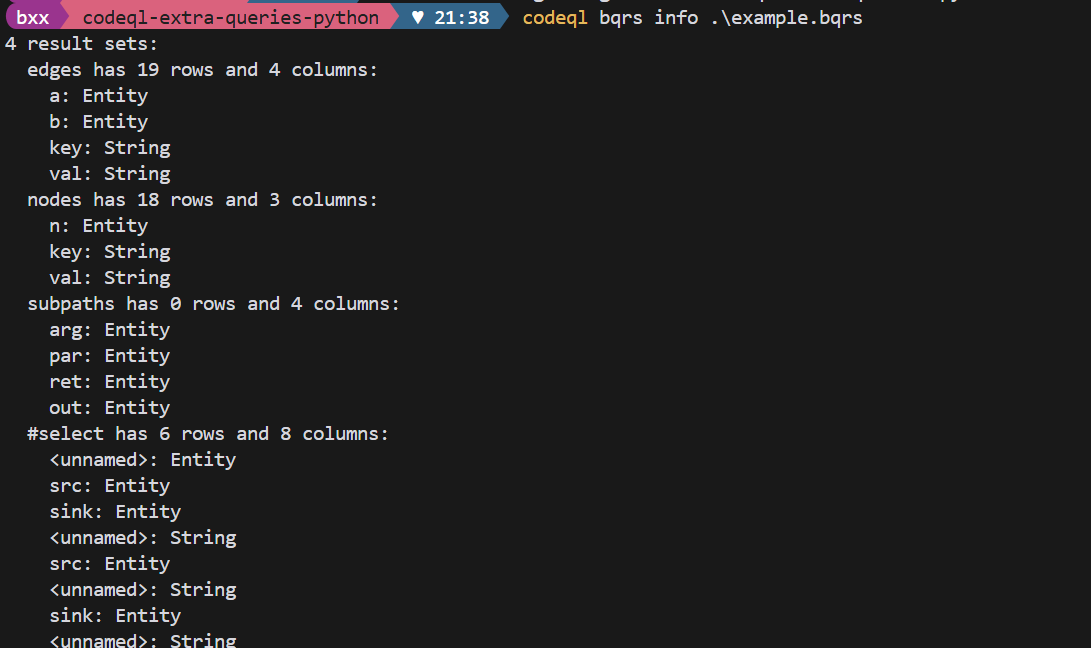
Running in the VS Code Extension Ecosystem
The official extension is available.
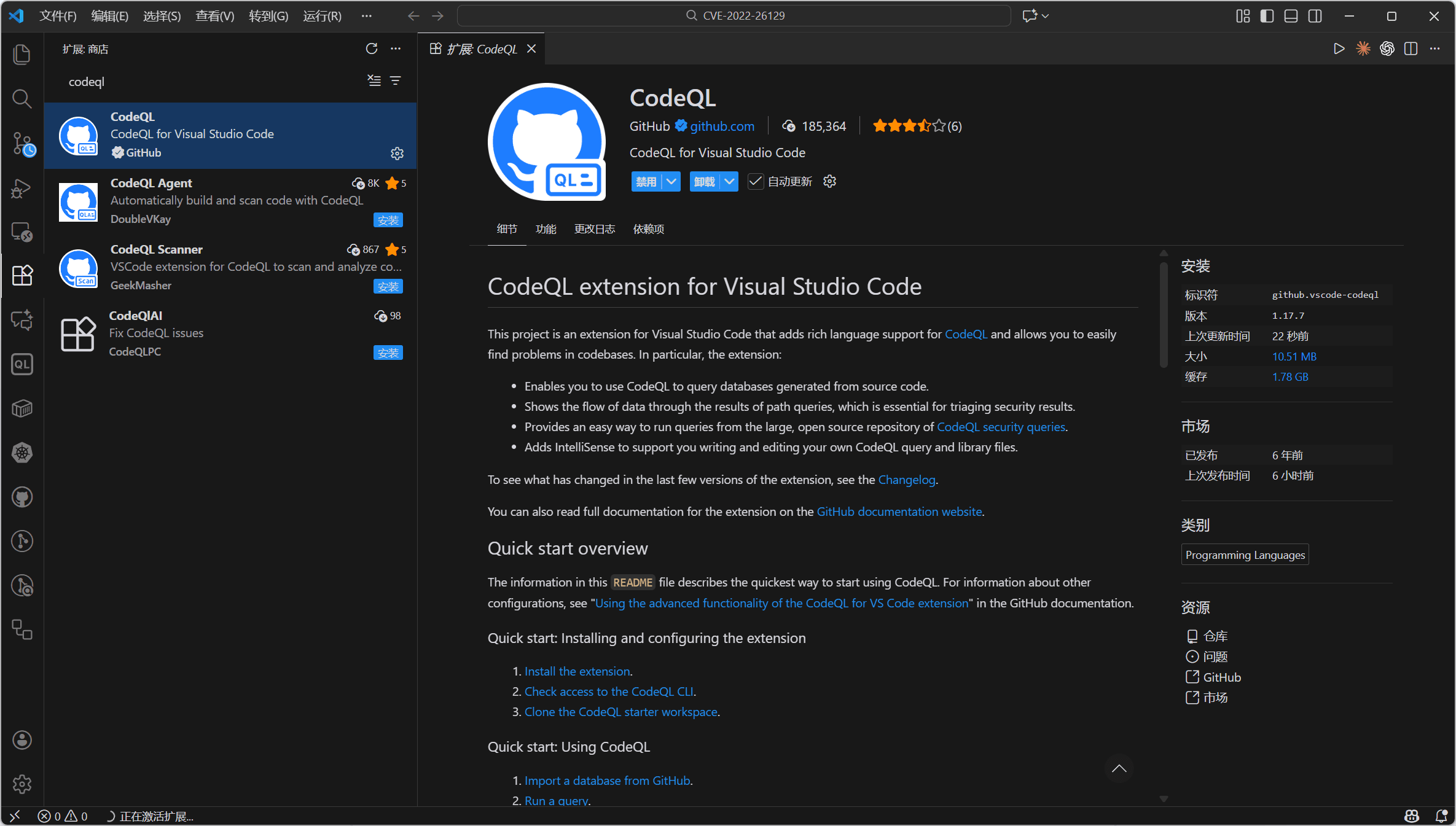
This provides a graphical workflow: import the DB and run the query. The main requirement is to configure the environment and align the versions.
PACK Directory
A pack is a CodeQL distribution unit used to organize queries, libraries (QL libraries), tests, metadata, and dependencies on other packs.
These items are generally created automatically, so we only need a basic understanding.
The main structure is shown in the official documentation example below.
packs/
  my-security-pack/
    codeql-pack.yml                # pack 声明(必须)
    codeql-pack.lock.yml           # lock 文件(可选但推荐提交)
    queries/
      javascript/
        sql-injection.ql
        crypto-check.ql
    ql/                            # 可选:自定义 QL 库源码
      mylib/
        MyHelpers.qll
    lib/                           # 可选:用来打包的 JS/TS 辅助文件(若有)
    tests/
      test-suite.qls
    docs/
      README.md
Let’s focus on codeql-pack.yml.
---
library: false
warnOnImplicitThis: false
name: getting-started/codeql-extra-queries-python
version: 1.0.0
dependencies:
  codeql/python-all: ^4.0.17
Now look at codeql-pack.lock.yml (the lockfile).
It records the exact resolved results for all dependent packs (specific versions, commits, or sources).
---
lockVersion: 1.0.0
dependencies:
  codeql/concepts:
    version: 0.0.7
  codeql/controlflow:
    version: 2.0.17
  codeql/dataflow:
    version: 2.0.17
  codeql/mad:
    version: 1.0.33
  codeql/python-all:
    version: 4.0.17
  codeql/regex:
    version: 1.0.33
  codeql/ssa:
    version: 2.0.9
  codeql/threat-models:
    version: 1.0.33
  codeql/tutorial:
    version: 1.0.33
  codeql/typetracking:
    version: 2.0.17
  codeql/util:
    version: 2.0.20
  codeql/xml:
    version: 1.0.33
  codeql/yaml:
    version: 1.0.33
compiled: false