
Webpack Penetration Testing Approach
This is what I’ve learned so far. Webpack is a static module bundler for modern JavaScript applications. When webpack processes an application, it internally builds a dependency graph mapping every module the project needs, then generates one or more bundles.
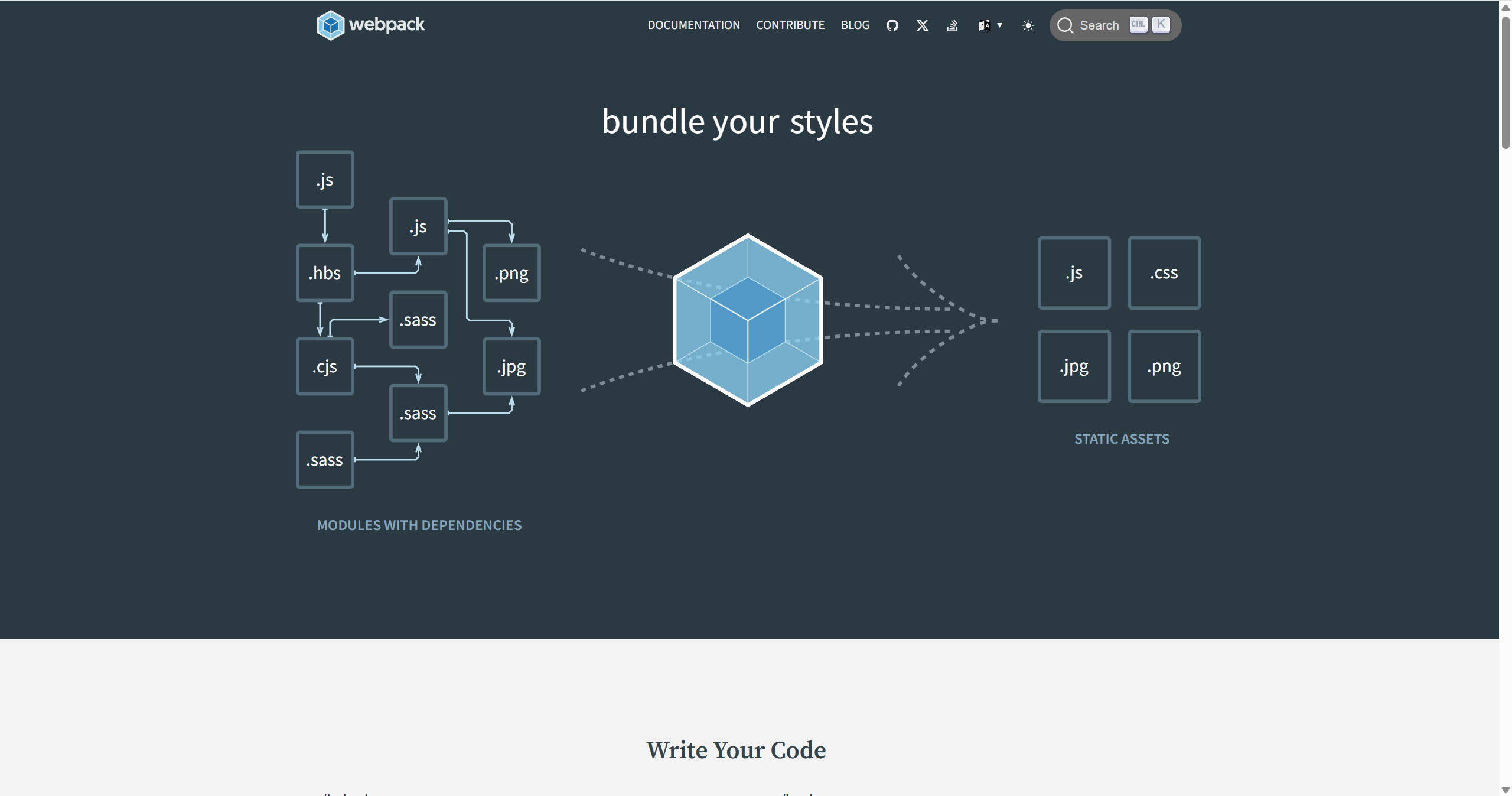
So the overall approach is:
“Identify characteristics — restore source code — locate key logic — perform security analysis”
How to Identify a Webpack-Bundled Site
fofa query
body="chunk.js" || body="runtime" || body="
__webpack_require__
"
body="/static/js/" && body=".chunk.js"
Typical examples are as follows:
<!-- webpack 打包后的典型 HTML 结构 -->
<!DOCTYPE html>
<html>
<head>
    <title>App</title>
    <!-- webpack 生成的 CSS 文件,通常带有 hash -->
    <link href="/static/css/main.a1b2c3d4.css" rel="stylesheet">
</head>
<body>
    <div id="root"></div>
    <!-- webpack 生成的 JS 文件,通常带有 hash -->
    <script src="/static/js/runtime-main.1a2b3c4d.js"></script>
    <script src="/static/js/2.e5f6g7h8.chunk.js"></script>
    <script src="/static/js/main.i9j0k1l2.chunk.js"></script>
</body>
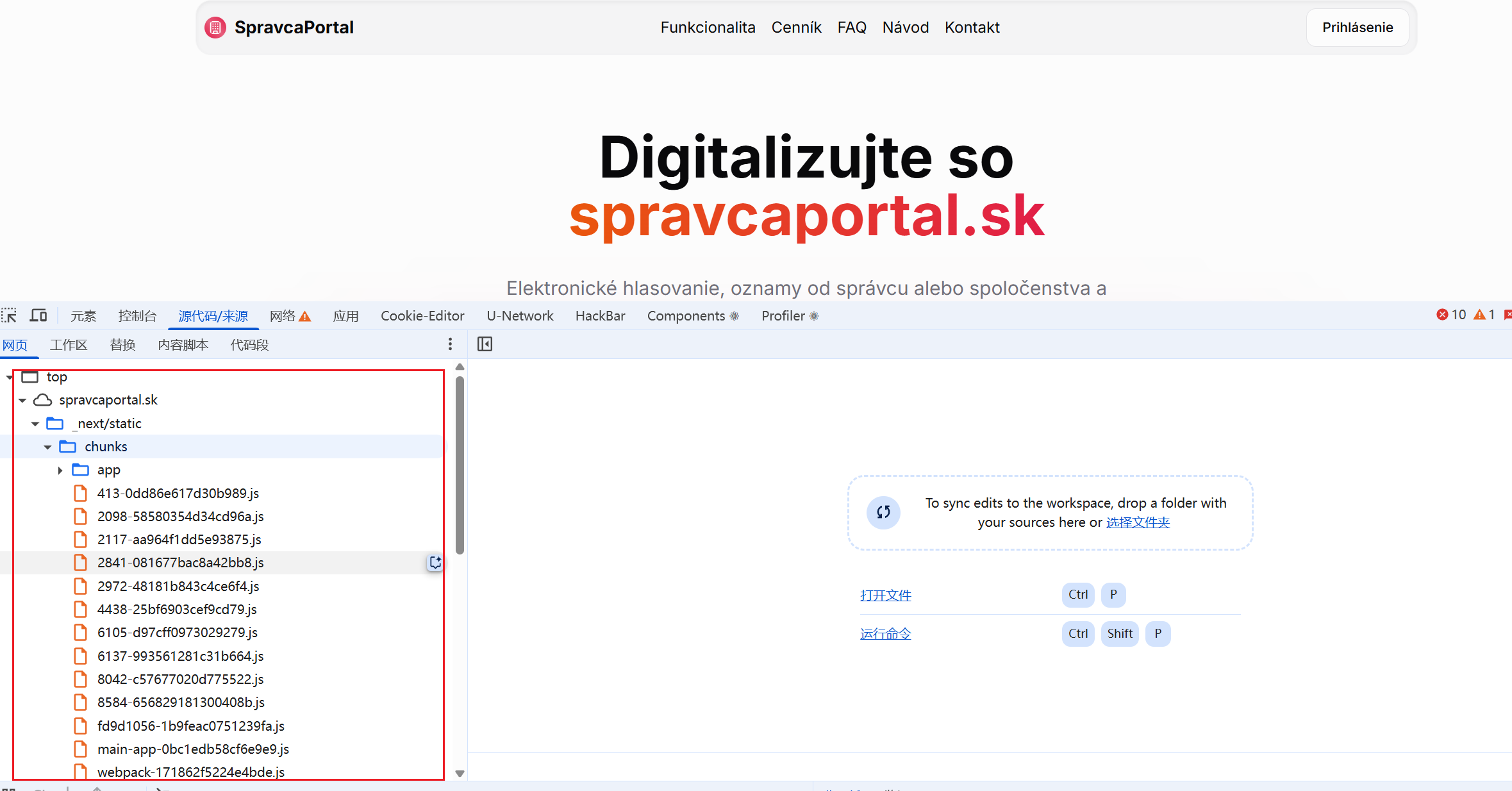
</html>- Filenames containing hash values: such as
main.a1b2c3d4.js - Chunk files: filenames include the keyword
chunk - Runtime files: there is usually a
runtimefile - Numerically named files: such as
2.e5f6g7h8.chunk.js
For example:
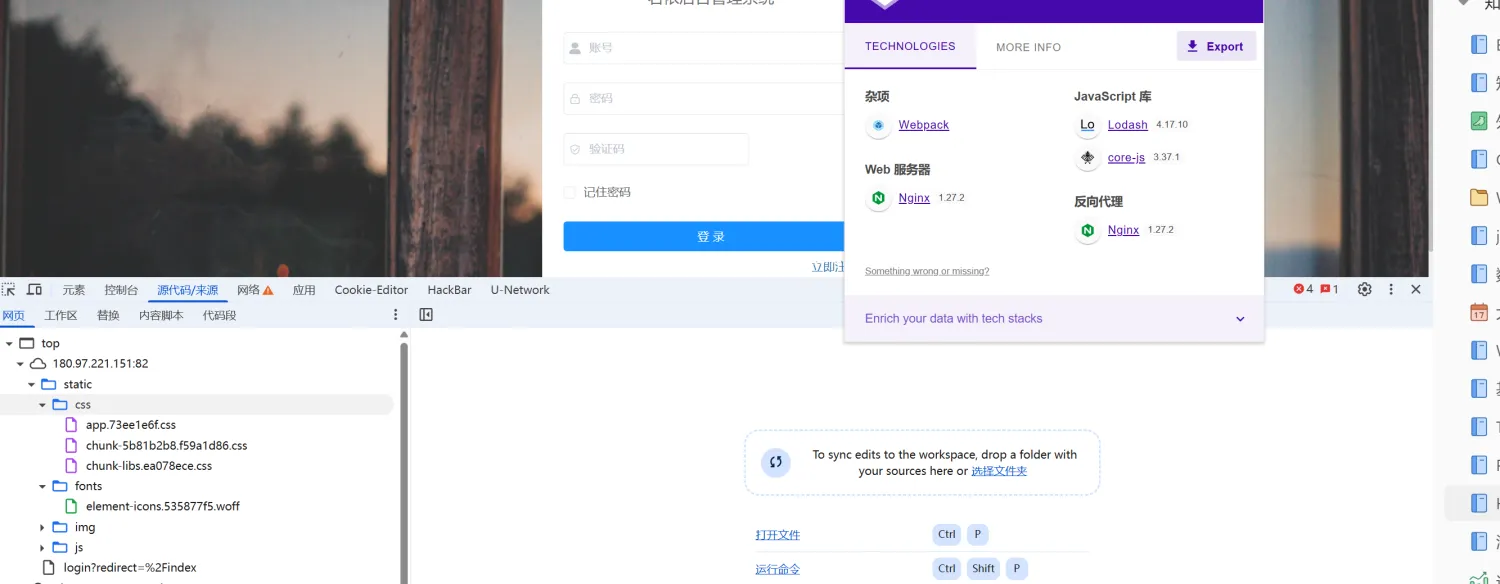
The Source Code in the Console Contains Webpack://
Webpack currently supports multiple debugging modes. They differ in how the compiled code maps back to the source code. Specifically, source code is mapped in different ways. Some modes generate a .map file (for source mapping), some include source map information as comments, and others use a DataUrl (embedding the mapping information in the generated file as a data URI).
Several common source-map bundling methods:
- source-map
Generates a separate .map file for debugging, allowing the source code to be restored during debugging.
Suitable for production environments to help troubleshoot issues, but it exposes source code.
- inline-source-map
Embeds the source map in the compiled file as a DataUrl and does not generate a separate .map file.
Suitable for development, making source inspection convenient but increasing file size.
- eval-source-map
Embeds the source map in each module through eval. It builds quickly and provides a good debugging experience.
Suitable for development; not recommended for production.
- cheap-module-source-map
Provides line mappings rather than column mappings, ignores loader source maps within modules, and generates quickly.
Suitable for development; improves efficiency if you only care about line numbers.
- hidden-source-map
Generates a .map file but does not reference it in the compiled file. Suitable when the source map is needed only for an error-reporting tool and should not be exposed directly to users.
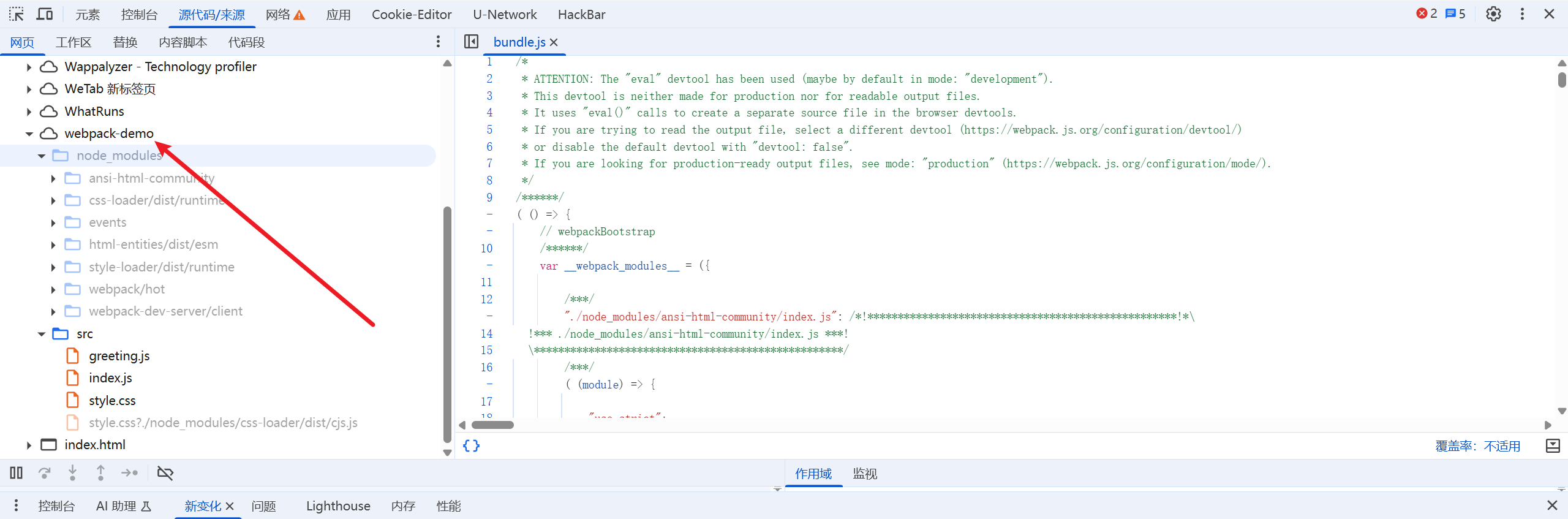
There is a leak.
In Sources → Page → Webpack://, you can view the Webpack project’s source code.
You can use the following method to reverse webpack.
Then you can analyze the project structure, audit the source code, and so on.
Automated Tool Detection
https://github.com/rtcatc/Packer-Fuzzer
This tool can scan a Webpack site and probe for vulnerabilities.
python .\PackerFuzzer.py -u "..."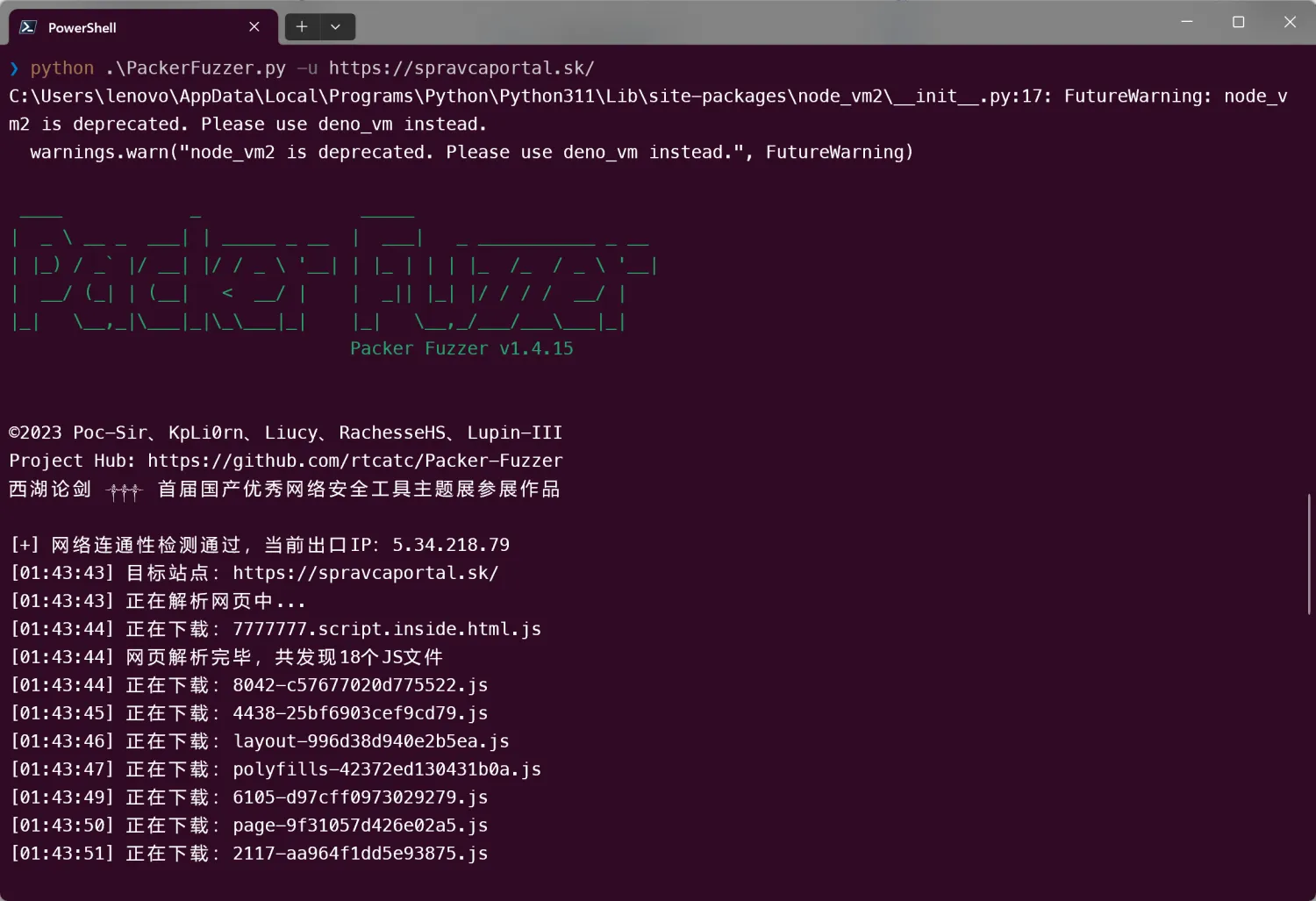
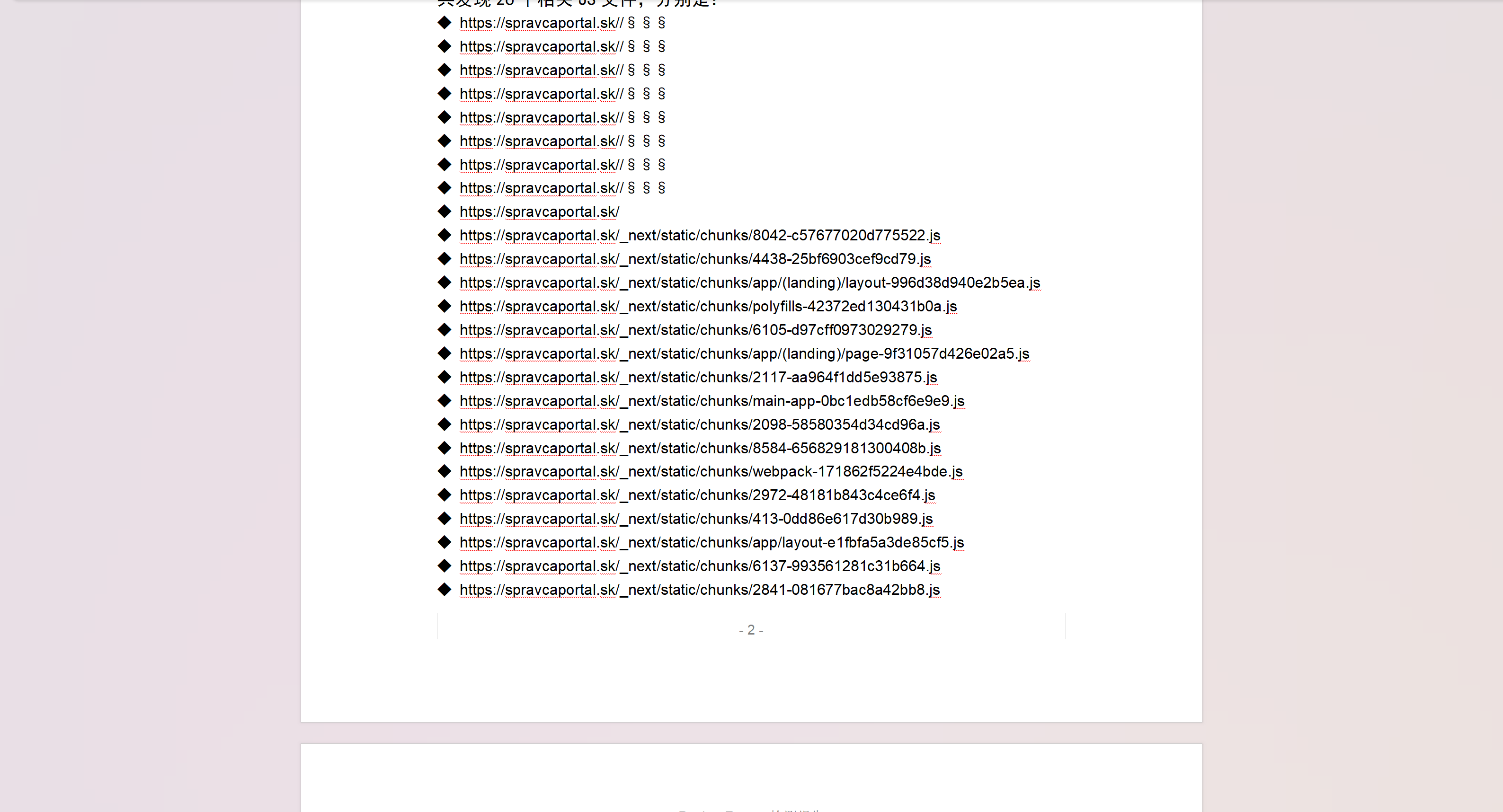
It generates a doc document with the scan report.
Webpack Example
The related code has been placed in a GitHub repository.
https://github.com/bx33661/Webpack-demo/tree/main
npm run dev
npm run build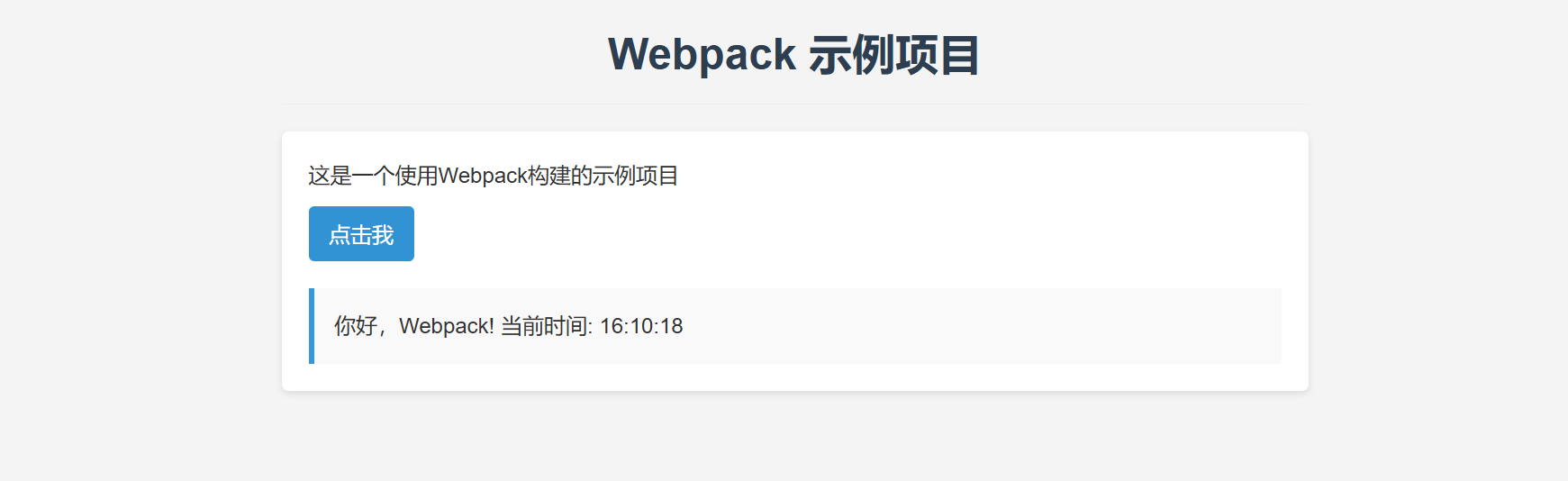
Two files are generated in the dist folder:
- bundle.js
bundle.js is the JavaScript file generated by webpack; it contains all of the project’s JavaScript modules and dependencies.
Key characteristics:
- Code compression: The file is compressed and obfuscated to reduce its size and improve load speed. That’s why it is difficult to read.
- Module integration: webpack bundles all modules (including index.js and greeting.js) into one file, resolving module dependencies.
- Style injection: The CSS file (style.css) is also bundled into this file, and a style tag is dynamically created and injected into the page through JavaScript.
- Self-invoking function: The entire code is wrapped in a self-invoking function (()=>{…})(), creating an isolated scope.
- index.html
- Automatic bundle inclusion: A
<script defer="defer" src="bundle.js"></script>tag is automatically added to include the bundled JavaScript file. - HTML compression: The HTML is compressed, removing unnecessary spaces and line breaks.
- Content structure retained: The DOM structure from the original template is preserved, including headings, buttons, and the results display area.
- Metadata retained: The original template’s meta tags and other header information are preserved.
(() => {
  "use strict";
  var n = {
    56: (n, e, t) => {
      n.exports = function(n) {
        var e = t.nc;
        e && n.setAttribute("nonce", e)
      }
    },
    72: n => {
      var e = [];
      function t(n) {
        for (var t = -1, r = 0; r < e.length; r++)
          if (e[r].identifier === n) {
            t = r;
            break
          } return t
      }
      function r(n, r) {
        for (var a = {}, i = [], c = 0; c < n.length; c++) {
          var s = n[c],
            d = r.base ? s[0] + r.base : s[0],
            u = a[d] || 0,
            p = "".concat(d, " ").concat(u);
          a[d] = u + 1;
          var l = t(p),
            f = {
              css: s[1],
              media: s[2],
              sourceMap: s[3],
              supports: s[4],
              layer: s[5]
            };
          if (-1 !== l) e[l].references++, e[l].updater(f);
          else {
            var v = o(f, r);
            r.byIndex = c, e.splice(c, 0, {
              identifier: p,
              updater: v,
              references: 1
            })
          }
          i.push(p)
        }
        return i
      }
      function o(n, e) {
        var t = e.domAPI(e);
        return t.update(n),
          function(e) {
            if (e) {
              if (e.css === n.css && e.media === n.media && e.sourceMap === n.sourceMap && e.supports === n.supports && e.layer === n.layer) return;
              t.update(n = e)
            } else t.remove()
          }
      }
      n.exports = function(n, o) {
        var a = r(n = n || [], o = o || {});
        return function(n) {
          n = n || [];
          for (var i = 0; i < a.length; i++) {
            var c = t(a[i]);
            e[c].references--
          }
          for (var s = r(n, o), d = 0; d < a.length; d++) {
            var u = t(a[d]);
            0 === e[u].references && (e[u].updater(), e.splice(u, 1))
          }
          a = s
        }
      }
    },
    113: n => {
      n.exports = function(n, e) {
        if (e.styleSheet) e.styleSheet.cssText = n;
        else {
          for (; e.firstChild;) e.removeChild(e.firstChild);
          e.appendChild(document.createTextNode(n))
        }
      }
    },
    208: (n, e, t) => {
      t.d(e, {
        A: () => c
      });
      var r = t(601),
        o = t.n(r),
        a = t(314),
        i = t.n(a)()(o());
      i.push([n.id, "* {\n  margin: 0;\n  padding: 0;\n  box-sizing: border-box;\n}\n\nbody {\n  font-family: Arial, sans-serif;\n  line-height: 1.6;\n  color: #333;\n  background-color: #f4f4f4;\n}\n\n#app {\n  max-width: 800px;\n  margin: 0 auto;\n  padding: 20px;\n}\n\n.title {\n  color: #2c3e50;\n  text-align: center;\n  margin-bottom: 20px;\n  padding-bottom: 10px;\n  border-bottom: 1px solid #eee;\n}\n\n.content {\n  background: white;\n  padding: 20px;\n  border-radius: 5px;\n  box-shadow: 0 2px 5px rgba(0, 0, 0, 0.1);\n}\n\nbutton {\n  background: #3498db;\n  color: white;\n  border: none;\n  padding: 10px 15px;\n  border-radius: 4px;\n  cursor: pointer;\n  margin-top: 10px;\n  font-size: 16px;\n  transition: background 0.3s;\n}\n\nbutton:hover {\n  background: #2980b9;\n}\n\n#result {\n  margin-top: 20px;\n  padding: 15px;\n  background: #f9f9f9;\n  border-left: 4px solid #3498db;\n  display: none;\n}\n\n#result.active {\n  display: block;\n  animation: fadeIn 0.5s;\n}\n\n@keyframes fadeIn {\n  from { opacity: 0; }\n  to { opacity: 1; }\n}", ""]);
                const c = i
            },
            314: n => {
                n.exports = function(n) {
                    var e = [];
                    return e.toString = function() {
                        return this.map((function(e) {
                            var t = "",
                                r = void 0 !== e[5];
                            return e[4] && (t += "@supports (".concat(e[4], ") {")), e[2] && (t += "@media ".concat(e[2], " {")), r && (t += "@layer".concat(e[5].length > 0 ? " ".concat(e[5]) : "", " {")), t += n(e), r && (t += "}"), e[2] && (t += "}"), e[4] && (t += "}"), t
                        })).join("")
                    }, e.i = function(n, t, r, o, a) {
                        "string" == typeof n && (n = [
                            [null, n, void 0]
                        ]);
                        var i = {};
                        if (r)
                            for (var c = 0; c < this.length; c++) {
                                var s = this[c][0];
                                null != s && (i[s] = !0)
                            }
                        for (var d = 0; d < n.length; d++) {
                            var u = [].concat(n[d]);
                            r && i[u[0]] || (void 0 !== a && (void 0 === u[5] || (u[1] = "@layer".concat(u[5].length > 0 ? " ".concat(u[5]) : "", " {").concat(u[1], "}")), u[5] = a), t && (u[2] ? (u[1] = "@media ".concat(u[2], " {").concat(u[1], "}"), u[2] = t) : u[2] = t), o && (u[4] ? (u[1] = "@supports (".concat(u[4], ") {").concat(u[1], "}"), u[4] = o) : u[4] = "".concat(o)), e.push(u))
                        }
                    }, e
                }
            },
            540: n => {
                n.exports = function(n) {
                    var e = document.createElement("style");
                    return n.setAttributes(e, n.attributes), n.insert(e, n.options), e
                }
            },
            601: n => {
                n.exports = function(n) {
                    return n[1]
                }
            },
            659: n => {
                var e = {};
                n.exports = function(n, t) {
                    var r = function(n) {
                        if (void 0 === e[n]) {
                            var t = document.querySelector(n);
                            if (window.HTMLIFrameElement && t instanceof window.HTMLIFrameElement) try {
                                t = t.contentDocument.head
                            } catch (n) {
                                t = null
                            }
                            e[n] = t
                        }
                        return e[n]
                    }(n);
                    if (!r) throw new Error("Couldn't find a style target. This probably means that the value for the 'insert' parameter is invalid.");
                    r.appendChild(t)
                }
            },
            825: n => {
                n.exports = function(n) {
                    if ("undefined" == typeof document) return {
                        update: function() {},
                        remove: function() {}
                    };
                    var e = n.insertStyleElement(n);
                    return {
                        update: function(t) {
                            ! function(n, e, t) {
                                var r = "";
                                t.supports && (r += "@supports (".concat(t.supports, ") {")), t.media && (r += "@media ".concat(t.media, " {"));
                                var o = void 0 !== t.layer;
                                o && (r += "@layer".concat(t.layer.length > 0 ? " ".concat(t.layer) : "", " {")), r += t.css, o && (r += "}"), t.media && (r += "}"), t.supports && (r += "}");
                                var a = t.sourceMap;
                                a && "undefined" != typeof btoa && (r += "\n/*# sourceMappingURL=data:application/json;base64,".concat(btoa(unescape(encodeURIComponent(JSON.stringify(a)))), " */")), e.styleTagTransform(r, n, e.options)
                            }(e, n, t)
                        },
                        remove: function() {
                            ! function(n) {
                                if (null === n.parentNode) return !1;
                                n.parentNode.removeChild(n)
                            }(e)
                        }
                    }
                }
            }
        },
        e = {};
    function t(r) {
        var o = e[r];
        if (void 0 !== o) return o.exports;
        var a = e[r] = {
            id: r,
            exports: {}
        };
        return n[r](a, a.exports, t), a.exports
    }
    t.n = n => {
        var e = n && n.__esModule ? () => n.default : () => n;
        return t.d(e, {
            a: e
        }), e
    }, t.d = (n, e) => {
        for (var r in e) t.o(e, r) && !t.o(n, r) && Object.defineProperty(n, r, {
            enumerable: !0,
            get: e[r]
        })
    }, t.o = (n, e) => Object.prototype.hasOwnProperty.call(n, e), t.nc = void 0;
    var r = t(72),
        o = t.n(r),
        a = t(825),
        i = t.n(a),
        c = t(659),
        s = t.n(c),
        d = t(56),
        u = t.n(d),
        p = t(540),
        l = t.n(p),
        f = t(113),
        v = t.n(f),
        m = t(208),
        b = {};
    b.styleTagTransform = v(), b.setAttributes = u(), b.insert = s().bind(null, "head"), b.domAPI = i(), b.insertStyleElement = l(), o()(m.A, b), m.A && m.A.locals && m.A.locals, document.addEventListener("DOMContentLoaded", (() => {
        console.log("页面已加载");
        const n = document.getElementById("clickBtn"),
            e = document.getElementById("result");
        n && e && n.addEventListener("click", (() => {
            const n =
你好,Webpack! 当前时间: ${(new Date).toLocaleTimeString()}
;
            e.textContent = n, e.classList.add("active")
        }))
    }))
})();
Make a change and add the devtool option:
const path = require('path');
const HtmlWebpackPlugin = require('html-webpack-plugin');
module.exports = {
  // 入口文件
  entry: './src/index.js',

  // 添加devtool配置来启用source map
  devtool: 'source-map', // 这将生成完整的source map文件

  // 输出配置
  output: {
    filename: 'bundle.js',
    path: path.resolve(__dirname, 'dist'),
    clean: true // 每次构建前清理dist文件夹
  },

  // ... 其余配置保持不变 ...
};
Then we can
❯ npm run buildThis generates a bundle.js.map file.
Reverse Webpack
There are many tools; here we’ll use reverse-sourcemap.
npm install --global reverse-sourcemapLet’s look at how to use it.
❯ reverse-sourcemap -h
reverse-sourcemap - Reverse engineering JavaScript and CSS sources from sourcemaps
Usage: reverse-sourcemap [options] <file|directory>
  -h, --help               Help and usage instructions
  -V, --version            Version number
  -v, --verbose            Verbose output, will print which file is currently being

                           processed
  -o, --output-dir String  Output directory - default: .
  -M, --match String       Regular expression for matching and filtering files -
                           default: \.map$
  -r, --recursive          Recursively search matching files
Version 1.0.4
Reverse it directly.
❯ reverse-sourcemap --output-dir ./ bundle.js.map
The results are as follows:
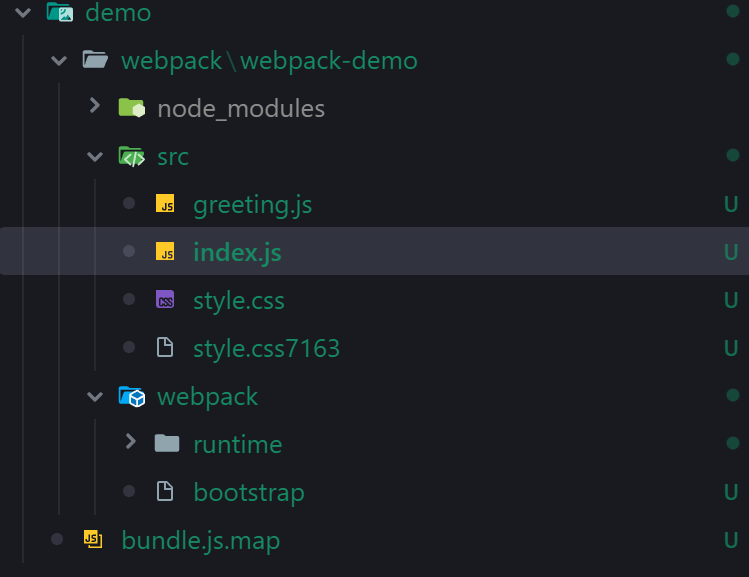
As you can see, the structure is basically the same as the original project structure.
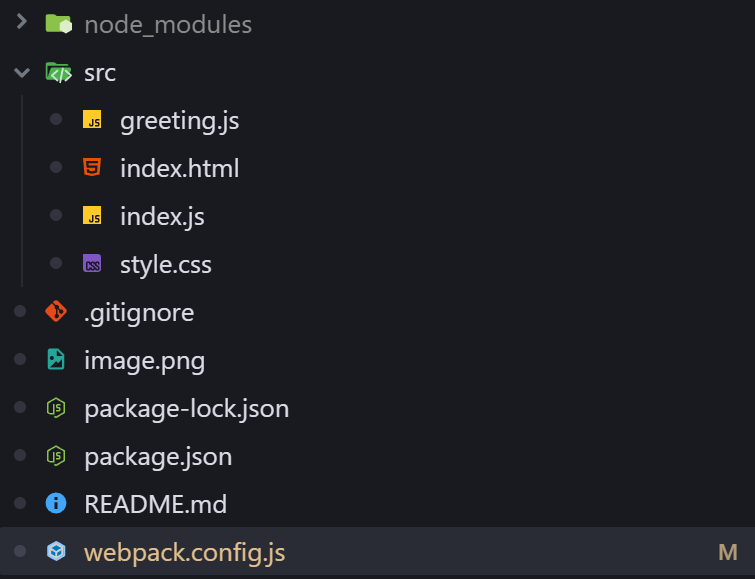
The result is quite good.
So sometimes we find that a website has leaked a “map” file, and we can achieve unexpected results by exploiting it.