

I’ve been doing a lot of Go lately, so let’s take a look at the net/http package.
We’ll mainly look from the perspectives of “Server” and “Client.”
While reading the source, we find that the server-side core revolves around “Handler” and “Server.”
Server Analysis
First, let’s write the simplest Web Server.
package main

import (
	"fmt"
	"net/http"
)

func helloHandler(w http.ResponseWriter, r *http.Request) {
	query := r.URL.Query()
	name := query.Get("name")
	if name == "" {
		name = "Guest"
	}

	// 写入响应状态码(这里显式写了出来)
	w.WriteHeader(http.StatusOK)
	fmt.Fprintf(w, "Hello, %s!", name)
}

func main() {
	http.HandleFunc("/hello", helloHandler)
	fmt.Println("Listening on port 8080")
	// 启动监听
	if err := http.ListenAndServe(":8080", nil); err != nil {
		panic(err)
	}
}
Following the trail, we use this ListenAndServe as our entry point and open the net/http/server.go file.
// ListenAndServe listens on the TCP network address addr and then calls
// [Serve] with handler to handle requests on incoming connections.
// Accepted connections are configured to enable TCP keep-alives.
//
// The handler is typically nil, in which case [DefaultServeMux] is used.
//
// ListenAndServe always returns a non-nil error.
func ListenAndServe(addr string, handler Handler) error {
	server := &Server{Addr: addr, Handler: handler}
	return server.ListenAndServe()
}
It is only a wrapper function: it instantiates a struct and calls server.ListenAndServe. Let’s continue following the call.
The code is as follows:
// ListenAndServe listens on the TCP network address s.Addr and then
// calls [Serve] to handle requests on incoming connections.
// Accepted connections are configured to enable TCP keep-alives.
//
// If s.Addr is blank, ":http" is used.
//
// ListenAndServe always returns a non-nil error. After [Server.Shutdown] or [Server.Close],
// the returned error is [ErrServerClosed].
func (s *Server) ListenAndServe() error {
    if s.shuttingDown() {
        return ErrServerClosed
    }
    addr := s.Addr
    if addr == "" {
        addr = ":http"
    }
    ln, err := net.Listen("tcp", addr)
    if err != nil {
        return err
    }
    return s.Serve(ln)
}- It calls the underlying
net.Listen("tcp", addr)to start listening on an operating-system TCP port. - After obtaining
Listener, it passes it to theServemethod.
This is where the network layer transitions to the HTTP application layer.
Okay, let’s continue.
For the func (srv *Server) Serve(l net.Listener) error method:
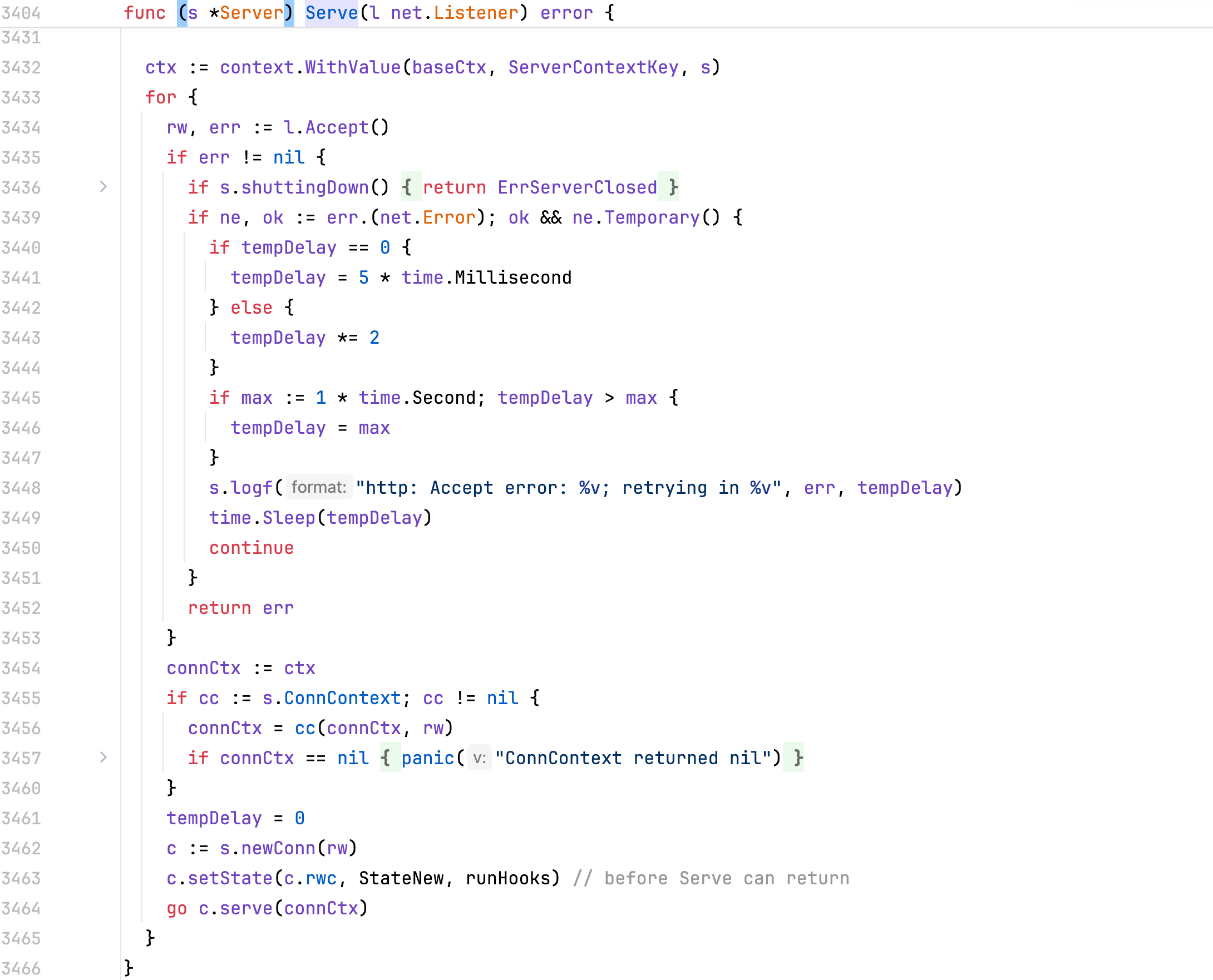
The key part is this infinite loop. Based on the logic (ignoring error handling), we can simplify it to:
// 简化
for {
    rw, err := l.Accept() // 阻塞等待客户端建立 TCP 连接
    // ... 忽略错误处理 ...

    c := srv.newConn(rw)  // 将原始 TCP 连接包装成 http.conn 结构体
    // ...

    go c.serve(connCtx)   // 划重点:为每一个连接开启一个独立的 Goroutine!
}
This model reveals the familiar principle: “one Goroutine per TCP connection.” This is the concurrency model of Go Web services.
Let’s continue to c.serve. This function is especially long and includes a lot of state management and timeout handling, which we cannot fully understand for now.
Let’s focus on two key points:
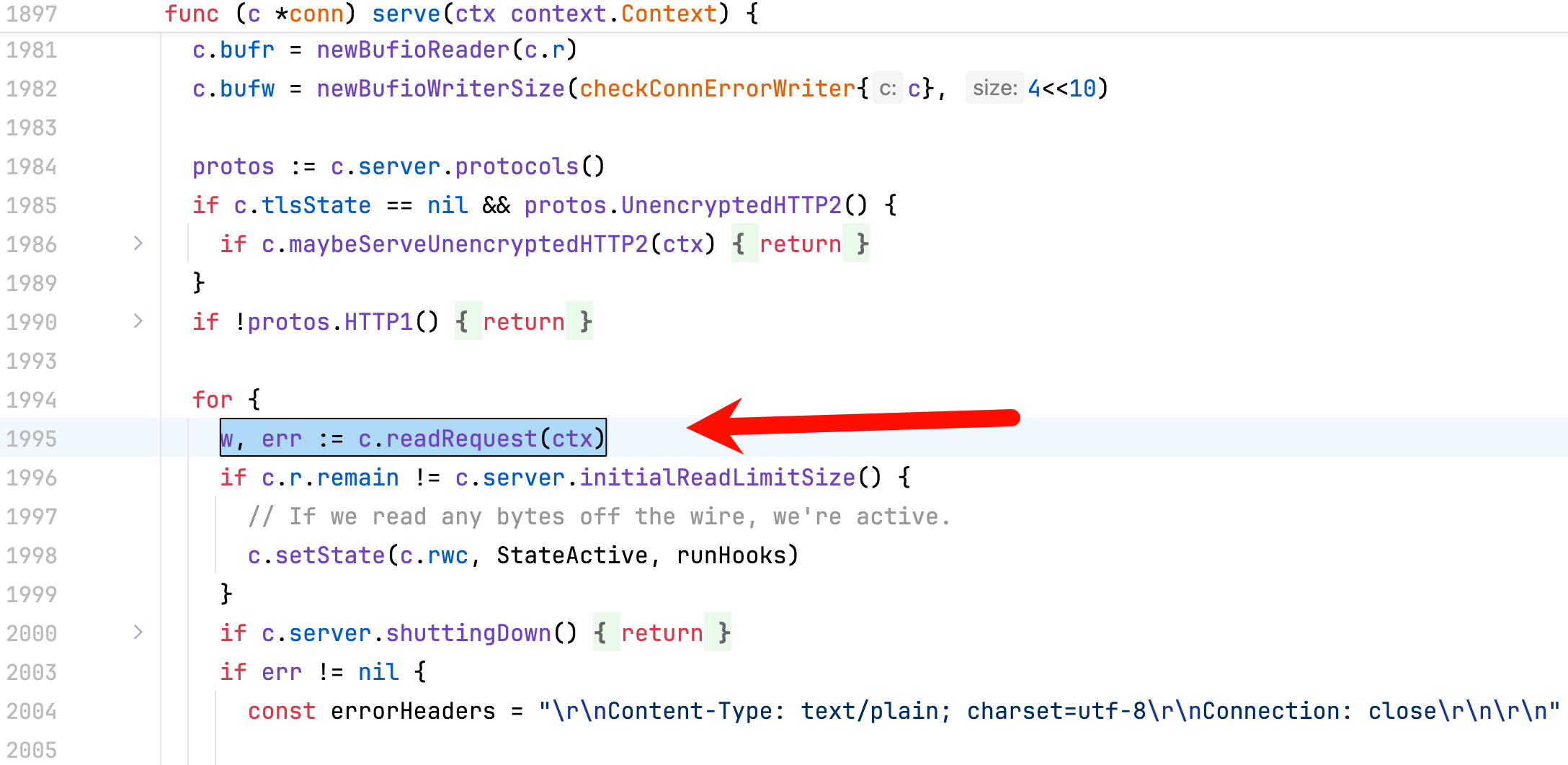
- Read request:
**w, err := c.readRequest(ctx)**is where the HTTP protocol is parsed. It parses bytes from the network stream (such asGET / HTTP/1.1...) into the*http.Requeststruct used in your code.
- Hand off to handler:
**serverHandler{c.server}.ServeHTTP(w, w.req)**is the exciting step. The underlying framework has finished all network I/O and protocol parsing, and now hands control back to your application code.
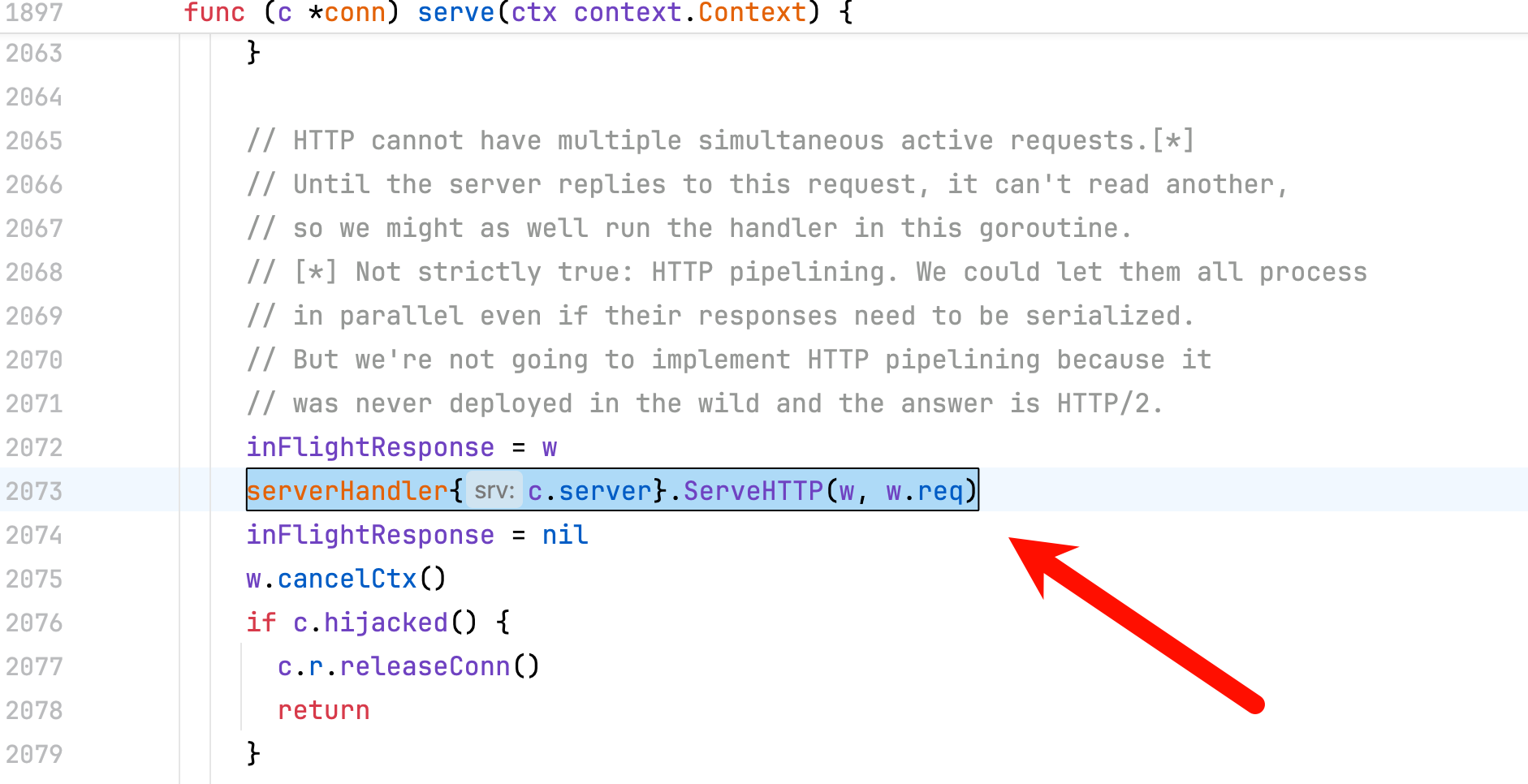
It calls ServeHTTP. Let’s see what this code does:
func (sh serverHandler) ServeHTTP(rw ResponseWriter, req *Request) {
	handler := sh.srv.Handler
	if handler == nil {
		handler = DefaultServeMux
	}
	if !sh.srv.DisableGeneralOptionsHandler && req.RequestURI == "*" && req.Method == "OPTIONS" {
		handler = globalOptionsHandler{}
	}

	handler.ServeHTTP(rw, req)
}
Continuing downward, the core now moves to the ServeMux multiplexer/router, resolving a question that has puzzled me for a long time:
When a request containing a particular URL (such as _/_ or _/hello_) arrives, how does Go find the exact _helloHandler_ function?
__
As described in the code above, if the passed Handler is nil, then DefaultServeMux is used by default.
// ServeHTTP dispatches the request to the handler whose
// pattern most closely matches the request URL.
func (mux *ServeMux) ServeHTTP(w ResponseWriter, r *Request) {
	if r.RequestURI == "*" {
		if r.ProtoAtLeast(1, 1) {
			w.Header().Set("Connection", "close")
		}
		w.WriteHeader(StatusBadRequest)
		return
	}
	var h Handler
	if use121 {
		h, _ = mux.mux121.findHandler(r)
	} else {
		h, r.Pattern, r.pat, r.matches = mux.findHandler(r)
	}
	h.ServeHTTP(w, r)
}
First, there is a check for *.
RequestURI == "*"corresponds to a special form of HTTP request target (asterisk-form). A typical example is:OPTIONS *: the client/proxy asks “what methods/capabilities does this server support overall?” rather than targeting a specific path.
Some malformed or probe requests may also send
*.
Go’s handling strategy is to treat it as a Bad Request (400) and, for HTTP/1.1+, suggest closing the connection.
Next, there is something different from before: I looked up mux121 and found it described in the official Go blog:
Go 1.22 Release Notes - The Go Programming Language
if use121 {
    // 如果通过 GODEBUG 或 go.mod 指定了老版本行为,走旧版兼容逻辑
		h, _ = mux.mux121.findHandler(r)
	} else {
    // 1.22+的全新路由匹配逻辑
		h, r.Pattern, r.pat, r.matches = mux.findHandler(r)
	}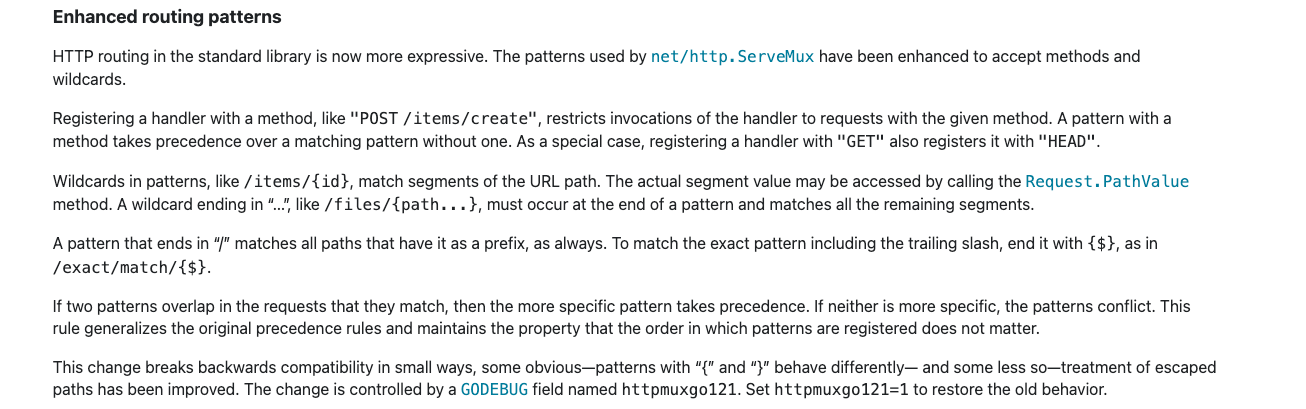
In Go 1.22, the official team made a major enhancement to
net/httprouting (finally adding native support for HTTP method matching and path wildcards, such asGET /users/{id}).
We won’t go into update details or version differences here; let’s abstract the core logic:
// 1. 寻找对应的处理器
h, _ := mux.Handler(r)
// 2. 执行你的业务逻辑
h.ServeHTTP(w, r)
As we can see, ServeMux itself also implements the Handler interface!
To explain, let’s supplement our reading with two concepts:
- Handler interface
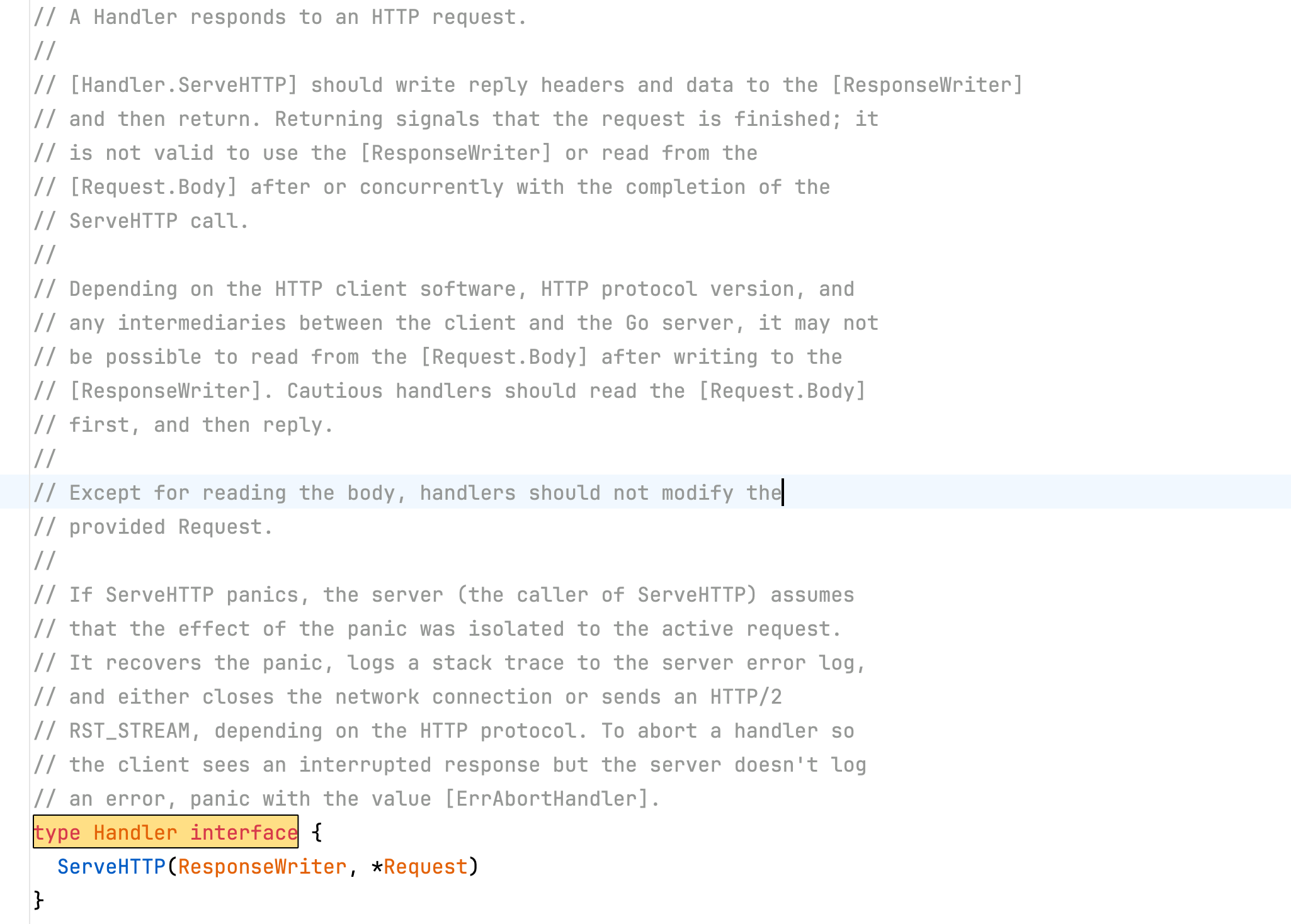
Any struct implementing the ServeHTTP method is called a Handler.
- ServeMux, the multiplexer, is essentially a routing table.
type ServeMux struct {
	mu     sync.RWMutex
	tree   routingNode
	index  routingIndex
	mux121 serveMux121 // used only when GODEBUG=httpmuxgo121=1
}
It is like a dispatch center: it receives a package, figures out where it should go, then sends it to the person who will handle it.
So the clever part is:
请求进来
    ↓
net/http 底层: serverHandler.ServeHTTP()
    ↓
如果你没传 Handler,就用 DefaultServeMux
    ↓
DefaultServeMux.ServeHTTP()   ← ServeMux 自己是 Handler
    ↓
查路由表,找到注册的 /hello handler
    ↓
我们的 helloHandler.ServeHTTP() ← 真正执行业务逻辑
Nice, does the overall picture feel clearer now?
Let’s follow the flow and look at the lookup process by stepping into findHandler(r).
// Handler returns the handler to use for the given request,
// consulting r.Method, r.Host, and r.URL.Path. It always returns
// a non-nil handler. If the path is not in its canonical form, the
// handler will be an internally-generated handler that redirects
// to the canonical path. If the host contains a port, it is ignored
// when matching handlers.
//
// The path and host are used unchanged for CONNECT requests.
//
// Handler also returns the registered pattern that matches the
// request or, in the case of internally-generated redirects,
// the path that will match after following the redirect.
//
// If there is no registered handler that applies to the request,
// Handler returns a “page not found” or “method not supported”
// handler and an empty pattern.
//
// Handler does not modify its argument. In particular, it does not
// populate named path wildcards, so r.PathValue will always return
// the empty string.
func (mux *ServeMux) Handler(r *Request) (h Handler, pattern string) {
	if use121 {
		return mux.mux121.findHandler(r)
	}
	h, p, _, _ := mux.findHandler(r)
	return h, p
}

// findHandler finds a handler for a request.
// If there is a matching handler, it returns it and the pattern that matched.
// Otherwise it returns a Redirect or NotFound handler with the path that would match
// after the redirect.
func (mux *ServeMux) findHandler(r *Request) (h Handler, patStr string, _ *pattern, matches []string) {
	var n *routingNode
	host := r.URL.Host
	escapedPath := r.URL.EscapedPath()
	path := escapedPath
	// CONNECT requests are not canonicalized.
	if r.Method == "CONNECT" {
		// If r.URL.Path is /tree and its handler is not registered,
		// the /tree -> /tree/ redirect applies to CONNECT requests
		// but the path canonicalization does not.
		_, _, u := mux.matchOrRedirect(host, r.Method, path, r.URL)
		if u != nil {
			return RedirectHandler(u.String(), StatusTemporaryRedirect), u.Path, nil, nil
		}
		// Redo the match, this time with r.Host instead of r.URL.Host.
		// Pass a nil URL to skip the trailing-slash redirect logic.
		n, matches, _ = mux.matchOrRedirect(r.Host, r.Method, path, nil)
	} else {
		// All other requests have any port stripped and path cleaned
		// before passing to mux.handler.
		host = stripHostPort(r.Host)
		path = cleanPath(path)

		// If the given path is /tree and its handler is not registered,
		// redirect for /tree/.
		var u *url.URL
		n, matches, u = mux.matchOrRedirect(host, r.Method, path, r.URL)
		if u != nil {
			return RedirectHandler(u.String(), StatusTemporaryRedirect), n.pattern.String(), nil, nil
		}
		if path != escapedPath {
			// Redirect to cleaned path.
			patStr := ""
			if n != nil {
				patStr = n.pattern.String()
			}
			u := &url.URL{Path: path, RawQuery: r.URL.RawQuery}
			return RedirectHandler(u.String(), StatusTemporaryRedirect), patStr, nil, nil
		}
	}
	if n == nil {
		// We didn't find a match with the request method. To distinguish between
		// Not Found and Method Not Allowed, see if there is another pattern that
		// matches except for the method.
		allowedMethods := mux.matchingMethods(host, path)
		if len(allowedMethods) > 0 {
			return HandlerFunc(func(w ResponseWriter, r *Request) {
				w.Header().Set("Allow", strings.Join(allowedMethods, ", "))
				Error(w, StatusText(StatusMethodNotAllowed), StatusMethodNotAllowed)
			}), "", nil, nil
		}
		return NotFoundHandler(), "", nil, nil
	}
	return n.handler, n.pattern.String(), n.pattern, matches
}
There is a lot of special handling, but overall the logic is dispatch.
接收请求 -> 找出最匹配的 Handler (h) -> 让这个 Handler 执行自己 (h.ServeHTTP)。We won’t analyze every detail, but we can look at some handling that is easy to overlook.
Another point is how it decides whether to use 404 or 405.
if n == nil {
    allowedMethods := mux.matchingMethods(host, path)
    if len(allowedMethods) > 0 {
        return HandlerFunc(func(w, r) {
            w.Header().Set("Allow", strings.Join(allowedMethods, ", "))
            Error(w, "...", 405)
        }), "", nil, nil
    }
    return NotFoundHandler(), "", nil, nil
}
First it tries to match the “current method”; a failure does not immediately return 404.
It checks again: could another method (such as GET/POST) match the same path?
_If yes: the path exists, but the method is not allowed → _405 Method Not Allowed
If no: it is a true 404 Not Found
Another point is 307. Honestly, I wasn’t sure what triggers a 307, so I looked it up.
A 307 must preserve the original HTTP method.
Typical scenario:
- You registered
/tree/ - The client requests
/tree
ServeMux automatically redirects to:
/tree/And returns:
307 Temporary Redirect
Location: /tree/
The code implementing this is:
n, matches, u = mux.matchOrRedirect(host, r.Method, path, r.URL)
if u != nil {
    return RedirectHandler(u.String(), StatusTemporaryRedirect), n.pattern.String(), nil, nil
}
The semantics of _matchOrRedirect__ are basically:_
_If it matches directly: return __n != nil_
If it “almost matches,” for example the trailing slash _/tree_ is missing but _/tree/_ was registered:
_Return a suggested URL: __u != nil_
The outer layer uniformly returns 307 Temporary Redirect
__
Goooood, now let’s look at the last stage in the lifecycle: how the response is written back.
In our initial example, we wrote a HelloHandler and used w http.ResponseWriter to output data.
    // 写入响应状态码(这里显式写了出来)
	w.WriteHeader(http.StatusOK)
	fmt.Fprintf(w, "Hello, %s!", name)
We can try searching for type ResponseWriter interface.
type ResponseWriter interface {

	Header() Header
	Write([]byte) (int, error)
	WriteHeader(statusCode int)
}
The three methods:
Header() Header: retrieves and sets response headers.Write([]byte) (int, error): writes response body data.WriteHeader(statusCode int): writes the HTTP status code.
The responese struct:
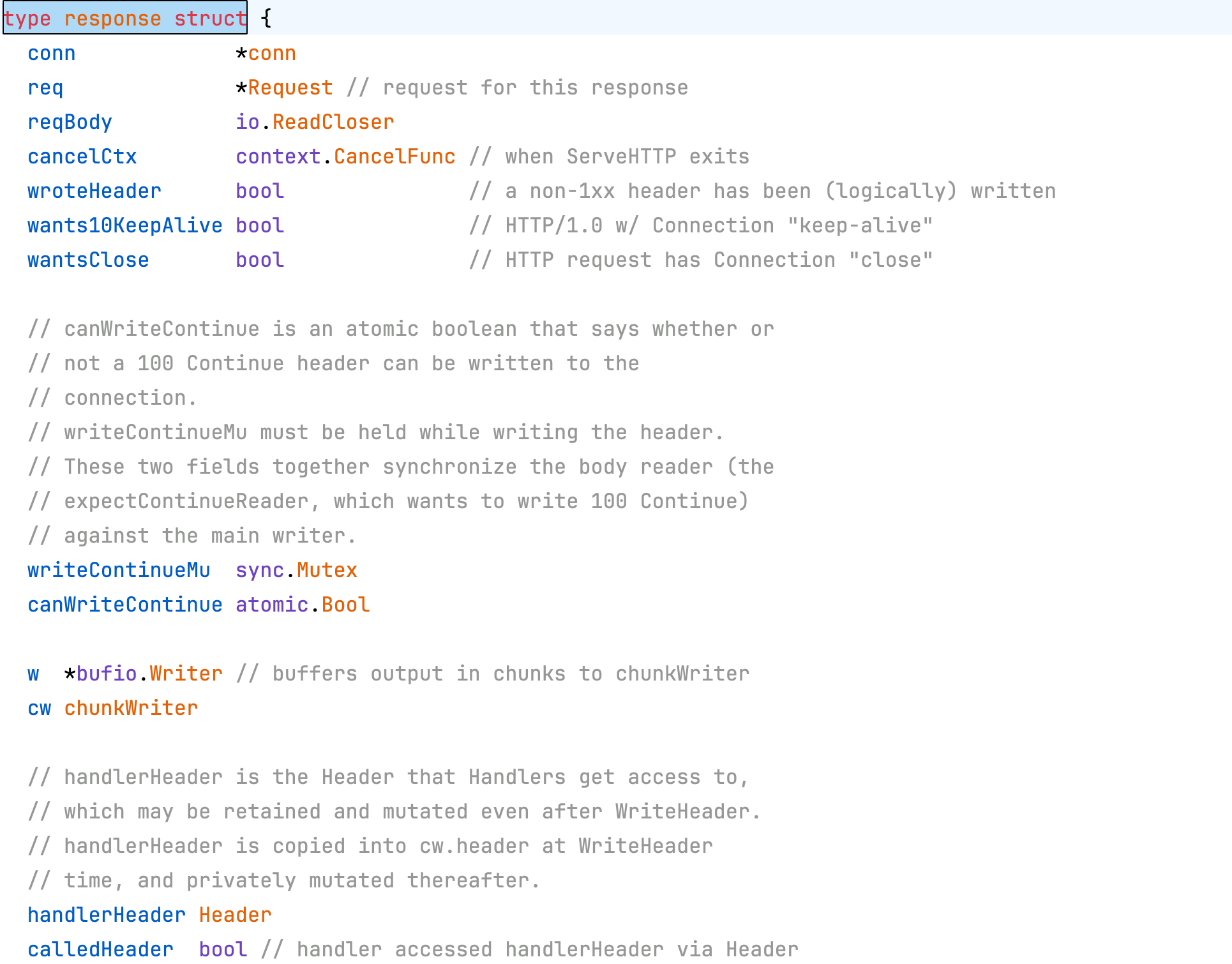
Let’s focus on these values:
type response struct {
    conn         *conn          // TCP 连接
    req          *Request       // 本次请求
    wroteHeader  bool           // 状态码写了没?
    w            *bufio.Writer  // 缓冲区
}
Then consider this interesting question: “Why does Write stop working after WriteHeader?”
We can look at the explanation given here:
情况一:正常顺序(没问题)
┌─────────────────────────────────────┐
│ w.WriteHeader(404)                  │
│   → wroteHeader = false             │
│   → 写入状态码 404                   │
│   → wroteHeader = true             │
│                                     │
│ w.Write(data)                       │
│   → wroteHeader 已经true         │
│   → 直接写数据,不再写状态码            │
└─────────────────────────────────────┘

情况二:先 Write 再 WriteHeader(出问题)
┌─────────────────────────────────────┐
│ w.Write(data)                       │
│   → wroteHeader == false            │
│   → 自动调用 WriteHeader(200) !!     │
│   → wroteHeader = true              │
│   → 写数据                           │
│                                     │
│ w.WriteHeader(404)  ← 你想改状态码    │
│   → wroteHeader 已经是 true !!       │
│   → 直接 return,忽略这次调用          │
│   → 客户端收到的还是 200,不是 404     │
└─────────────────────────────────────┘
So we can understand two things:
- It is fine not to call WriteHeader; when
Writeruns, it automatically supplies200 OK. - Headers must be set before Write.
Applications
Standardized Response Output
In production, the most common case is returning JOSN data.
func responseHandler(w http.ResponseWriter, r *http.Request)  {
	respData := map[string]string{
		"status": "success",
		"message": "hello world",
	}
	// 设置 Content-Type 头
	w.Header().Set("Content-Type", "application/json")
	w.WriteHeader(http.StatusCreated)
	json.NewEncoder(w).Encode(respData)
}
Middleware
Middleware essentially accepts a Handler, wraps it with some logic, and returns a new Handler.
I feel this design pattern is very important; all framework extension mechanisms are built on middleware.
In the net/http package, the standard middleware signature is:
func Middleware(next http.Handler) http.Handler {
    return http.HandlerFunc(func(w http.ResponseWriter, r *http.Request) {
        // 1. 在这里写:请求到达业务代码【前】的逻辑

        // 2. 将请求传递给下一层(或最终的业务代码)
        next.ServeHTTP(w, r)

        // 3. 在这里写:业务代码执行完毕【后】的逻辑
    })
}
A classic example is a request-duration statistics middleware:
func TimeMiddleware(next http.Handler) http.Handler {
	return http.HandlerFunc(func(w http.ResponseWriter, r *http.Request) {
		// 前置逻辑:记录开始时间
		start := time.Now()

		// 放行:让业务代码去执行
		next.ServeHTTP(w, r)

		// 后置逻辑:计算耗时并打印
		duration := time.Since(start)
		log.Printf("请求 %s %s 耗时: %v\n", r.Method, r.URL.Path, duration)
	})
}
Another essential one is authentication:
// AuthMiddleware
func AuthMiddleware(next http.Handler) http.Handler {
    return http.HandlerFunc(func(w http.ResponseWriter, r *http.Request) {
        token := r.Header.Get("Authorization")

        // token wrong,out
        if token != "secret-token" {
            http.Error(w, "Unauthorized: 请提供有效的 Token", http.StatusUnauthorized)
            return
        }

        // Token right,pass
        next.ServeHTTP(w, r)
    })
}