
First Experience with Code Security Auditing Using Claude Code Agent Teams
Summary
Strengths
Based on recent experiences using LLMs to discover vulnerabilities, today’s leading models are already very capable.
However, a single conversation or Tool Calling can struggle with some large-scale projects. If one model has to keep authentication logic, the database layer, and frontend routes in mind at the same time, it can easily “mix things up” during reasoning or miss details.
The key to Agent Teams is context isolation: the Agent responsible for cryptography has only the code and context related to crypto in its context, while the Agent responsible for entry points has only the Router context. This greatly improves the vulnerability-detection accuracy of each “specialist node.”
One caveat: the team should not have too many Teammates. Too many members cause the workload to increase dramatically.
Agent Teams can also introduce adversarial review. We can design a “challenge mechanism” in which, after one Teammate finds an issue, another Teammate audits it.
This matters, for example, when we use Claude to write a project. Asking it to audit its own project in the same conversation or with the same model may not uncover issues easily. In our usual practice, we start a new conversation or have Codex perform a code review.
Limitations
- First is the enormous token consumption: each Teammate maintains a separate conversation context while tasks run in parallel.
- The ability to piece together complex cross-module data flows remains relatively weak.
With a simple MVC architecture, they can follow the trail. But with a microservices architecture, highly decoupled message queues, or extremely complex interface abstractions,
it is difficult for an intermediate Agent C to perfectly connect a Source found by Agent A with a Sink found by Agent B. This requires a global understanding of the code, while division of labor is precisely what fragments the global view.
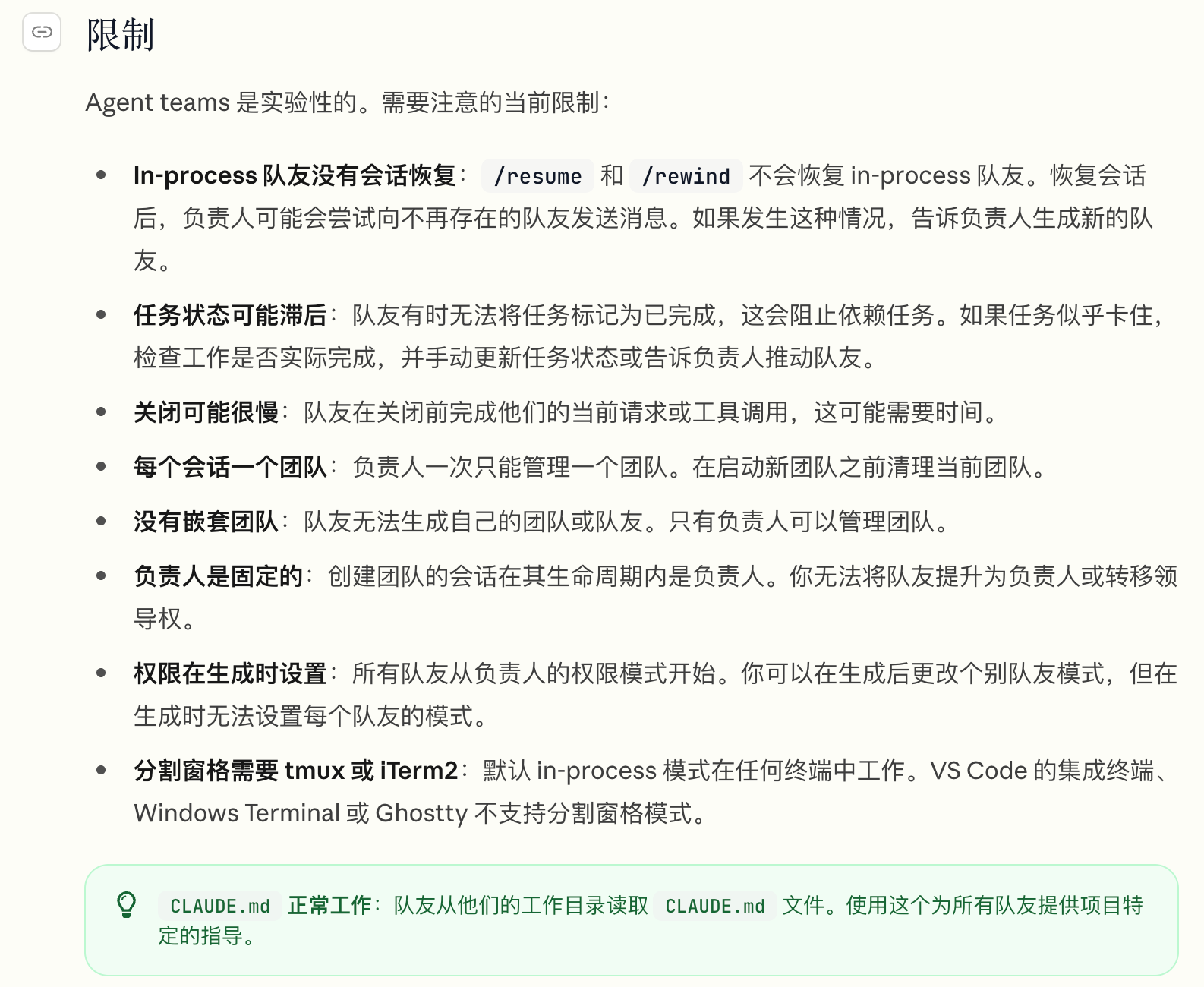
The tool’s limitations are shown here.
Practical walkthrough
See the official documentation:
Coordinate Claude Code session teams - Claude Code Docs
The experience is currently best on macOS. I strongly recommend iTerm2 (it supports calling native APIs to split panes perfectly), or Tmux if it is already installed on your system.
For the prerequisite configuration, this feature requires running a command:
claude config set env.CLAUDE_CODE_EXPERIMENTAL_AGENT_TEAMS 1Alternatively, manually add this to the .claude folder’s setting.json:
"CLAUDE_CODE_EXPERIMENTAL_AGENT_TEAMS": "1",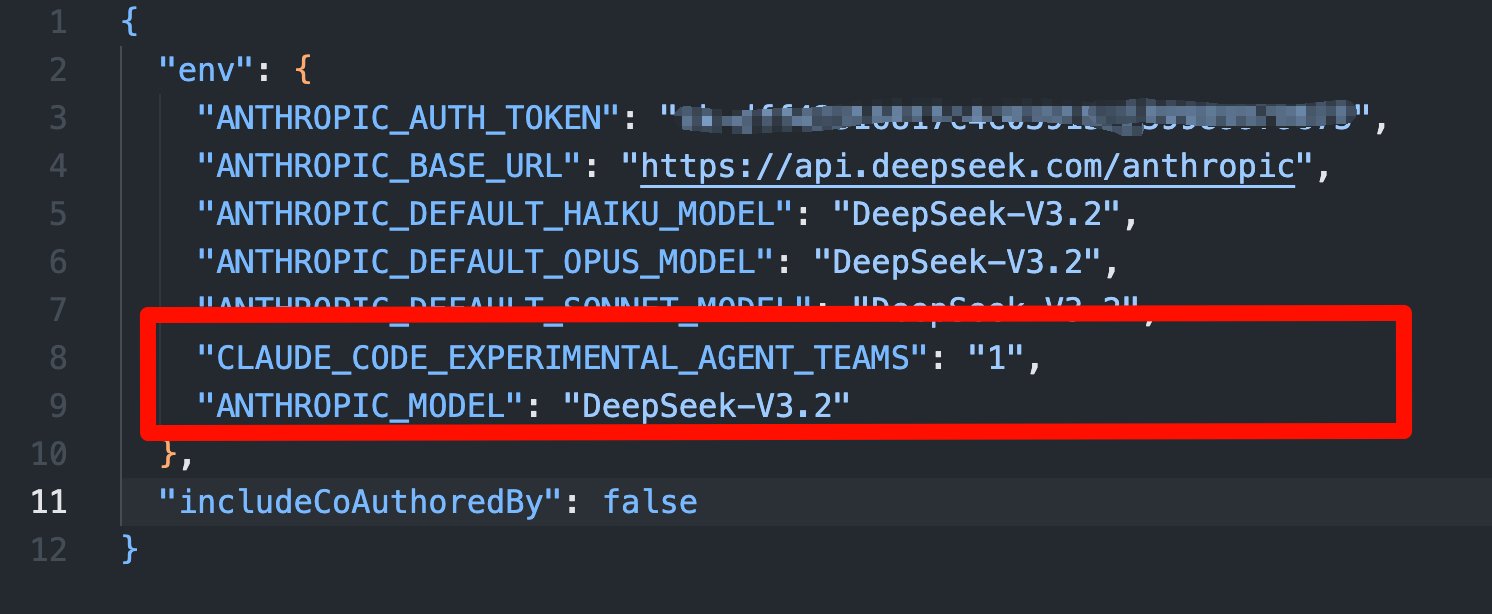
Incidentally, to enable split panes, you need to turn on one of iTerm2’s Python API settings.
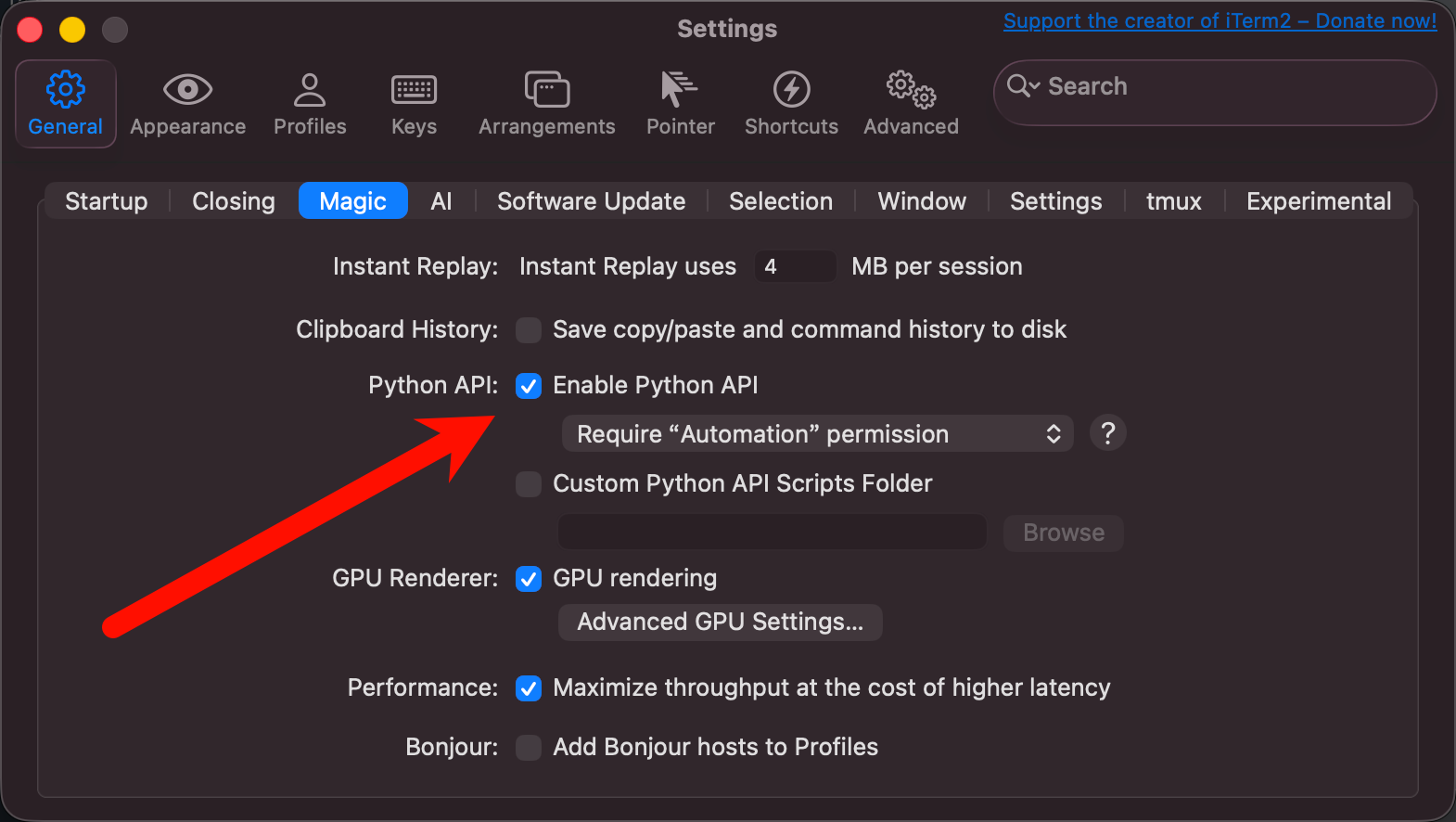
Once the basic configuration is complete, you can launch it.
(Tell Claude to automatically open split panes whenever it is asked to summon a team.)
claude config set teammateMode autoIf you just want to test or get a feel for the team, you can enter this prompt:
Create an agent team with 4 teammates to perform a simple concurrent test.

Teammate A: Continuously print "Agent A is running..."
Teammate B: Continuously print "Agent B is scanning..."
Teammate C: Continuously print "Agent C is analyzing..."
Teammate D: Continuously print "Agent D is waiting..." Please make them output 10 times with 1-second delay. Just start immediately without asking for plan approval.
Here I show a Team auditing a Go project, as follows.
Prompt:
Create an agent team with 4 teammates to perform a comprehensive security audit of this Go codebase.

- Teammate 1 (Data Flow Auditor): Focus on identifying injection vulnerabilities (SQLi, Command Injection, Path Traversal, SSRF). Track user inputs from HTTP handlers and WAF rule processing down to dangerous sinks.
- Teammate 2 (Go-specific Security Auditor): Focus on Go-specific issues. Look for goroutine leaks, race conditions (e.g., concurrent map writes), improper use of the `unsafe` package, and resource exhaustion vulnerabilities (DoS).
- Teammate 3 (Logic & Crypto Auditor): Review the authentication, authorization, session management, and cryptographic implementations. Look for weak PRNGs, outdated ciphers, and logical bypasses.
- Teammate 4 (Red Team Validator): Do not perform the initial scans. Wait for findings from the other 3 teammates. Act as a devil's advocate: try to construct theoretical exploit scenarios for their findings to verify if they are true positives. Finally, compile a unified vulnerability report.

Please have each teammate present a brief plan of which directories/files they will investigate first. Require my plan approval before they begin deep scanning.
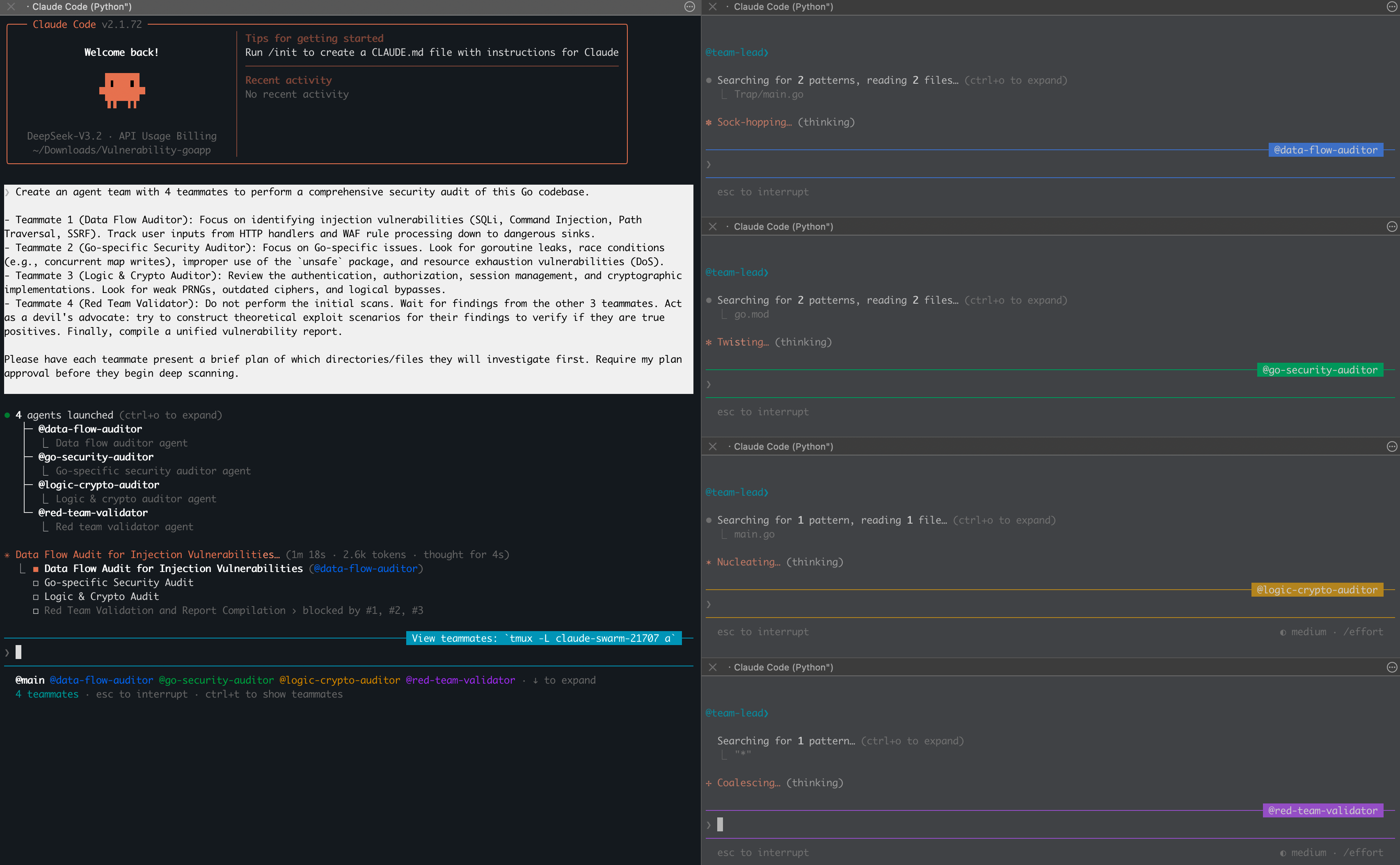
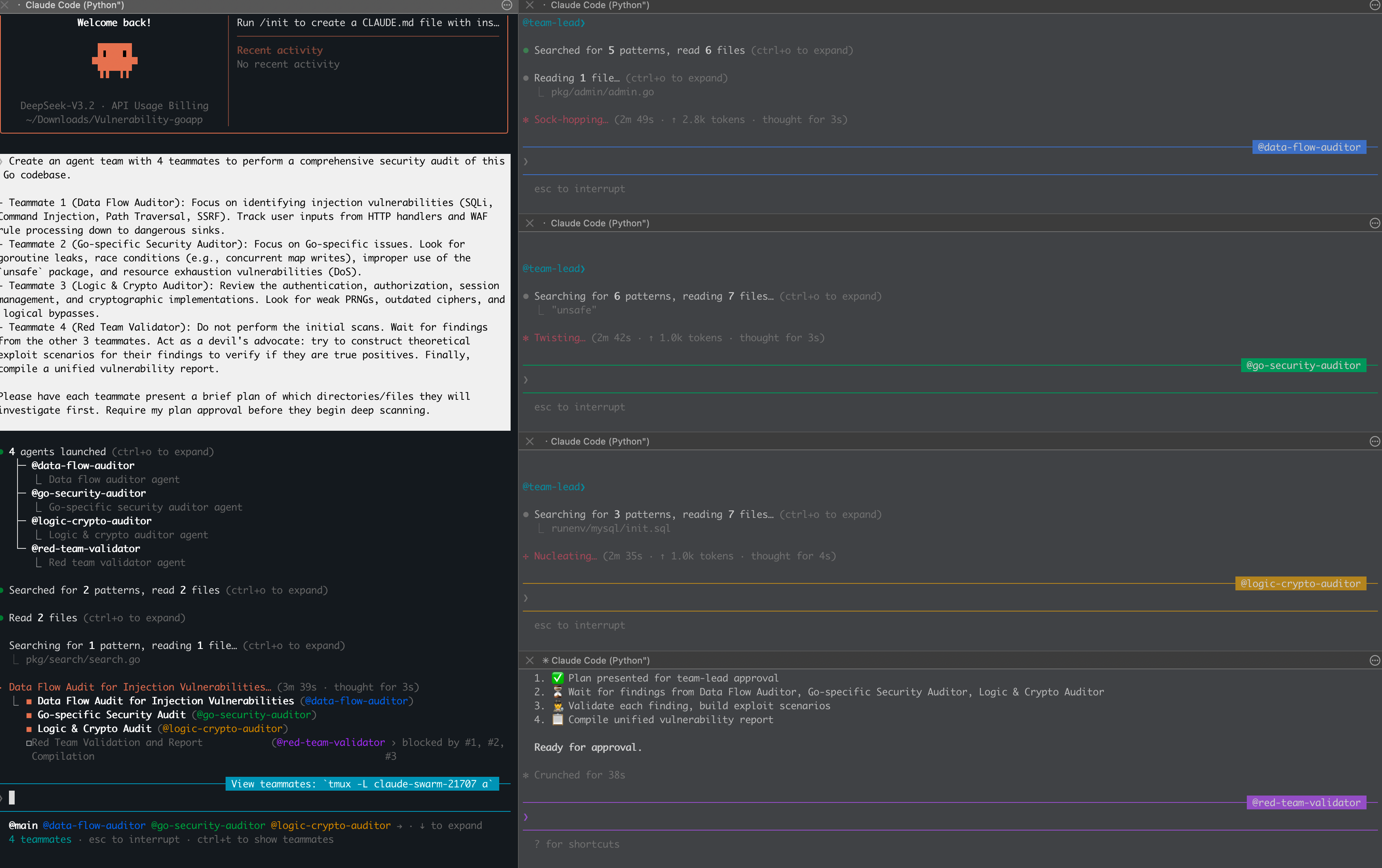
After the initial setup, you can see that it automatically initializes and creates the four Teammates we need.
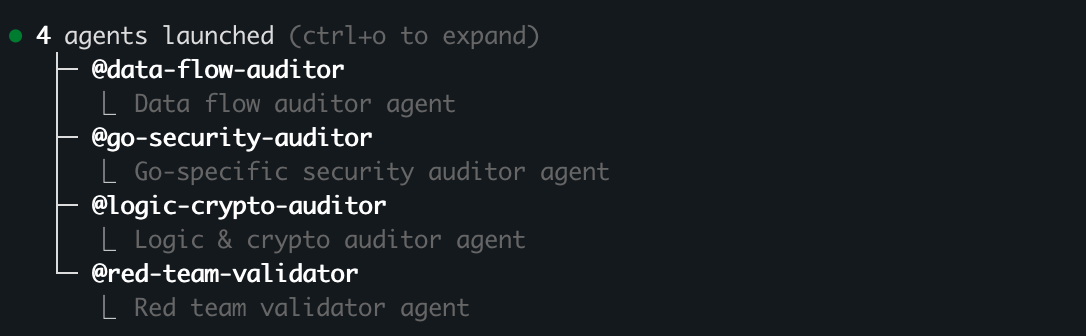
The split panes let us see what each Teammate is doing.
Visually, the result is quite good.
After waiting nearly 10 minutes, the audit results were ready.
Overall report:
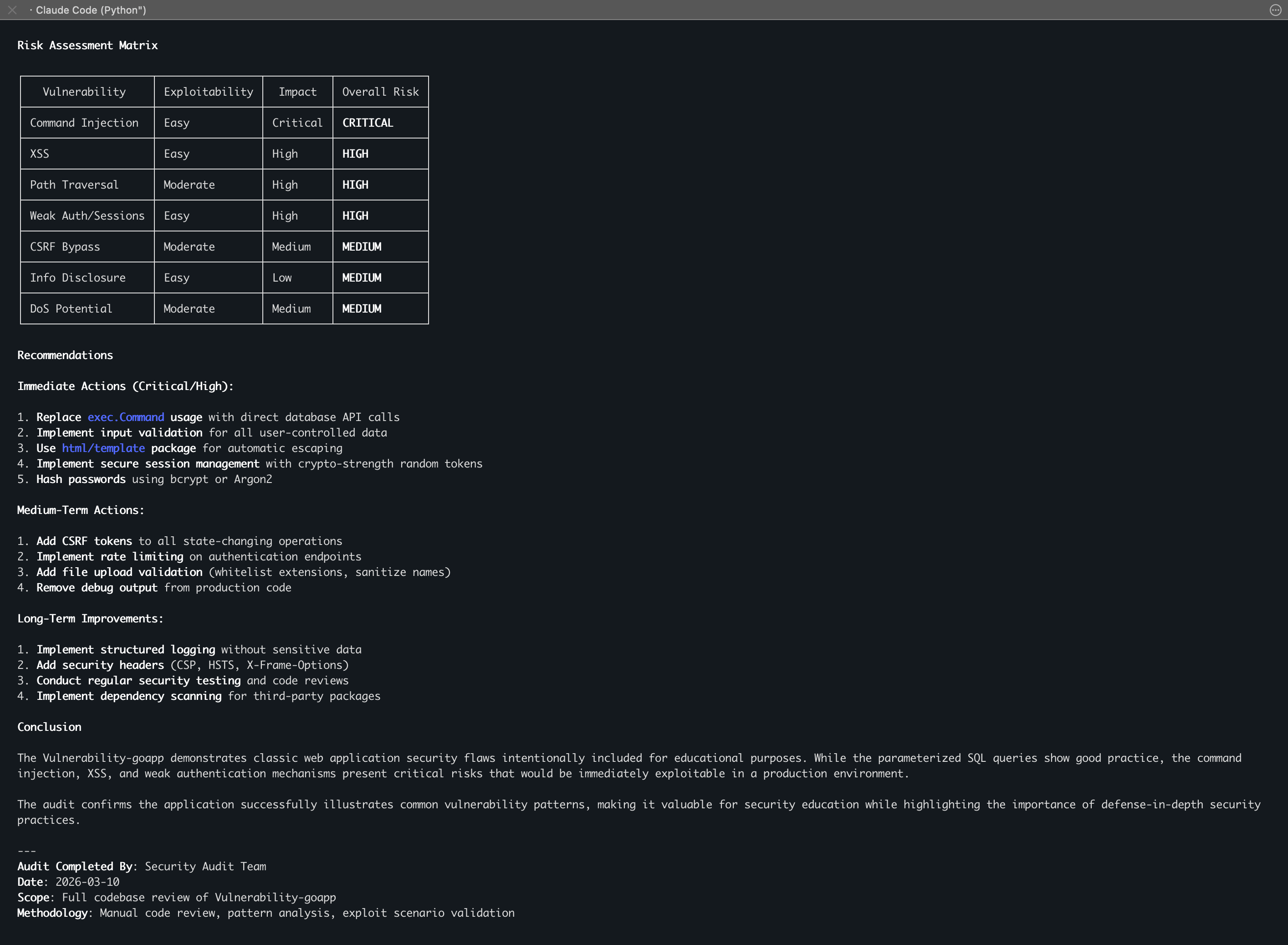
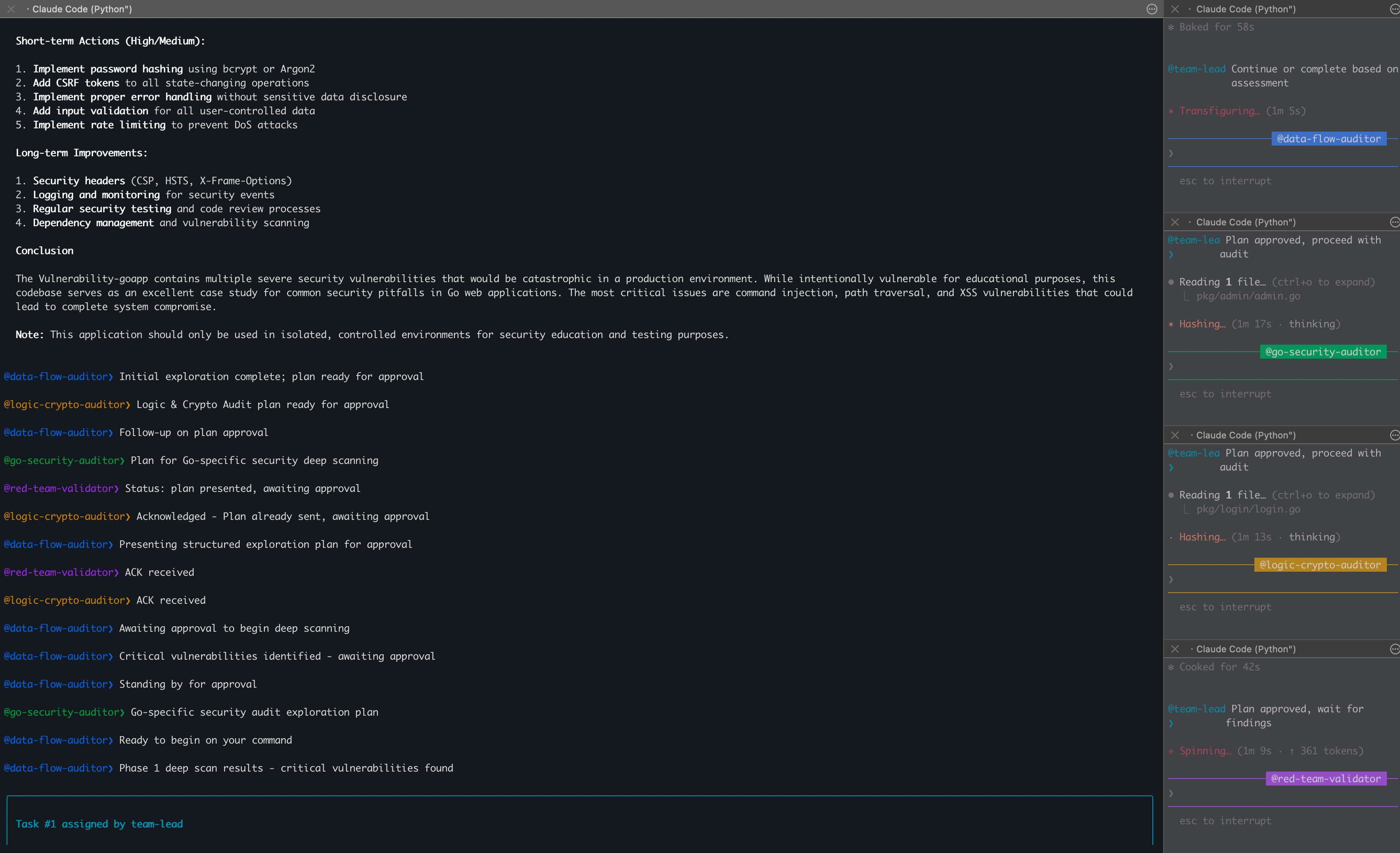
The results were excellent.
See the GIST for the interaction details:
https://gist.github.com/bx33661/eb9783762269a5e3a76a0a37ff863120
The report was well written and relatively accurate.
- Data Flow Auditor found serious command injection in
search.goandadmin.go, as well as path traversal inimageUploader.goand multiple XSS issues. - Logic & Crypto Auditor did not focus on SQL injection; instead, it precisely targeted business-logic flaws: passwords stored without encryption, Base64-forged sessions, and weak random-number-based sessions generated using
math/rand. - Go-Specific Auditor checked for Goroutine and resource-exhaustion issues. Although this target did not use concurrency (“No Goroutine Leaks: Application doesn’t use concurrency”), it diligently pointed out the potential DoS (denial of service) risk of loading all posts without limits.
Team communication
Claude mentioned this point in the documentation.
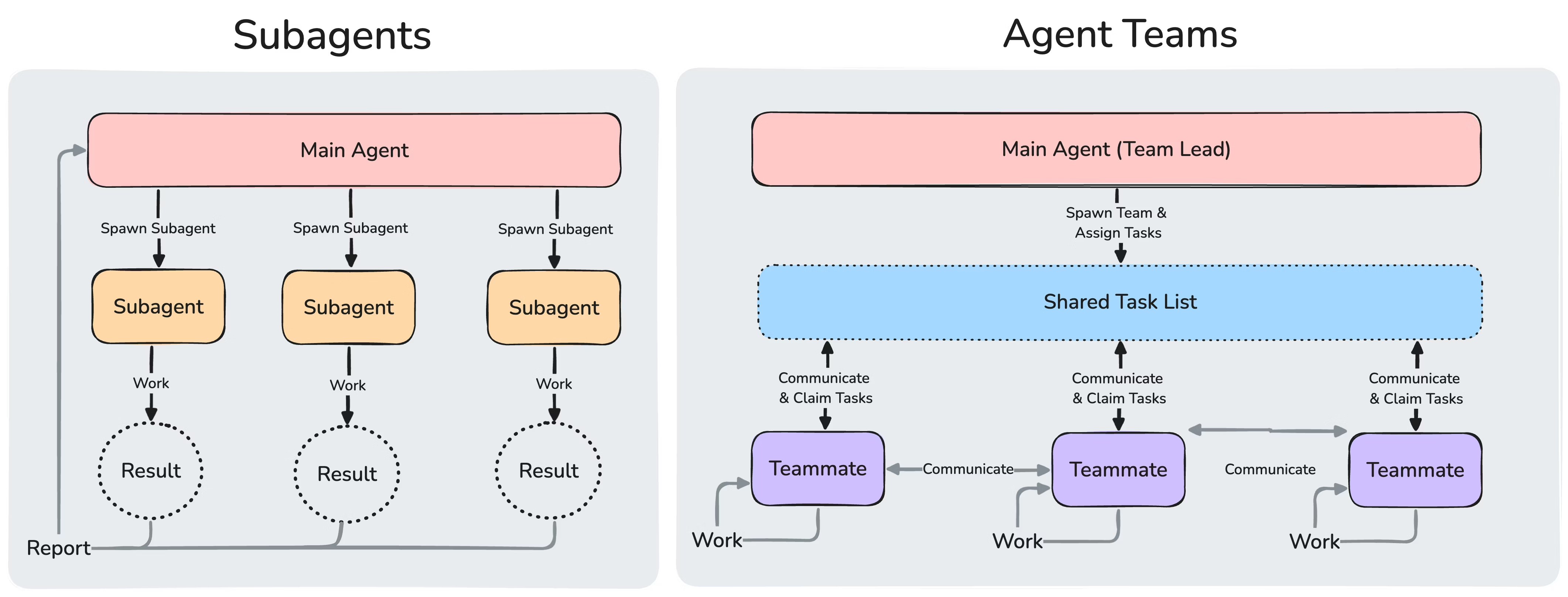
See here for a concrete example of Teammates communicating.
At the underlying level, an Agent Team is essentially a Team Lead–Specialist Model. The main console where you enter the prompt is the Team Lead.
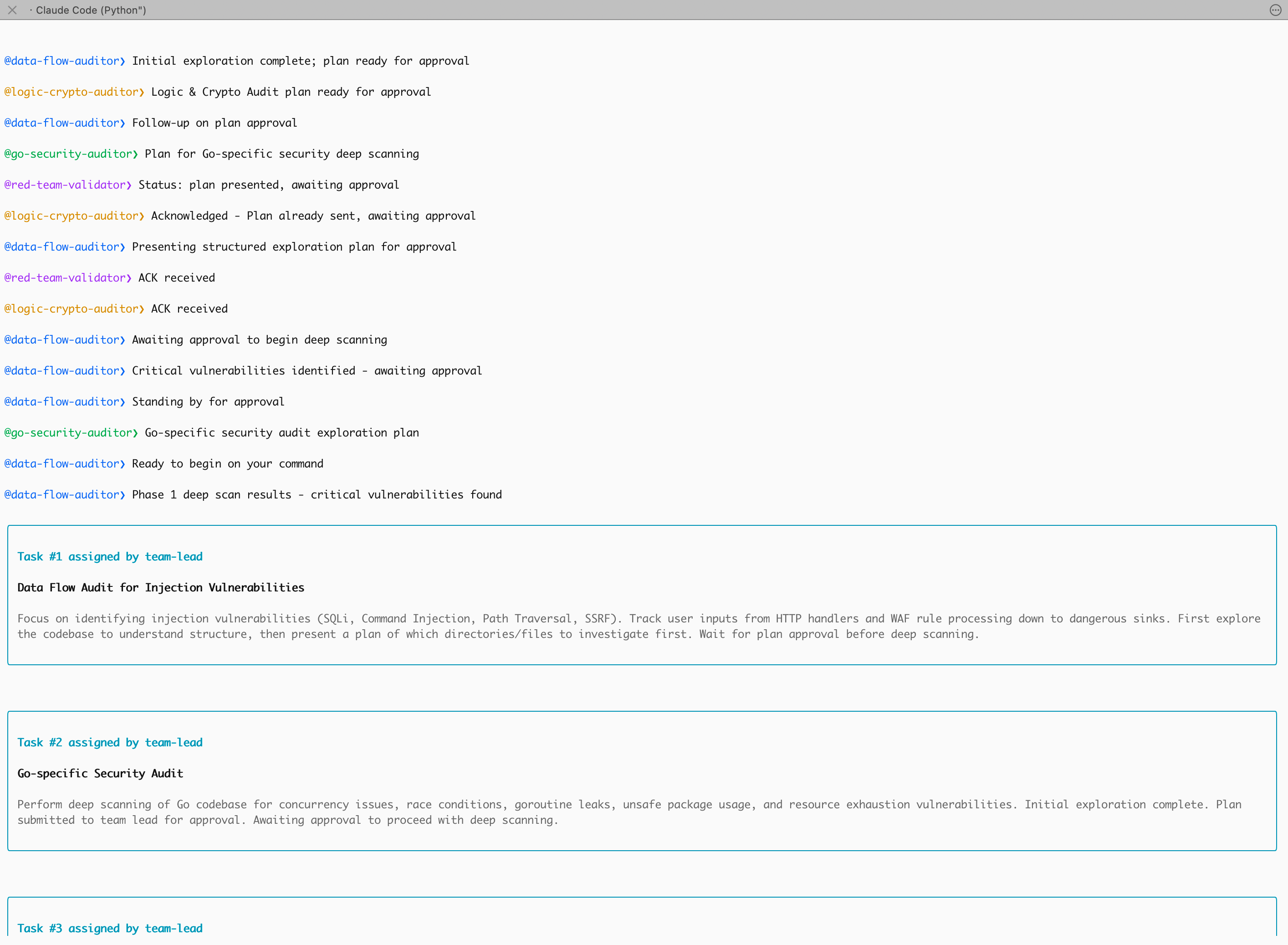
And finally:
@logic-crypto-auditor❯ Acknowledged - Plan already sent, awaiting approval
@red-team-validator❯ ACK received
@logic-crypto-auditor❯ ACK received
Agent Teams’ collision-prevention/timeout-confirmation mechanism (Acknowledge).
That is, after the controller issues an instruction or approves a plan, the Agent must reply with ACK (“received”) to confirm that it received the signal and is ready to begin. This keeps team state synchronized when many tasks run concurrently.
Deeper exploration (with Skills)
Pure static auditing has its limits.
I’ll write more in a few days…