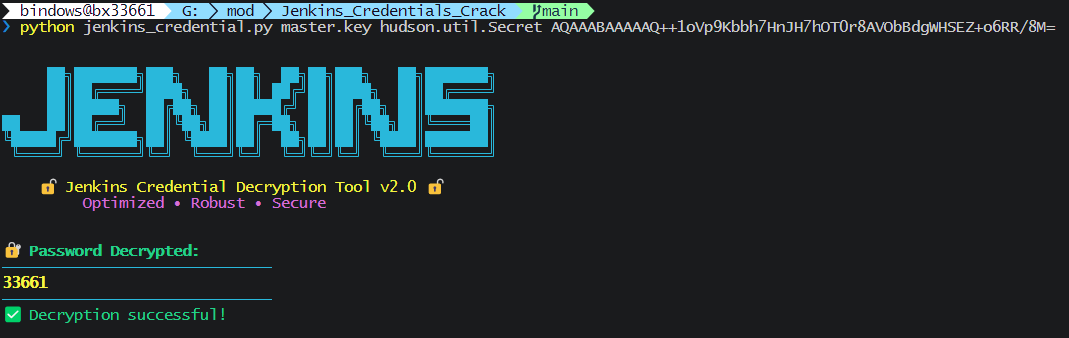
Jenkins Credential Cracking & Sensitive Information Retrieval
Jenkins is an open-source Automation Server, mainly used for continuous integration and continuous delivery (CI/CD).
Official website
Brief overview of Jenkins credential storage
The main reason is that Jenkins allows users to centrally store various credentials they need, instead of writing passwords or keys in plaintext in Job configuration scripts. This avoids password leaks, reduces repeated input, and makes unified management convenient.
If we can obtain the corresponding keys and other information, we can decrypt some credentials.
- Credential storage locations
Jenkins encrypts sensitive information such as usernames, passwords, and keys configured in “Credential Management” and stores it in:$JENKINS_HOME/credentials.xml- Or in a
config.xmlfile under certain Job configuration directories
- Encryption mechanism
Jenkins uses its own symmetric encryption scheme:- The key is determined by two files:
$JENKINS_HOME/secrets/master.key: master key file$JENKINS_HOME/secrets/hudson.util.Secret: auxiliary “salt” or key material
- Jenkins combines these two files to generate the actual decryption key, which is used to decrypt content encrypted in
credentials.xmlorconfig.xml.
- The key is determined by two files:
- Encrypted content
- Credential content in XML is usually stored as a Base64-encoded encrypted string.
- The encrypted content does not directly reveal the plaintext password.
- Decryption process
- Obtain both
master.keyandhudson.util.Secretfiles. - Use a decryption tool provided by Jenkins or developed by the community, together with these files.
- Apply the decryption algorithm (AES symmetric encryption) to the encrypted credential data.
- Recover the plaintext password or key.
- Obtain both
Local test setup
Start the basic environment
I used Docker to set this up.
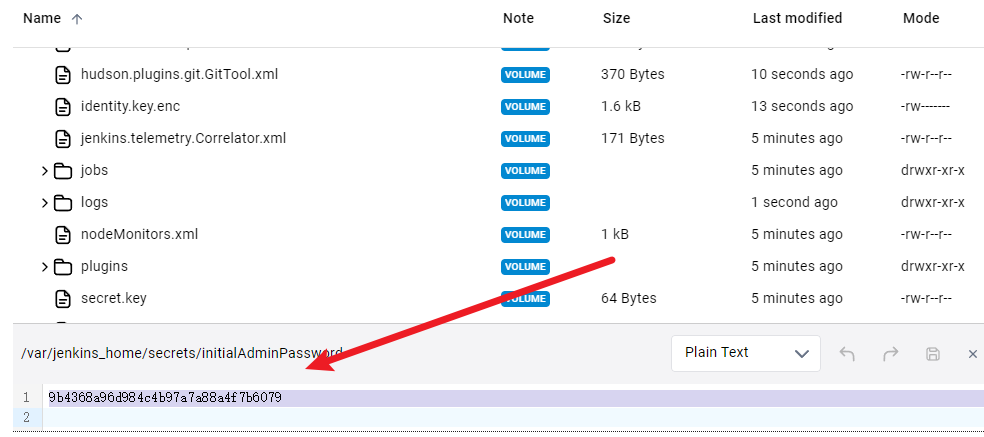
docker run -d -p 8080:8080 -p 50000:50000 --name myjenkins jenkins/jenkins:ltsGo to the corresponding path to view the initial password.
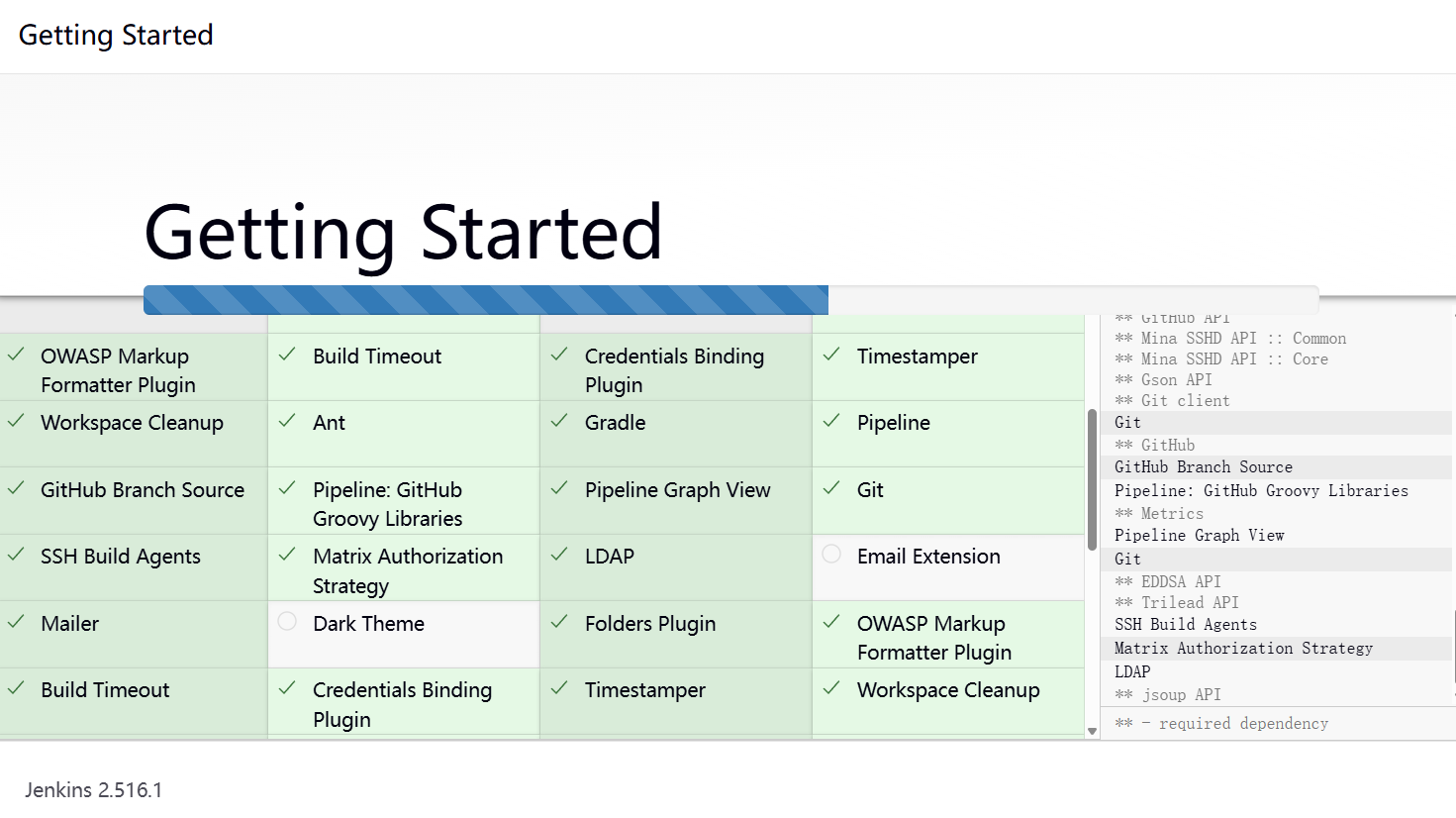
Follow the steps to configure and download.
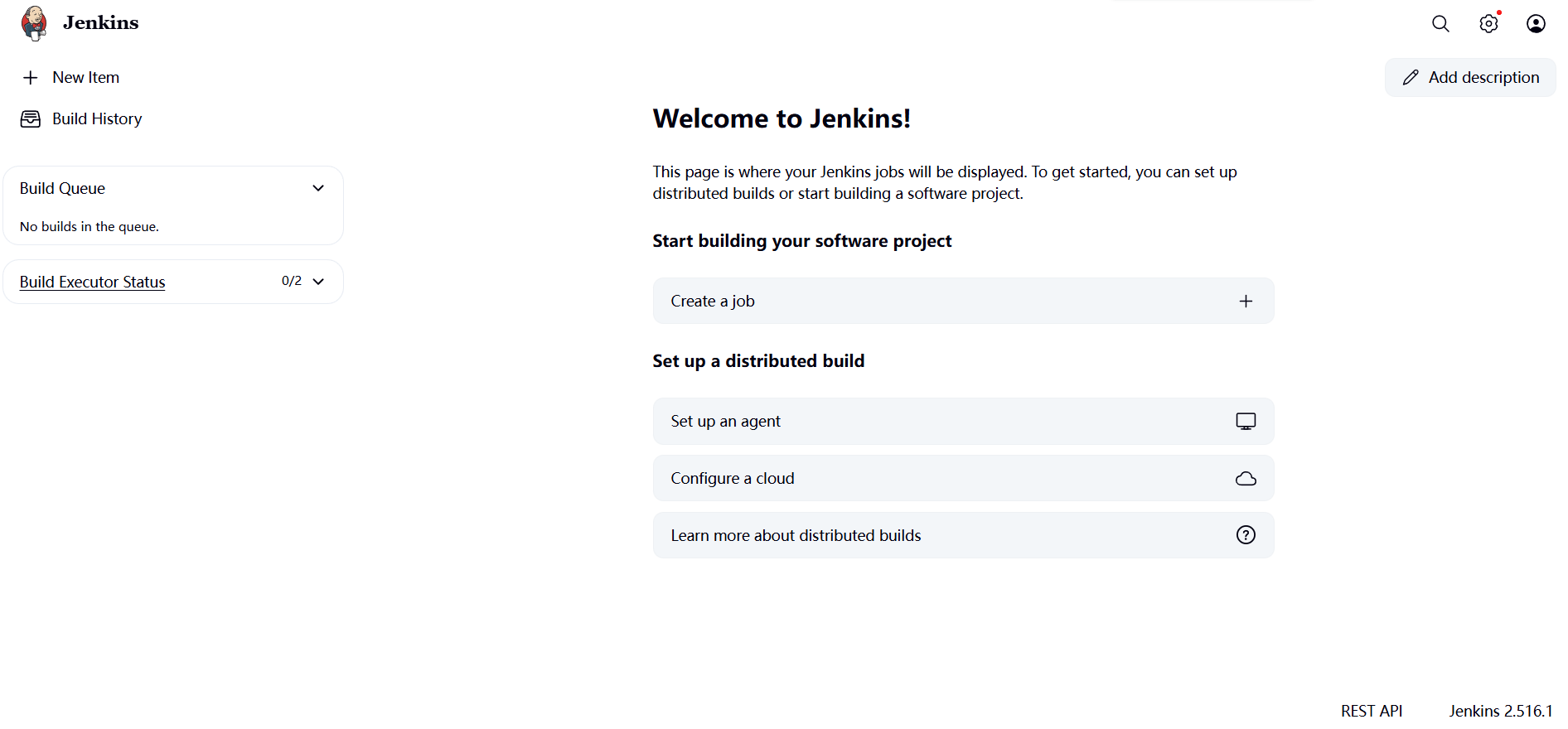
The setup is complete.
Set credentials
Set up a fake credential here.
-----BEGIN OPENSSH PRIVATE KEY-----
b3BlbnNzaC1rZXktdjEAAAAACmFlczI1Ni1jdHIAAAAGYmNyeXB0AAAAci0xAAAA
EAAAAAEAAAAzAAAAC3NzaC1lZDI1NTE5AAAAIKsVqEXAMPLEfaI+m33VNlBwYp4k
NlZEXAMPLEy2M5mJk4zAAAAsIEXzT2BF809gAAAAtzc2gtZWQyNTUxOQAAACCrFa
gEXAMPLEfaI+m33VNlBwYp4kNlZEXAMPLEy2M5mJk4zAAAAECAwQFBgcICQoLDA
0ODxAREhMUFRYXGBkaGxwdHh9odHRwczovL2dpdGh1Yi5jb20vYmFieXNoZW5na3
UBAgMEBQY=
-----END OPENSSH PRIVATE KEY-----


ID: bx
Description: bx
Username: bx
Private Key:
Passphrase: 留空 (因为这个假密钥没有密码)。
Configure it in the corresponding interface.
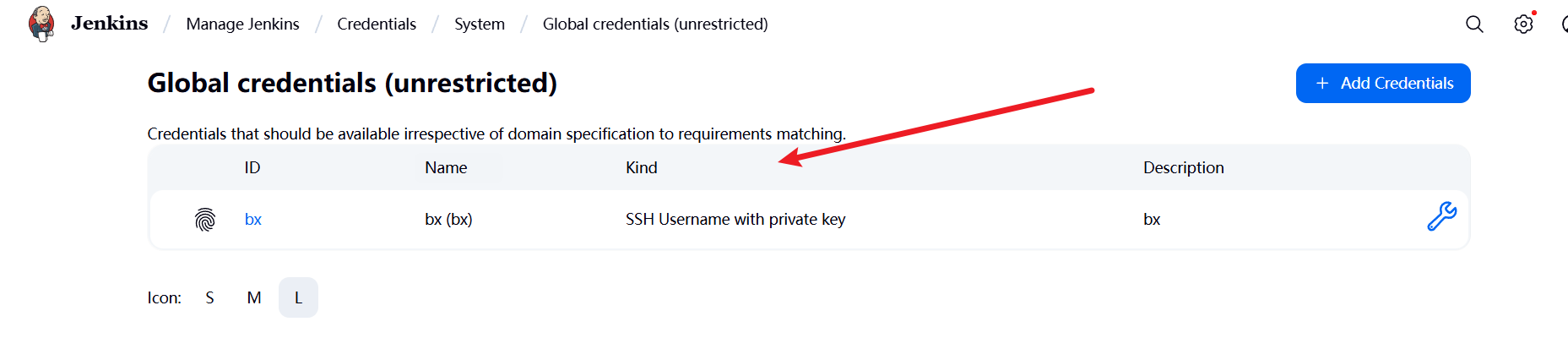
Credential cracking
Three items are needed:
$JENKINS_HOME/secrets/master.key$JENKINS_HOME/secrets/hudson.util.Secret- The credential content in
$JENKINS_HOME/credentials.xml
The contents of the test credential file are as follows: credentials.xml
<?xml version='1.1' encoding='UTF-8'?>
<com.cloudbees.plugins.credentials.SystemCredentialsProvider plugin="credentials@1419.v2337d1ceceef">
  <domainCredentialsMap class="hudson.util.CopyOnWriteMap$Hash">
    <entry>
      <com.cloudbees.plugins.credentials.domains.Domain>
        <specifications/>
      </com.cloudbees.plugins.credentials.domains.Domain>
      <java.util.concurrent.CopyOnWriteArrayList>
        <com.cloudbees.jenkins.plugins.sshcredentials.impl.BasicSSHUserPrivateKey plugin="ssh-credentials@361.vb_f6760818e8c">
          <scope>SYSTEM</scope>
          <id>bx</id>
          <description>bx</description>
          <username>bx</username>
          <usernameSecret>false</usernameSecret>
          <privateKeySource class="com.cloudbees.jenkins.plugins.sshcredentials.impl.BasicSSHUserPrivateKey$DirectEntryPrivateKeySource">
            <privateKey>{AQAAABAAAAGgQ/Vgr9DBmTtPJn0FoJQQNLmnAVszr8M6pnogmCuewS6cT5LEyqIoeEu4VEe5zckSGDed8wD1PdwJu4FHrzG0OOR/IsUHdXSf2MBAuwKyvWQ6sK+TspkzkYd4/9WqjAFzVyBRRz0oe3rmeENBHI+Xswx+QYjA84LDglcMl1IBPiywoj280ivr/t0sGTJ3zBKbmmD9mOc0fg9BNsbDjqdbRLlZtZACzWTU2TL+VVe8kTa9GQqg2hmzHlQD8gG02rYOx/rf2UA9LoghxpxPes9H9CrlJl4/DvuYU6xb1ndXgGVqxcX2MGkub/aXpEutyOFZC3FtrkqF3NCRvzXfv2tlDIbxk2sMMoLCeh1BIEVpDkECvFoEqe5plcuzo3e2nF1xhfAGEl7uSuMQGudeM0rzO+fsa0hfZnFYmSjKG/GbZS/SZVAWdF7Fd3X5225h4qZUX+kNuu29dJNVWCelKxYoGIa9l6QIzdQ7gnQY2+6KeiOZYAgpdoGda7vK5b4Rs6FdxZ8LQLhxoxOZkBqglN9+TXiXdYwkRcFANhPI8LuX18XbeaBJGyiormly2W/pJQbU}</privateKey>
          </privateKeySource>
        </com.cloudbees.jenkins.plugins.sshcredentials.impl.BasicSSHUserPrivateKey>
        <org.jenkinsci.plugins.plaincredentials.impl.StringCredentialsImpl plugin="plain-credentials@199.v9f8e1f741799">
          <scope>GLOBAL</scope>
          <id>bx1</id>
          <description>bx1</description>
          <secret>{AQAAABAAAAAQ++1oVp9Kbbh7HnJH7hOT0r8AVObBdgWHSEZ+o6RR/8M=}</secret>
        </org.jenkinsci.plugins.plaincredentials.impl.StringCredentialsImpl>
      </java.util.concurrent.CopyOnWriteArrayList>
    </entry>
  </domainCredentialsMap>
</com.cloudbees.plugins.credentials.SystemCredentialsProvider>
The decryption script used is:
I modified a script here. https://github.com/bx33661/JenkinsCredsDecoder
Decrypt the SSH key.
python3 jenkins_credential.py master.key hudson.util.Secret AQAAABAAAAGgQ/Vgr9DBmTtPJn0FoJQQNLmnAVszr8M6pnogmCuewS6cT5LEyqIoeEu4VEe5zckSGDed8wD1PdwJu4FHrzG0OOR/IsUHdXSf2MBAuwKyvWQ6sK+TspkzkYd4/9WqjAFzVyBRRz0oe3rmeENBHI+Xswx+QYjA84LDglcMl1IBPiywoj280ivr/t0sGTJ3zBKbmmD9mOc0fg9BNsbDjqdbRLlZtZACzWTU2TL+VVe8kTa9GQqg2hmzHlQD8gG02rYOx/rf2UA9LoghxpxPes9H9CrlJl4/DvuYU6xb1ndXgGVqxcX2MGkub/aXpEutyOFZC3FtrkqF3NCRvzXfv2tlDIbxk2sMMoLCeh1BIEVpDkECvFoEqe5plcuzo3e2nF1xhfAGEl7uSuMQGudeM0rzO+fsa0hfZnFYmSjKG/GbZS/SZVAWdF7Fd3X5225h4qZUX+kNuu29dJNVWCelKxYoGIa9l6QIzdQ7gnQY2+6KeiOZYAgpdoGda7vK5b4Rs6FdxZ8LQLhxoxOZkBqglN9+TXiXdYwkRcFANhPI8LuX18XbeaBJGyiormly2W/pJQbU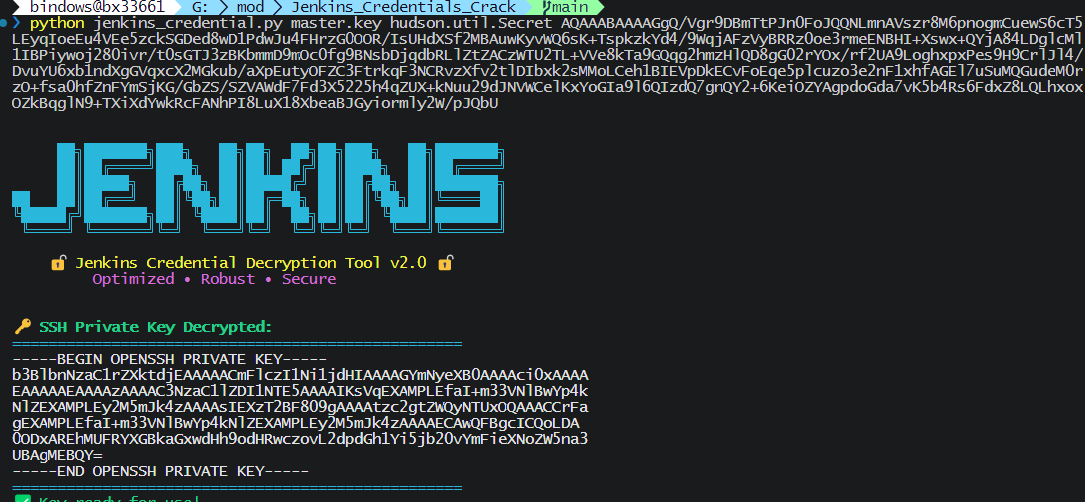
Decrypt the ciphertext.
python jenkins_credential.py master.key hudson.util.Secret AQAAABAAAAAQ++1oVp9Kbbh7HnJH7hOT0r8AVObBdgWHSEZ+o6RR/8M=